
Why Filling Your W-9 Online Saves Time and Prevents Costly Errors

How to fill w9 online pdf free is now easier than ever with modern digital tools that eliminate the hassle of paper forms and manual processes. Here’s the quick answer:
Quick Steps to Fill Your W-9 Online for Free:
- Download the latest IRS Form W-9 PDF
- Use a free online PDF editor or fillable form tool
- Enter your name, business info, and tax classification
- Add your Social Security Number or EIN
- Sign electronically and save/submit securely
Gone are the days of printing, scanning, and mailing tax forms. As one freelancer shared, “Printing and scanning each form can get a little cumbersome, but filling out the form online can save you time.”
Why fill your W-9 online?
- No printing or scanning required
- Automatic error checking prevents common mistakes
- Secure digital storage for your records
- Electronic signatures are legally accepted
- Instant submission to clients
I’m Haiko de Poel, a fractional Chief Marketing Officer who has helped countless small businesses and freelancers streamline their tax compliance processes. Through my work with companies like Mass Impact and experience in digital change, I’ve seen how mastering how to fill w9 online pdf free can save entrepreneurs hours of administrative work while ensuring accuracy.
Start filling your W9 now at https://fillablew9.com/apply.
What is a W-9 Form and Who Needs One?
If you’ve ever worked as a freelancer or hired an independent contractor, you’ve likely encountered IRS Form W-9. This seemingly simple document plays a crucial role in taxes and business payments, yet many people find themselves confused about when and how to use it.
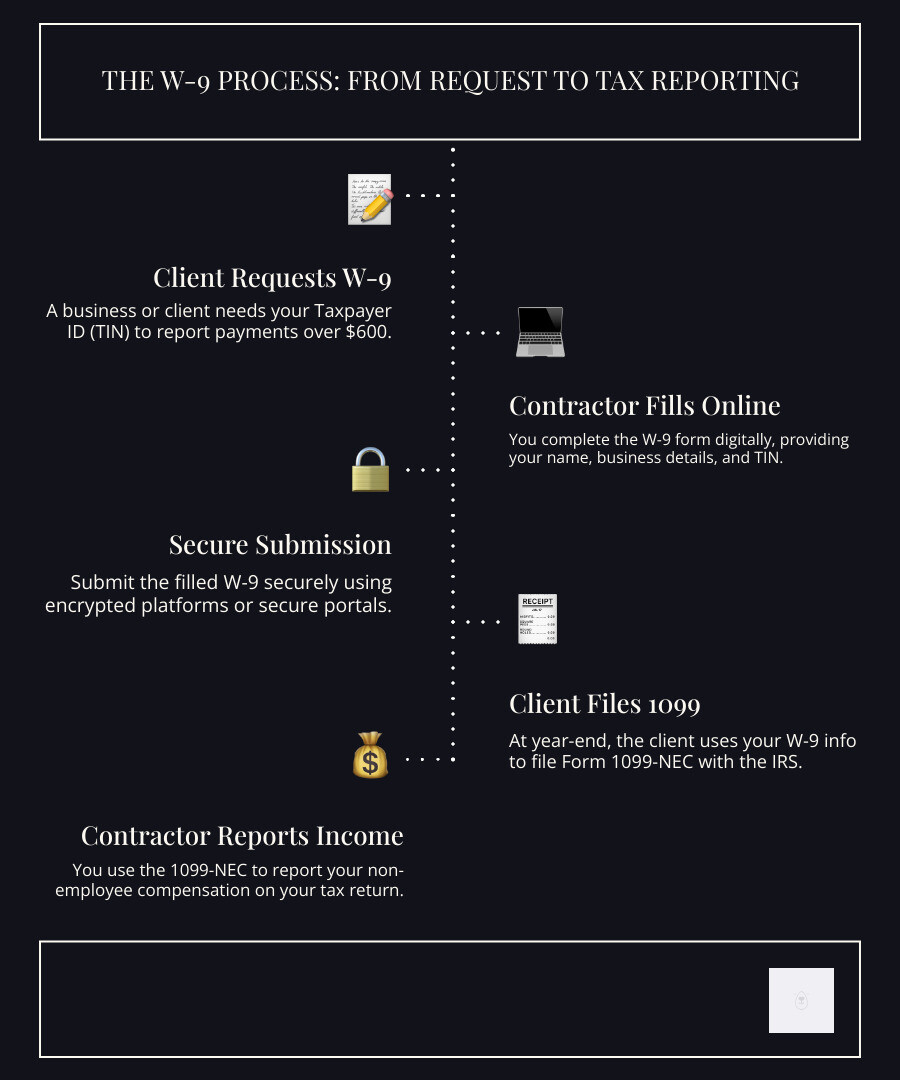
The W-9 form, officially called the “Request for Taxpayer Identification Number and Certification,” is essentially your way of saying “Here’s my tax information” to someone who needs to report payments they’ve made to you. Think of it as a formal introduction between you and the IRS, facilitated by the business paying you.

Independent contractors, freelancers, and gig workers encounter W-9 forms regularly. When you’re providing services to a business and expect to receive $600 or more in a calendar year, that business will almost certainly request a W-9 from you. This isn’t bureaucratic busy work – it’s a legal requirement that helps both you and your client stay compliant with tax laws.
The form collects your Taxpayer Identification Number (TIN) – which could be your Social Security Number or an Employer Identification Number – along with your name, address, and tax classification. This information enables businesses to file the proper Form 1099-NEC (Nonemployee Compensation) at year-end, reporting exactly how much they paid you.
It’s worth noting that a W-9 differs significantly from a Form W-4. While a W-4 is used by employees to determine their tax withholding, a W-9 is specifically for non-employees. When you fill out a W-9, you’re essentially certifying that income tax will not be withheld from your pay, since independent contractors are responsible for handling their own taxes.
Why Businesses Request a W-9
From a business perspective, requesting a W-9 form isn’t optional – it’s about tax compliance and avoiding costly penalties. When companies pay independent contractors, freelancers, or other business entities for services, the IRS requires them to report these payments if they reach certain thresholds.
The information you provide on your W-9 becomes essential for businesses to accurately file various 1099 forms at year-end. These include Form 1099-NEC for nonemployee compensation (the most common for freelancers), Form 1099-MISC for miscellaneous income like rents or royalties, and Form 1099-DIV for dividends and distributions.
By collecting W-9s upfront, businesses ensure they have the correct Taxpayer Identification Number and other vital information for each payee. This proactive approach helps them avoid IRS penalties for incorrect or missing information returns – penalties that can quickly add up to significant amounts.
The W-9 also serves as a way for businesses to verify contractor identity, ensuring they’re dealing with legitimate U.S. persons or entities. This verification process protects both parties and maintains the integrity of the business relationship.
Who Must Fill Out a W-9
The W-9 form is specifically designed for U.S. persons and entities, but that covers a surprisingly wide range of individuals and business structures. Understanding whether you need to fill out a W-9 can save you time and prevent compliance issues down the road.
Individual sole proprietors and single-member LLCs (treated as disregarded entities) typically use their Social Security Number as their TIN when completing a W-9. C Corporations and S Corporations – whether they’re standard corporations or those electing special tax treatment – also need to provide W-9s when requested by clients.
Partnerships between two or more individuals or entities, trusts and estates that hold assets for beneficiaries, and Limited Liability Companies all fall under the W-9 requirement. For LLCs, the specific tax classification matters: depending on whether an LLC elects to be taxed as a sole proprietor, partnership, C corp, or S corp, they’ll complete the form accordingly.
If you’re a U.S. citizen or resident alien earning income as an independent contractor, you’ll generally need to fill out a W-9 when requested. However, non-U.S. citizens or resident aliens must use W-8 forms (such as W-8BEN or W-8BEN-E) instead of a W-9.
The bottom line? If you’re a U.S. person or entity earning more than $600 annually as a non-employee, the W-9 form will likely become a familiar part of your business routine. Learning how to fill w9 online pdf free can streamline this process and ensure you’re always ready when clients make requests.
Step-by-Step Guide: How to Fill W9 Online PDF Free
The traditional approach of printing, filling out by hand, and scanning tax forms feels painfully outdated in today’s digital world. When you master how to fill w9 online pdf free, you’re not just saving time – you’re also reducing errors and creating a more professional experience for both you and your clients.
The beauty of digital W-9 completion lies in its simplicity and security. Modern online tools have transformed what used to be a cumbersome paper process into something you can complete during your coffee break. Electronic signatures are legally binding, automatic error-checking prevents common mistakes, and secure submission protects your sensitive information.
As someone who has guided countless businesses through digital change, I’ve seen how learning how to fill w9 online pdf free can streamline your entire client onboarding process. No more scrambling to find a printer when a new client requests your W-9, and no more worrying about whether your handwriting is legible enough for tax compliance.
Don’t waste time with paper forms – complete your secure W9 online at https://fillablew9.com/apply.
Step 1: Get the Latest Official W-9 Form
Your journey to mastering how to fill w9 online pdf free begins with obtaining the most current version of Form W-9 directly from the IRS. This might seem like a small detail, but using an outdated form can create unnecessary complications with your clients and potentially delay your payments.
The IRS occasionally updates their forms, and what worked last year might not meet this year’s requirements. Think of it like using an old version of software – it might mostly work, but you’re missing important updates and improvements.
Head to the IRS website and steer to their forms and publications section. You’ll want to look specifically for “Form W-9, Request for Taxpayer Identification Number and Certification.” The official PDF version is fillable, meaning you can type directly into the form fields without needing to print anything.
Download the latest Form W-9 here
Once you have the current form, you’re ready to dive into the actual completion process. This fillable PDF format is the foundation for efficient online completion – no more squinting at your own handwriting or worrying about whether your information is clear enough for processing.
Step 2: Complete Part I – Taxpayer Information
Part I is where accuracy becomes absolutely critical. The information you provide here must match exactly what the IRS has on file for your tax returns. Even small discrepancies can trigger backup withholding or create headaches down the road.
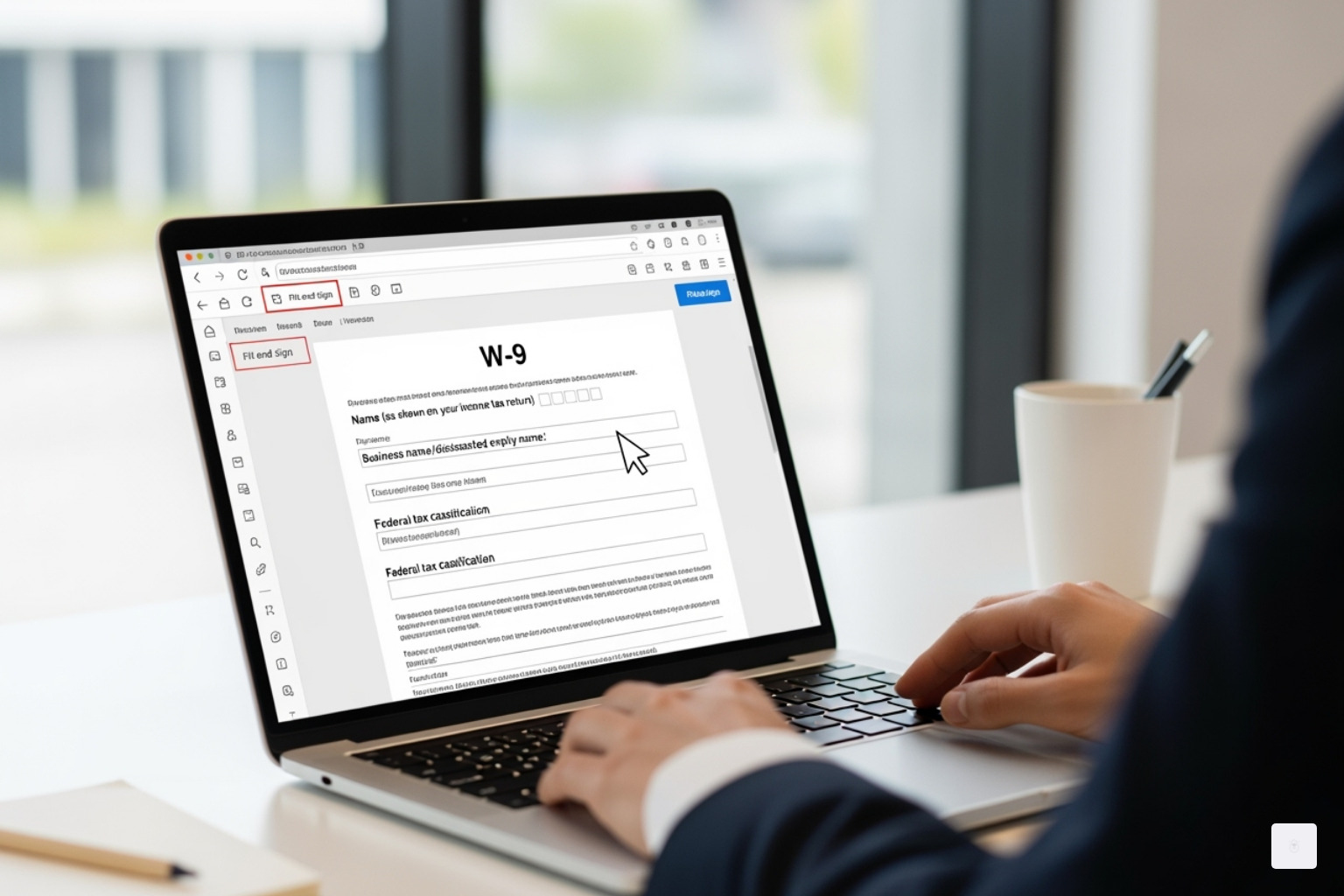
Line 1 requires your name exactly as it appears on your income tax return. If you’re an individual or single-member LLC that hasn’t elected corporate taxation, use your personal legal name. For corporations, partnerships, and multi-member LLCs, enter the entity’s legal name.
Line 2 is for your business name or DBA (Doing Business As) if it differs from Line 1. This is particularly relevant for freelancers who work under a business name. For example, you might put “Sarah Johnson” on Line 1 and “Johnson Creative Services” on Line 2.
Line 3 presents the federal tax classification section, which often causes the most confusion. You’ll check only one box that accurately describes your tax status. Individual/Sole Proprietor or Single-Member LLC covers most freelancers and solo consultants. If you’re a corporation, partnership, or multi-member LLC, select the appropriate box. For LLCs, you’ll also need to specify how you’re taxed using the letter codes provided.
Line 4 handles exemptions, which most individuals and small businesses can leave blank. This section applies mainly to tax-exempt organizations or specific situations involving backup withholding exemptions.
Lines 5 and 6 capture your complete mailing address. This information determines where you’ll receive your 1099 forms at year-end, so double-check for accuracy. Include your street address, city, state, and ZIP code.
The Taxpayer Identification Number (TIN) section is the heart of the entire form. Most individuals and sole proprietors use their Social Security Number, while businesses typically use their Employer Identification Number (EIN). If you’re a sole proprietor with an EIN, you can use either, but consistency with your tax filings is essential.
Step 3: How to fill w9 online pdf free and Certify in Part II
Part II represents your legal certification that all the information you’ve provided is accurate and complete. This isn’t just a formality – your signature creates a legally binding statement, and providing false information carries penalties of perjury.
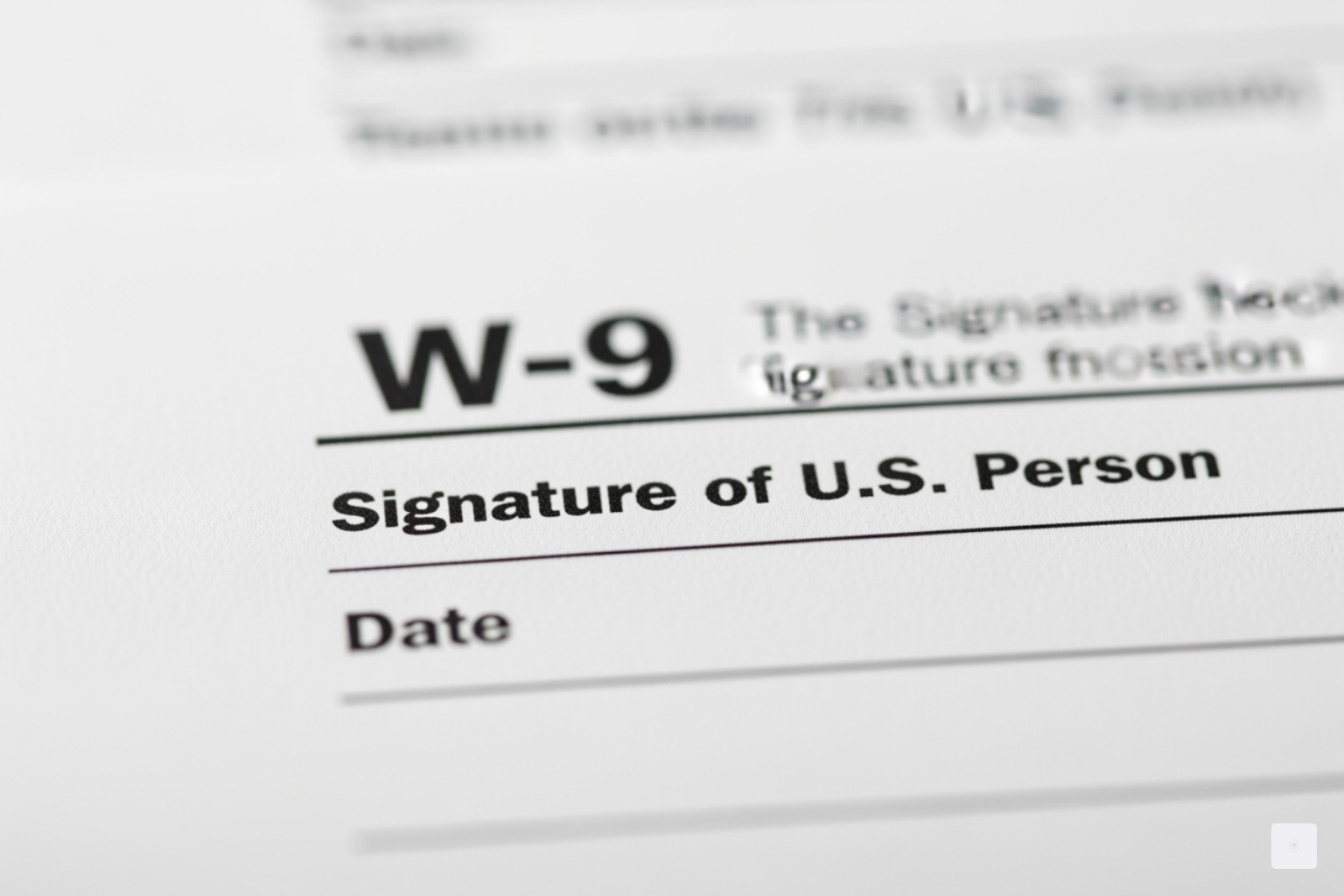
When you sign this certification, you’re confirming three important things. First, you’re certifying that the TIN you provided is correct. Second, you’re stating that you’re not subject to backup withholding because you haven’t been notified by the IRS that you are due to underreporting interest or dividends. Third, you’re confirming that you’re a U.S. citizen or other U.S. person for tax purposes.
If you are subject to backup withholding, you must cross out item 2 in the certification before signing. Most freelancers and small business owners won’t need to worry about this, but it’s important to understand what you’re certifying.
The signature and date fields complete your certification. An unsigned W-9 is invalid and can result in backup withholding, where the payer withholds 24% of your payments and sends it directly to the IRS until they receive a properly signed form.
Online tools make this step seamless by allowing you to apply a legally binding electronic signature and automatically date-stamp your completion.
Step 4: How to fill w9 online pdf free and Submit Securely
The final step in mastering how to fill w9 online pdf free involves secure submission to your client. This is where the advantages of digital completion truly shine, offering both convenience and crucial protection for your sensitive information.
Electronic signatures have revolutionized the W-9 process. Modern online platforms allow you to apply legally binding eSignatures that carry the same weight as traditional wet signatures. This eliminates the entire print-sign-scan cycle that used to bog down the process.
When it comes to submission, security should be your top priority. Your completed W-9 contains your Social Security Number or EIN – information that identity thieves would love to access. Never send your W-9 as a simple email attachment. Unencrypted email is essentially like sending a postcard with your most sensitive information visible to anyone who handles it.
Instead, use secure portals or encrypted submission methods provided by your client or trusted services. Reputable platforms employ advanced security measures including end-to-end encryption, secure cloud storage, and strict access controls to protect your data throughout the entire process.
Data encryption ensures that even if someone intercepts your submission, they can’t read your personal information. Look for services that prioritize security and clearly explain their data protection measures.
Finally, always save a digital copy of your completed W-9 for your records. Digital storage makes it easy to quickly provide the same information to multiple clients or reference it during tax preparation. Many online tools automatically save your information for future use, making subsequent W-9 completions even faster.
The combination of speed, accuracy, and security makes online W-9 completion the smart choice for modern professionals who value both efficiency and protection of their personal information.
Common W-9 Mistakes and How to Avoid Them
Learning how to fill w9 online pdf free isn’t just about knowing where to type your information – it’s also about avoiding the common pitfalls that can cause headaches down the road. Even though the W-9 seems straightforward, I’ve seen countless freelancers and small business owners make simple mistakes that lead to delays, IRS notices, or even penalties.
The most frequent and costly error is providing an incorrect TIN. Whether it’s a simple typo in your SSN or EIN, or using the wrong type of TIN for your business entity, this mistake can trigger backup withholding immediately. The IRS doesn’t mess around here – if you fail to furnish your correct TIN to a requester, you’re looking at a $50 penalty for each failure unless you can prove reasonable cause.
Another trap that catches many people is the name mismatch. The name you provide on Line 1 must exactly match the name associated with your TIN on file with the IRS. I’ve seen contractors use their business nickname or a shortened version of their legal name, only to have their payments delayed because the names don’t align. Even small differences like “Robert” versus “Bob” can cause issues.
Wrong tax classification is particularly tricky for LLC owners. Many single-member LLCs accidentally check “Limited Liability Company” when they should actually check “Individual/Sole Proprietor or Single-Member LLC” if they haven’t elected corporate tax treatment. This misrepresentation can lead to incorrect reporting by the payer and potential tax complications.
Perhaps the most embarrassing mistake is forgetting to sign and date the form. An unsigned W-9 is completely invalid, and without your certification in Part II, the requester cannot use the form. This often triggers immediate backup withholding at 24% of your payments until you provide a properly signed form.
If you’ve been notified by the IRS that you’re subject to backup withholding due to previous underreporting, you must cross out item 2 in the certification section. Failing to do this creates another incorrect form submission.
From a security standpoint, sending your W-9 via regular email creates significant security risks. Your TIN is highly sensitive information that’s vulnerable to interception when sent through unencrypted channels.
The consequences of not providing a W-9 when requested are immediate and costly. Companies are required to withhold 24% of your payments and send it to the IRS as backup withholding. This means less money in your pocket and more paperwork at tax time to recover those withheld funds.
To avoid these issues, always double-check your entries, especially your TIN and name. Use secure platforms for submission, and don’t hesitate to ask your client or a tax professional if you’re unsure about any section.
When a W-9 is NOT Required
Understanding when you don’t need a W-9 can save you time and clarify your tax obligations. Full-time employees should never fill out a W-9 – they use Form W-4 instead, which provides information for income tax withholding from paychecks.
Generally, if a business pays you less than $600 in a calendar year for services, they’re not required to file a 1099 form, so they may not need your W-9. However, it’s often smart to provide one anyway, as payments can unexpectedly exceed the threshold, or the payer may prefer having it on file.
Foreign persons should never use a W-9. If you’re a non-U.S. citizen or resident alien, you’ll typically provide an appropriate Form W-8 (such as W-8BEN for individuals or W-8BEN-E for entities) to certify your foreign status and claim any applicable treaty benefits.
Certain corporations may be exempt from W-9 requirements for specific types of payments, and payments to tax-exempt organizations like churches or charities often don’t require reporting. Personal payments to friends or reimbursements for personal services also typically don’t trigger W-9 requirements.
Frequently Asked Questions about Filling a W-9 Online
As someone who’s helped countless freelancers and small businesses steer tax compliance, I get asked the same W-9 questions over and over again. Let me clear up the most common confusion points about how to fill w9 online pdf free and the W-9 process in general.
What’s the difference between a W-9 and a 1099?
This question comes up in almost every conversation I have with new freelancers, and honestly, it’s totally understandable why people get confused!
Think of it this way: A W-9 is a request for information from the contractor to the business, while a 1099 is the report of payments from the business to the contractor and the IRS.
Here’s the simple flow: You (the contractor) fill out a W-9 and give it to your client at the beginning of your working relationship. This form tells them your name, address, and tax identification number. Then, at the end of the year, your client uses that information from your W-9 to create a 1099 form (usually a 1099-NEC for freelance work) that reports how much they paid you. They send one copy to you and another to the IRS.
Companies store completed W-9s securely throughout the year and pull them out when it’s time to prepare those year-end tax documents. So really, the W-9 is the foundation that makes the 1099 possible.
How do I fill out a W-9 as an LLC?
LLC owners often feel stumped by this question, but it’s actually straightforward once you understand how your LLC is taxed. The key is knowing your LLC’s tax classification with the IRS.
For a single-member LLC that hasn’t elected corporate taxation (what the IRS calls a “disregarded entity”), you’ll use your personal name and SSN, then check the “Individual/sole proprietor or single-member LLC” box. Put your personal legal name on Line 1, your LLC’s business name on Line 2, and use either your Social Security Number or your LLC’s EIN if you have one.
For a multi-member LLC or any LLC that’s elected to be taxed as a corporation, you’ll use the business name and EIN, then check the “Limited liability company” box. You’ll also need to specify your tax classification in the space provided: P for Partnership (most multi-member LLCs), S for S Corporation, or C for C Corporation.
The most important thing is making sure the name and tax ID number you provide exactly match what the IRS has on file for your chosen tax classification. Any mismatch can trigger backup withholding or delay your payments.
Is it safe to send a W-9 form online?
This is such a smart question to ask! Your W-9 contains your Social Security Number or EIN, so security should absolutely be your top priority.
Yes, it’s safe to send a W-9 form online if you use a secure, encrypted platform that prioritizes data protection. The key word here is “secure” – not all online methods are created equal.
Avoid sending your W-9 as a simple email attachment. Regular email is like sending a postcard – anyone along the delivery route can potentially read it. Your sensitive tax information deserves much better protection than that.
Instead, look for services that use end-to-end encryption, secure cloud storage, and proper access controls. At Fillable W9, we’ve built our entire platform around protecting your sensitive information with bank-level security measures. When you complete your W-9 through a reputable online service, your data is actually more secure than traditional paper methods, where forms can be lost, stolen, or mishandled.
The bottom line: mastering how to fill w9 online pdf free through a trusted platform isn’t just more convenient than paper forms – it’s often significantly safer too.
Conclusion: The Smartest Way to Handle Your W-9
As a freelancer or small business owner, you’ve got enough on your plate without wrestling with paper forms and manual processes. Learning how to fill w9 online pdf free isn’t just about convenience – it’s about changing how you handle one of the most common business tasks you’ll encounter.
The shift to digital W-9 completion brings immediate benefits that compound over time. Speed and convenience mean you can knock out your W-9 in just a few minutes, whether you’re at your desk or grabbing coffee between client meetings. No more hunting for printers or scanners when a client needs your form urgently.
But perhaps more importantly, online tools provide error reduction that can save you serious headaches down the road. When backup withholding kicks in because of a simple typo, you’ll wish you’d used a system that catches those mistakes before they become problems. Digital forms guide you through each field, highlighting potential issues and ensuring your information matches IRS requirements.
The secure storage aspect can’t be overstated either. Your Social Security Number or EIN deserves better protection than a manila folder in your filing cabinet. Professional-grade encryption and secure cloud storage mean your sensitive information stays protected while remaining easily accessible when you need it.
There’s also something to be said for professionalism. When you can instantly provide a clean, electronically signed W-9 to a new client, you’re signaling that you run a modern, efficient operation. It’s a small touch that sets the right tone for your business relationship.
The W-9 might seem like just another form, but it’s really the gateway to getting paid for your work. By embracing the digital approach to how to fill w9 online pdf free, you’re not just filling out paperwork – you’re investing in a smoother, more professional way to manage your business compliance.
With a tool like Fillable W9, you can complete and manage your forms in minutes, ensuring you get paid faster and stay compliant with IRS requirements. Why make it harder than it needs to be?
Ready to complete your W9 in minutes? Apply here now.