
Why Getting Your Free W9 Form Online Matters
Download Your W-9: The Easiest Way to Get It Done
If you need a free W9 form online, here’s everything you need to know to download it fast, fill it correctly, and send it securely with Fillable W9.
Quick Answer: You can download the official IRS Form W-9 directly from the IRS website at www.irs.gov/FormW9 or use a secure online generator like FillableW9 to complete it in minutes. The form is always free, and you should never pay to access it.
Start filling your W9 now at https://fillablew9.com/apply.
Where to Get Your W-9:
- IRS Website – Download the official PDF (Rev. March 2024)
- FillableW9.com – Complete it online with built-in guidance
- TaxBandits – Free fillable version with e-signature
- Jotform – Free online generator with PDF conversion
The W-9 form is a simple document that provides your legal name and Taxpayer Identification Number (TIN) to anyone who needs to report payments they made to you to the IRS. Most commonly, freelancers, independent contractors, and small business owners need to fill one out when they start working with a new client.
Without a completed W-9, you could face backup withholding of 24% on your payments, and the person or business paying you could face a $50 penalty for not collecting your information.
The good news? It takes less than five minutes to complete, and with the right online tool, you can avoid common mistakes that lead to penalties or payment delays.
At FillableW9, we’ve guided countless freelancers and small businesses through tax compliance processes. We understand how to efficiently obtain and complete a free W9 form online, and this guide will walk you through exactly how to get it done quickly and correctly.

What is a W-9 Form and Why is it Important?
Think of the IRS Form W-9 as your tax identification badge. Officially called the “Request for Taxpayer Identification Number and Certification,” this simple one-page document does something essential: it tells businesses and individuals who pay you exactly who you are in the eyes of the IRS.
Here’s why that matters so much. When someone pays you for your work—whether you’re designing websites, consulting, or selling products—they need your correct Taxpayer Identification Number (TIN) to stay compliant with federal tax law. Without your W-9, they’re flying blind when it comes to their own tax reporting obligations.
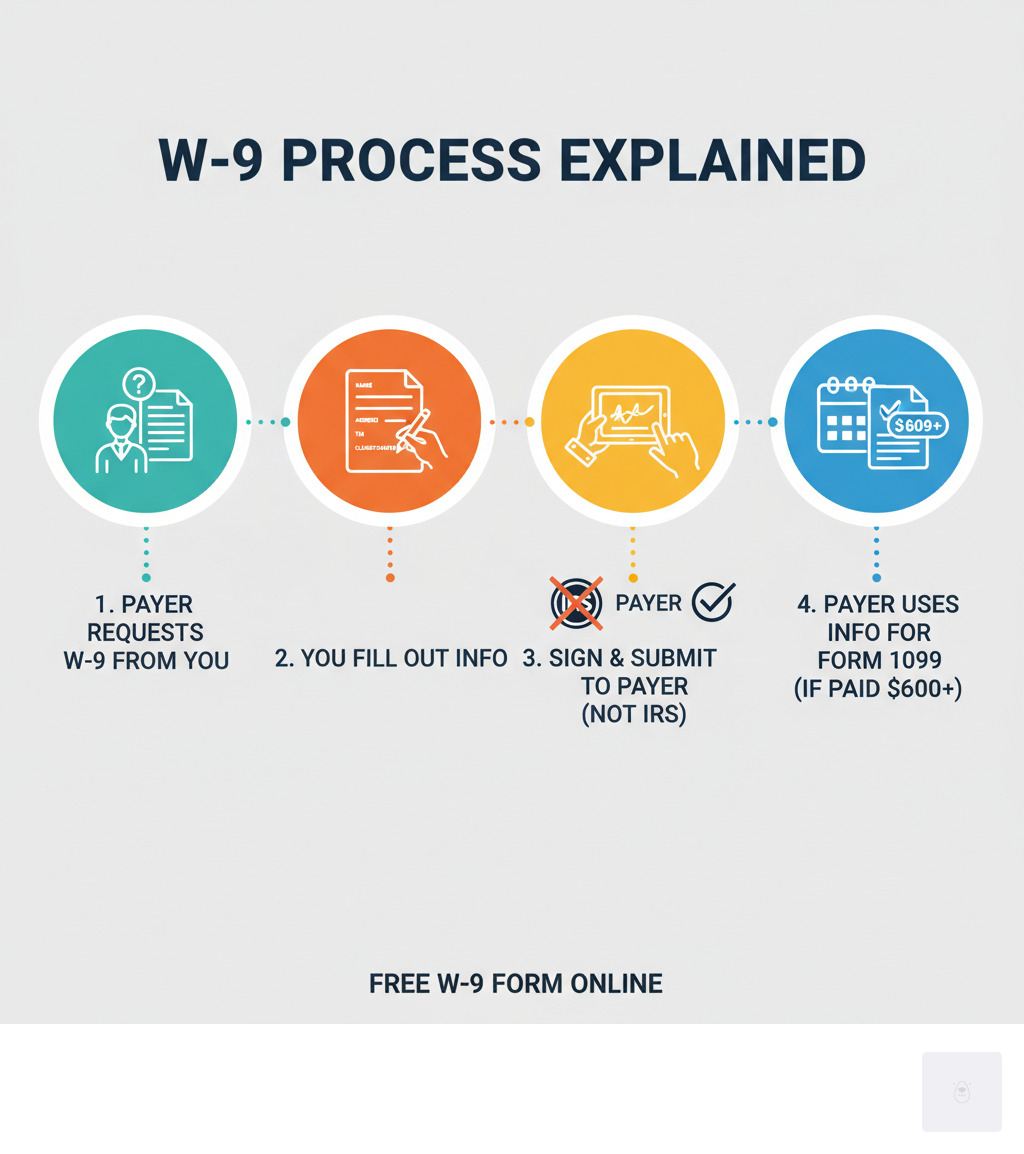
The process works like this: you provide your W-9 to the payer, and they use that information to complete various Information Returns that get filed with the IRS. You’ve probably heard of Form 1099—that’s the most common one. If a business pays you $600 or more during the year, they’ll typically need to send you (and the IRS) a 1099 form reporting that income. This could be a 1099-NEC for your freelance work, a 1099-MISC for miscellaneous income, a 1099-INT for interest you earned, or several other variations depending on the type of payment.
The beauty of the W-9 is that it prevents problems before they start. Without it, payers might be forced to implement backup withholding—meaning they’ll hold back 24% of your payment and send it directly to the IRS. Nobody wants that surprise deduction from their paycheck.
For the official details straight from the source, the IRS provides comprehensive information at About Form W-9, Request for Taxpayer Identification Number and Certification.
Who Needs to Fill Out a W-9?
If you’re earning money outside of traditional employment, you’re going to need a W-9 sooner or later. The form is designed for independent contractors, freelancers, gig workers, and consultants—basically anyone who gets paid for work but doesn’t receive a regular employee paycheck with taxes withheld.
But it’s not just individuals. Sole proprietors running their own businesses, LLCs providing services, corporations entering into vendor agreements, partnerships, trusts, and estates all fall under the W-9 umbrella. If you’re receiving payments that need to be reported to the IRS, you’re on the list.
The most common scenarios include freelancers and independent contractors like graphic designers, writers, web developers, and marketing consultants who work project-based for multiple clients. Gig workers driving for ride-share companies or delivering food through apps will typically need to provide W-9 information when they sign up. Sole proprietors often use their Social Security Number as their TIN and complete W-9s for each client relationship. Even business entities like LLCs and corporations need to submit W-9s when they’re hired as vendors or service providers.
You might also need to fill out a W-9 if you’re receiving certain types of income beyond just payment for services—things like real estate transactions, mortgage interest, dividends, interest income, or legal settlements often trigger the requirement.
Don’t waste time with paper forms — complete your secure W-9 online at https://fillablew9.com/apply.
W-9 vs. 1099 vs. W-4: Understanding the Difference
These three forms cause more confusion than just about any other tax documents, but they’re actually quite different once you know what each one does.
The W-9 is what you fill out and give to someone who’s paying you. It’s your way of saying, “Here’s my taxpayer information—use this when you report payments to me.” You complete it, you sign it, and you hand it over to the payer. Importantly, you never send a W-9 to the IRS—it stays with the person or business that requested it.
The Form 1099 (whether it’s a 1099-NEC, 1099-MISC, or another variation) is what the payer creates and sends to both you and the IRS. It’s their official report saying, “We paid this person this much money during the year.” You’ll typically receive your 1099 by January 31st for the previous tax year. This is the form that shows up when you’re filing your tax return.
The Form W-4 is exclusively for employees—if you’re filling out a W-9, you won’t be dealing with a W-4 for that same income source. Employees give a W-4 to their employer to determine how much federal income tax should be withheld from each paycheck. It covers things like marital status, dependents, and other adjustments that affect withholding.
Here’s a quick comparison to keep them straight:
| Feature | Form W-9 | Form 1099 | Form W-4 |
|---|---|---|---|
| Purpose | Collects your TIN and certification from a non-employee | Reports income paid to a non-employee to the IRS | Determines federal income tax withholding from an employee’s paycheck |
| Who Fills It Out | You (the payee—freelancer, contractor, business) | The payer (business making the payment) | You (the employee) |
| Who Receives It | The payer (keeps it for their records) | You and the IRS | Your employer (keeps it for payroll) |
| When It’s Used | Before payments begin | After year-end, typically by January 31st | When starting a job or updating withholding |
| Key Information | Name, address, TIN (SSN or EIN), tax classification | Total income paid, payer and recipient details | Marital status, dependents, income adjustments |
| IRS Filing | Not filed with the IRS | Filed with the IRS by the payer | Not filed with the IRS |
The bottom line? The W-9 provides your information, the 1099 reports your income, and the W-4 manages employee tax withholding. Three different forms, three different jobs—and now you know exactly which one you need.
How to Fill Out a Free W9 Form Online Step-by-Step
The days of printing, manually filling out, scanning, and emailing tax forms are behind us. Today, you can complete your free W9 form online using secure digital tools that save time, reduce errors, and protect your sensitive information during transmission.

Using an online W-9 generator or fillable PDF service makes the entire process straightforward. These platforms typically include helpful guidance at each step and robust security features to safeguard your data. Let me walk you through exactly how to complete your W-9 online quickly and correctly. If you’d like to see how our platform simplifies this process, visit our How it works page for a quick overview.
Step 1: Provide Your Personal and Business Information
This first section identifies you or your business to the payer. Getting these details right is essential to avoid payment delays or reporting issues down the line.
Start with Line 1, where you’ll enter your name exactly as it appears on your income tax return. If you’re an individual or sole proprietor, use your legal name. For business entities, this should be your legal business name—the one registered with the IRS.
Line 2 is for your business name or disregarded entity name, but only if it differs from what you entered above. This applies if you operate under a “doing business as” (DBA) name, or if you’re a single-member LLC that’s disregarded for tax purposes. Most people leave this line blank.
Next comes your Federal Tax Classification on Line 3a. This is where you check one box that describes your tax entity type. The most common classifications include Individual/sole proprietor, C Corporation, S Corporation, Partnership, Trust/estate, and Limited liability company (LLC). If you check LLC, you’ll also need to indicate how your LLC is taxed using the letter code in parentheses: C for C corporation, S for S corporation, or P for Partnership.
Line 4 asks for exemption codes, which apply to specific situations involving backup withholding or FATCA reporting. Most freelancers and small business owners can skip this line entirely.
For Lines 5 and 6, provide your complete mailing address—street number, apartment or suite number if applicable, city, state, and ZIP code. This should be the address where you want to receive any correspondence related to your tax reporting.
Finally, Line 7 is optional. You can include account numbers here if the requester needs them to track your specific payments, but it’s not required.
Step 2: Enter Your Taxpayer Identification Number (TIN)
Now we reach the most critical part of the entire form: Part I, where you’ll enter your Taxpayer Identification Number. Your TIN is how the IRS identifies you for tax purposes, and it must match the name you entered in Step 1 exactly as it appears on your tax returns.
You’ll provide either your Social Security Number (SSN) or your Employer Identification Number (EIN). If you’re an individual, sole proprietor, or single-member LLC treated as a disregarded entity—meaning your business income appears on your personal tax return—you’ll typically use your SSN. On the other hand, if you’re a corporation, partnership, multi-member LLC, or single-member LLC that elected corporate taxation, you’ll use your EIN. Think of an EIN as a Social Security Number for your business entity.
Double-check this number before moving forward. An incorrect TIN is one of the fastest ways to trigger 24% backup withholding on your payments or face penalties from the IRS. For more context on what a TIN is and its various forms, you can explore this helpful resource: What is a TIN?
Step 3: Certify and Sign Your Free W9 Form Online
The final step brings us to Part II, the Certification section. This is where you affirm that everything you’ve provided is accurate and truthful. By signing, you’re certifying under penalties of perjury that your TIN is correct, you’re not subject to backup withholding (unless you’ve been notified otherwise), you’re a U.S. person, and any FATCA codes you entered are accurate.
Here’s the good news: you can now electronically sign your free W9 form online without needing to print, sign with a pen, and scan. The IRS explicitly permits electronic signatures on Form W-9, as outlined in their guidance on Electronic Submission of Forms W-9 and W-9S. Secure online platforms offer e-signature tools that are legally binding and fully accepted by the IRS.
After adding your signature, you’ll date the form, and you’re done. Remember: you don’t send the completed W-9 to the IRS. Instead, you provide it directly to the person or business that requested it from you. They’ll keep it for their records and use it to file the appropriate 1099 forms.
Ready to complete your W-9 in minutes? Apply here now: https://fillablew9.com/apply.
Common Mistakes and Consequences
Even though the W-9 form seems straightforward, small errors can lead to big headaches. We’ve seen it all, and we want to help you avoid common pitfalls that can cost you money and time.
What Happens if W-9 Information is Incorrect or Missing?
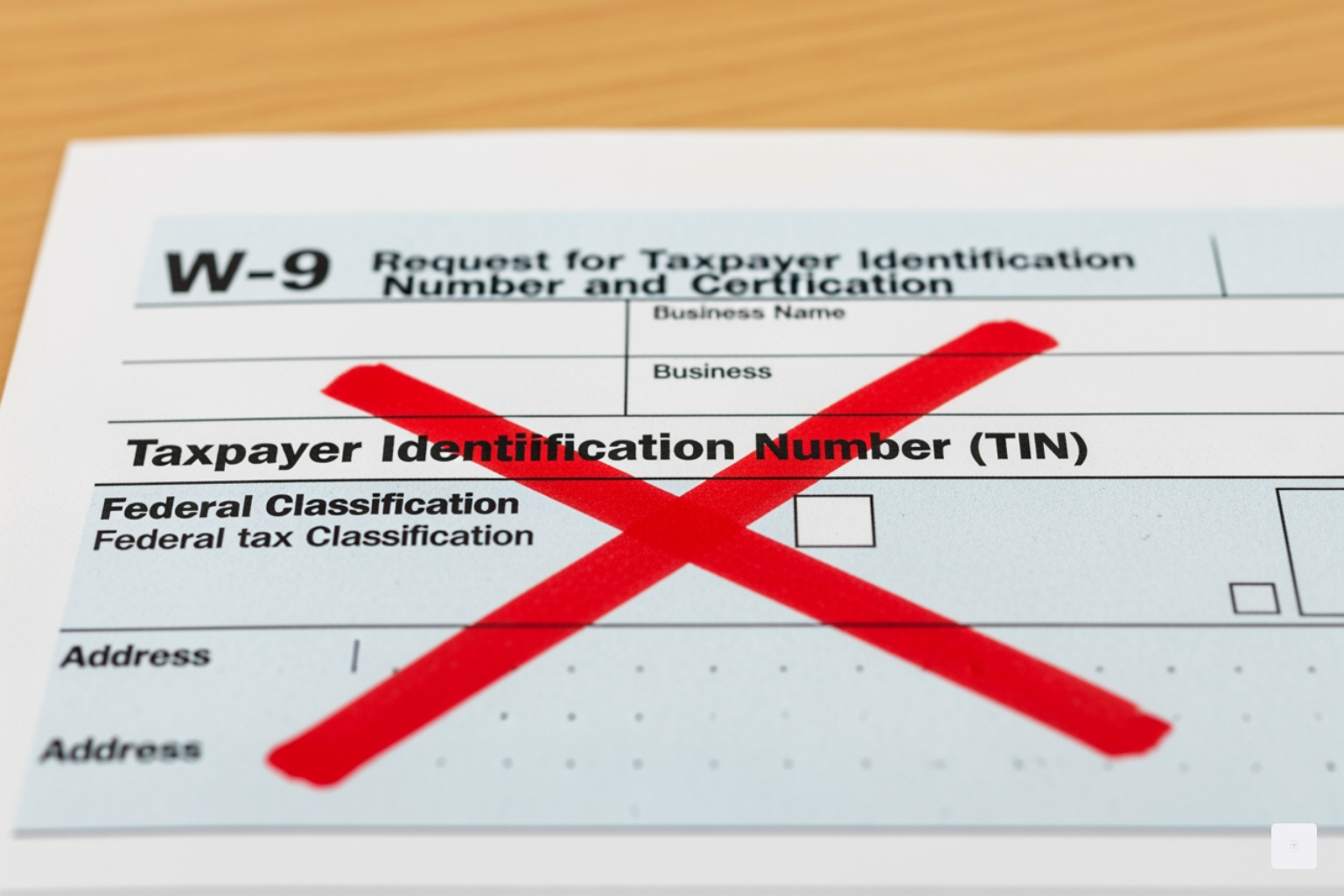
Let’s talk about what happens when things go wrong with your W-9. The most immediate and painful consequence is something called backup withholding. If you provide an incorrect TIN, fail to provide one at all, or don’t certify that you’re not subject to backup withholding, the person or business paying you has no choice but to withhold 24% of your payments and send it directly to the IRS. That’s a significant chunk of your hard-earned money that you won’t see until you file your tax return and sort everything out.
Imagine you’re expecting a $5,000 payment from a client. If backup withholding kicks in, you’ll only receive $3,800. The remaining $1,200 goes straight to the IRS as a prepayment of taxes you might or might not owe. It’s not lost forever, but it’s tied up until tax season, which can create serious cash flow problems for freelancers and small businesses.
Beyond backup withholding, there are actual penalties to consider. The IRS can impose a $50 fine for each failure to furnish a correct TIN. While that might not sound like much, it adds up quickly if you’re working with multiple clients. And if you deliberately provide false information on your W-9? That’s a whole different level of trouble, potentially involving penalties of perjury. The IRS takes accuracy seriously, and you should too. You can learn more about these penalties on the Information return penalties page.
The good news is that all of these problems are entirely avoidable. When you use a secure online platform to complete your free W9 form online, built-in validation checks help catch errors before you submit. It’s one of the reasons we recommend using a digital solution rather than manually filling out a paper form where typos and mistakes are all too easy.
Don’t waste time with paper forms — complete your secure W-9 online at https://fillablew9.com/apply.
How Long Should You Keep a W-9 Form?
Here’s something many people don’t realize: even though you give the completed W-9 to whoever requested it and never send it to the IRS yourself, you should still keep a copy for your own records. Think of it as your proof that you provided accurate information, just in case any questions come up down the road.
For the person or business who requested your W-9, the retention period is clear. They must keep your form for at least four years after the last payment they made to you. This retention period aligns with IRS guidelines for documentation that might be needed during an audit. If the IRS comes knocking three years from now with questions about payments made to you, that business needs to be able to produce your W-9 to prove they collected your information properly.
For us as payees, maintaining a copy of every W-9 we’ve submitted is simply good business practice. It helps you track which clients have your current information, makes it easier to update details if your address or business structure changes, and provides a paper trail for your own tax compliance efforts. Store your copies securely, whether that’s in a digital filing system or a physical folder dedicated to tax documents.
The bottom line? A little organization now saves a lot of headaches later. And when you complete your free W9 form online through a secure platform, you can easily download and save a copy for your records with just one click.
Frequently Asked Questions about the Free W9 Form Online
We understand you might have more questions about the W-9 form, especially with updates and the shift to online processes. Let’s tackle some of the most common inquiries we hear from freelancers and small business owners every day.
What are the recent updates to the W-9 form?
The IRS periodically revises its forms to improve clarity and compliance, and the W-9 is no exception. The latest version of the Form W-9 was revised in March 2024, and if you’re filling one out now, you’ll want to make sure you’re using this current version.
One significant update in this revision involves Line 3, which was split into Line 3a and Line 3b. Line 3a is where business entities indicate their federal tax classification—things like C Corporation, S Corporation, Partnership, or LLC. But now there’s Line 3b, which serves a more specific purpose.
You’ll need to check Line 3b if you indicated “Partnership” or “Trust/estate” on Line 3a, or if you selected “LLC” with “P” (Partnership) as its tax classification, and you are providing this form to a partnership, trust, or estate in which you have an ownership interest. You would also check this box if there are any foreign partners, owners, or beneficiaries. This update aims to provide more granular information for flow-through entities, helping the IRS better track ownership structures.
Always ensure you are using the most current version of the form, which you can find directly on the IRS website: Form W-9 (Rev. March 2024). The good news? Online generators like FillableW9 automatically provide you with the latest version, so you don’t have to worry about accidentally using an outdated form that could cause processing delays.
When is a W-9 form not required?
While the W-9 is common for non-employee payments, there are several situations where you won’t need to fill one out. Understanding these exceptions can save you time and confusion.
If you are an employee, you fill out a Form W-4 for income tax withholding, not a W-9. Your employer handles your tax reporting through payroll systems and sends you a W-2 at year-end, so the W-9 never enters the picture.
Personal payments generally don’t require a W-9 either. If you’re paying or receiving payments from friends or family members for non-business purposes—like splitting dinner or reimbursing someone for concert tickets—a W-9 is typically not needed. The IRS isn’t interested in tracking these casual, personal transactions.
Payments made to certain tax-exempt organizations (like charities) may not require a W-9 if they are exempt from reporting. And if you are a foreign person—meaning you’re not a U.S. citizen or resident alien—you generally do not fill out a W-9. Instead, you would typically complete an appropriate Form W-8 (such as W-8BEN or W-8BEN-E) to certify your foreign status and claim any applicable treaty benefits.
How secure is it to fill out a W-9 form online?
Security is paramount when dealing with sensitive personal and tax information, and we completely understand if you have concerns about entering your Social Security Number or EIN online. The truth is, when you choose a reputable online platform to fill out your free W9 form online, security should be a top priority—and it certainly is for us.
Modern platforms like FillableW9.com employ robust measures to protect your data. We use industry-standard security protocols, including a 256-bit SSL connection. This encrypts the data transmitted between your device and our servers, making it virtually impossible for unauthorized parties to intercept and read your information. Think of it like sending your data through an unbreakable tunnel that only you and the server can access.
Your submitted data is also protected through high-grade encryption, ensuring it’s protected even when stored on servers. And when it comes time to share your completed form with the requester, reputable services ensure secure submission—often through encrypted email or a secure portal, rather than unencrypted attachments that could be vulnerable.
When choosing an online W-9 tool, always look for indications of these security features. We pride ourselves on the security measures integrated into Our Features to give you peace of mind. In many ways, completing your W-9 online with proper security measures is actually safer than printing it out, filling it by hand, and sending it as an unencrypted email attachment or fax.
Ready to complete your W-9 securely and efficiently? Get started now at https://fillablew9.com/apply.
Conclusion: Complete Your W-9 Securely in Minutes
You’ve made it through the entire process, and now you know exactly what a free W9 form online is, why it matters, and how to complete it without stress or confusion. The truth is, handling tax forms doesn’t need to feel overwhelming or time-consuming. With the right approach and tools, you can knock out your W-9 in just a few minutes and get back to what really matters—running your business and serving your clients.
Whether you’re a freelancer just starting out, an established independent contractor, or a small business owner managing multiple vendor relationships, having a reliable way to complete your W-9 is essential for staying compliant and avoiding unnecessary headaches like backup withholding or payment delays.
The beauty of using a secure online platform is that you eliminate the risk of common errors—no more worrying about illegible handwriting, missing signatures, or outdated form versions. Everything is guided, everything is secure, and everything is designed to make your life easier. Your sensitive information is protected with bank-level encryption, and you can complete the entire process from your phone, tablet, or computer in minutes.
Think of it as one less thing on your to-do list. One less form to track down. One less reason for a client to delay your payment. By completing your W-9 quickly and correctly the first time, you’re setting yourself up for smooth, professional business relationships and seamless tax compliance.
Ready to get this done? Don’t let tax paperwork slow you down another day.
Ready to complete your W-9 in minutes? Apply here now: https://fillablew9.com/apply