
Why Completing Your W-9 Online Saves Time and Prevents Costly Errors

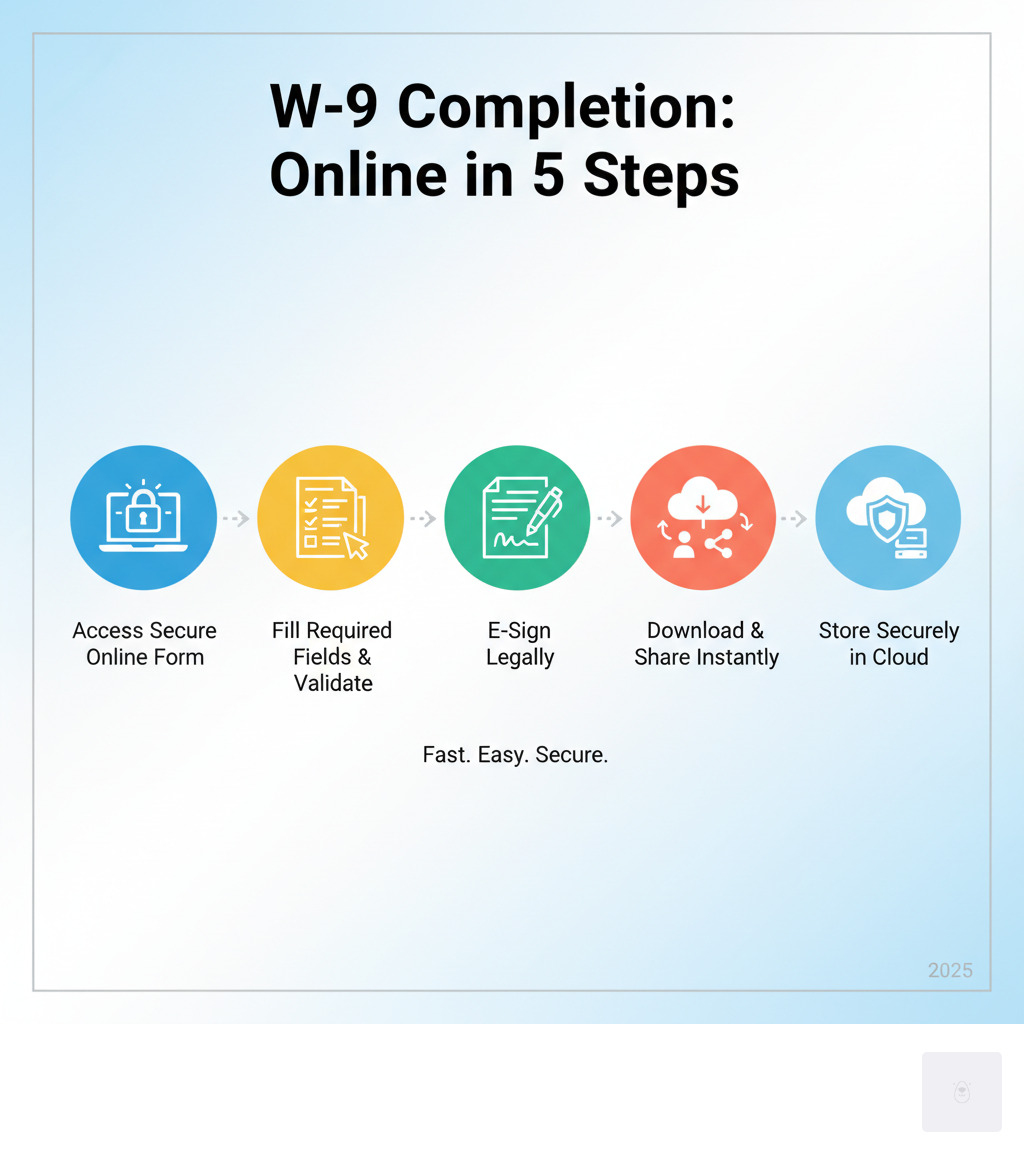
Complete W9 online in minutes instead of wrestling with confusing PDFs and paper forms. Here’s how to do it:
Quick Steps to Complete Your W-9 Online:
- Enter your name – Use your legal name as it appears on tax returns
- Select tax classification – Individual, LLC, Corporation, etc.
- Provide your TIN – Social Security Number or Employer Identification Number
- Add your address – Current business or home address
- E-sign and submit – Digital signature validates the form instantly
Why go online? Traditional paper W-9s waste time, risk data entry errors, and can get lost in the mail. Online W-9 completion reduces mistakes, provides instant validation, and creates secure digital records you can access anytime.
The IRS released an updated W-9 form in March 2024 with new requirements for LLCs and partnerships. Backup withholding of 24% applies if you fail to provide a correct W-9, plus potential penalties of $50 per missing or incorrect form. For contractors and freelancers earning over $600 from a client, the W-9 is essential for proper tax reporting.
I’m Haiko de Poel, and through my work with financial services companies and startups, I’ve helped thousands of professionals streamline their tax compliance processes. My experience with complete W9 online solutions has shown me how the right tools eliminate the confusion and errors that plague manual form completion.
Start filling your W9 now at https://fillablew9.com/apply.
What is a Form W-9 and Why is it Essential?
If you’ve ever been asked to provide a W-9 form, you might have wondered what exactly you’re filling out—and why it matters so much. Let’s break it down in plain English.


The Form W-9, officially called the “Request for Taxpayer Identification Number and Certification,” is a single-page IRS document that collects your Taxpayer Identification Number (TIN)—either your Social Security Number or Employer Identification Number. Think of it as the bridge between you and the business that’s paying you. When a company pays you for services, they need your correct tax information to report that income to the IRS.
Here’s how it works: You fill out the W-9 and give it to the business or client who’s paying you. They keep it on file and use your TIN when they prepare their year-end tax forms (like the 1099-NEC). You never send the W-9 directly to the IRS—it stays with the person who requested it.
Who Needs to Fill Out a Form W-9?
You’ll need to provide a W-9 if you’re a U.S. person (including resident aliens) receiving payments from a business. This becomes especially important when those payments total $600 or more in a year.
Independent contractors and freelancers are the most common people who need to complete W-9 forms. If you’re doing gig work, consulting, or running a freelance business, every new client will likely ask for one before they pay you. Vendors and suppliers who provide services or products to other companies also need to submit W-9 forms to their business clients.
Beyond contractors, you might need to provide a W-9 for real estate transactions, mortgage interest payments, IRA contributions, or when opening certain financial accounts. Banks and investment firms often request W-9 forms to properly report interest, dividends, or capital gains on your behalf.
Why the W-9 Matters: Avoiding Penalties and Backup Withholding
Skipping or messing up your W-9 isn’t just a minor paperwork hiccup—it can cost you real money. When you don’t provide a correct W-9 to someone who’s paying you, they’re legally required to start backup withholding. That means they’ll automatically hold back 24% of your payments and send it straight to the IRS. Imagine losing nearly a quarter of your hard-earned income because of a missing form!
Tax compliance is the foundation here. The W-9 ensures that businesses have accurate information to report your income to the IRS. This helps the tax system track who earned what, making sure everyone pays their fair share. Without it, the IRS has no way to verify your income or match it to your tax return.
The penalties add up quickly too. If you fail to provide a correct TIN, you could face an IRS penalty of $50 for each failure. Make a false statement that prevents backup withholding? That’s a potential $500 civil penalty. And if you willfully falsify information on the form, you could even face criminal penalties.
The good news? When you complete W9 online using a secure platform, you dramatically reduce the risk of errors that trigger these penalties. Digital forms guide you through each field, validate your information, and create accurate records you can access anytime.
You can see the official IRS W-9 form directly from the IRS website to familiarize yourself with what’s required.
Start your W9 online now at https://fillablew9.com/apply.
How to Complete W9 Online: A Step-by-Step Guide
Gone are the days of printing out forms, filling them by hand, and hoping your handwriting is legible. Completing your W-9 online with Fillable W9 is a streamlined process designed for accuracy and ease. Let’s walk through exactly how to complete W9 online quickly and correctly, step by step.
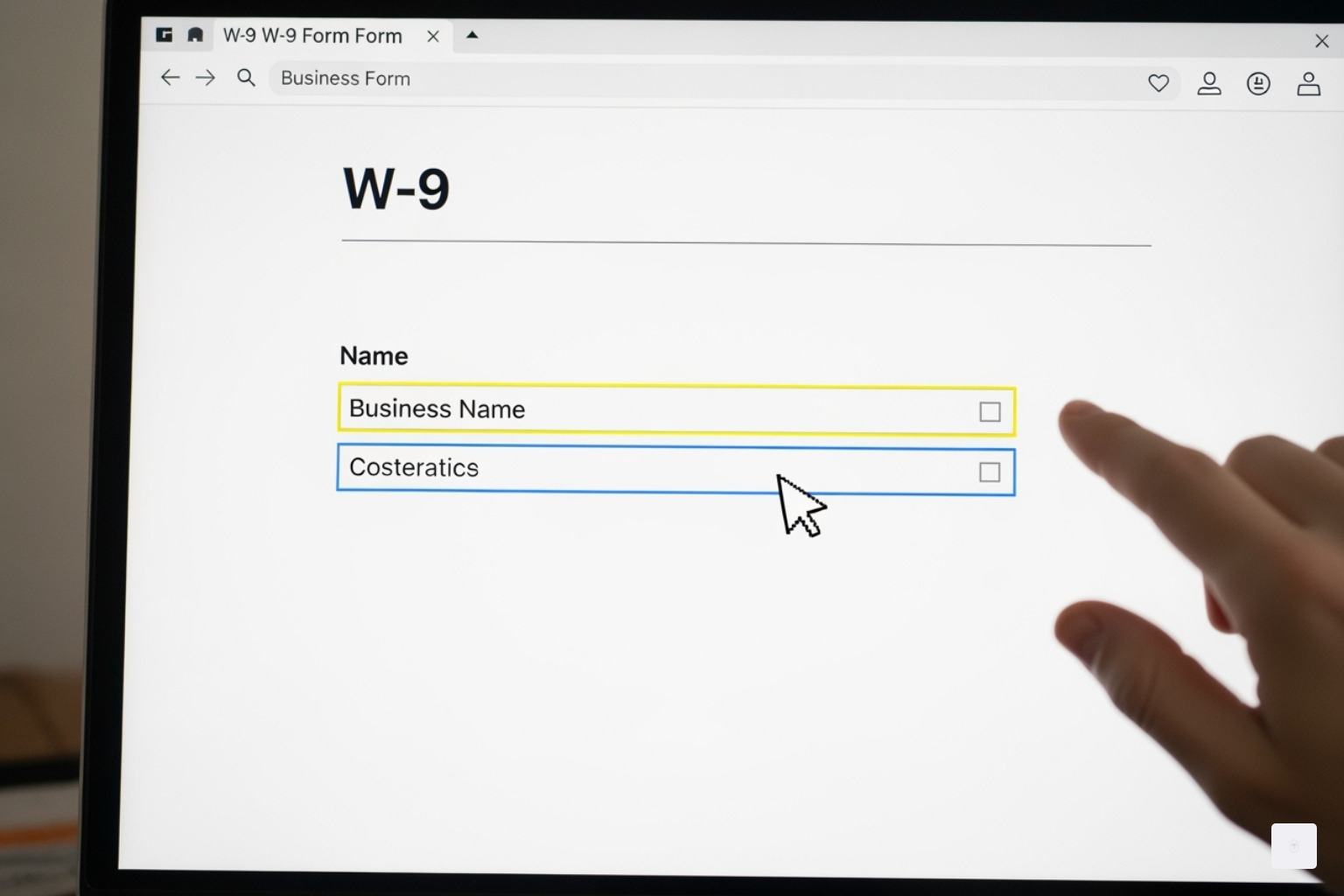
Step 1: Enter Your Name and Business Name
First things first: you’ll need to provide your legal name exactly as it appears on your income tax return. This isn’t the place for nicknames or shortened versions—accuracy matters here. If you’re operating as a sole proprietor with a business name, or if you’re an LLC treated as a disregarded entity, you’ll enter your business name on a separate line.
For sole proprietors, your individual name goes on Line 1, while your business name (if you have one) goes on Line 2. If you’re a corporation or partnership, your entity’s legal name is what matters most.
Step 2: Select Your Federal Tax Classification
This section tells the person requesting your W-9 how you’re structured for tax purposes, and it’s more important than you might think. You’ll check one box that describes your federal tax classification: Individual/Sole Proprietor, C Corporation, S Corporation, Partnership, Trust/Estate, or Limited Liability Company (LLC).
If you select Limited Liability Company, there’s an additional step. You’ll need to indicate how your LLC is taxed by entering a letter in the box: C for C Corporation, S for S Corporation, or P for Partnership. Single-member LLCs are typically treated as disregarded entities and should check the “Individual/sole proprietor” box instead.
The March 2024 revision of Form W-9 added some new requirements here. Line 3a is where business entities indicate their federal tax classification. Line 3b should be checked if you indicated “Partnership” or “Trust/estate” on line 3a, or if you’re an LLC taxed as a partnership, and you’re providing this form to a partnership, trust, or estate in which you have an ownership interest. This helps identify any foreign partners, owners, or beneficiaries—a new compliance measure the IRS is tracking more closely.
Step 3: Fill in Any Exemptions (If Applicable)
Most freelancers and small business owners can skip right past this section, but it’s worth understanding. If you’re exempt from backup withholding or from Foreign Account Tax Compliance Act (FATCA) reporting, you’ll enter the appropriate exemption code here.
These exemptions typically apply to specific entities like tax-exempt organizations, government agencies, or certain corporations. If you’re an independent contractor or small business owner, you probably don’t qualify for an exemption, and that’s perfectly normal. When in doubt, leave it blank—claiming an exemption you don’t qualify for can cause problems down the road.
Step 4: Provide Your Address
Enter your complete mailing address, including your street address, city, state, and ZIP code. This is where the person or business requesting your W-9 will send any tax documents, like 1099 forms at the end of the year.
Make sure this address is current and accurate. Moving and forgetting to update your W-9 is a common mistake that can lead to missed tax documents and IRS notices going to the wrong place.
Step 5: Enter Your TIN (SSN or EIN)
Here’s the heart of the W-9: your Taxpayer Identification Number. This can be your Social Security Number (SSN), Employer Identification Number (EIN), Individual Taxpayer Identification Number (ITIN), or Adoption Taxpayer Identification Number (ATIN).
If you’re an individual or sole proprietor, you’ll typically use your SSN. If you’ve obtained an EIN for your sole proprietorship, you can use either your SSN or EIN—it’s your choice. However, businesses like corporations, partnerships, and most LLCs should use their EIN.
The critical thing to remember is that the TIN you provide must match the name on Line 1 exactly as it appears in IRS records. A mismatch here is one of the most common reasons for backup withholding and IRS penalties, so double-check this carefully.
Step 6: Certify and E-Sign Your Form
The final step is your certification and signature. By signing and dating the form, you’re confirming under penalties of perjury that the TIN you’ve provided is correct, you’re not subject to backup withholding (or you’re exempt), you’re a U.S. person, and any FATCA code you entered is accurate.
When you complete W9 online, you’ll use a legal eSignature, which is fully accepted by businesses and the IRS. This saves you the hassle of printing, signing by hand, and scanning the document back in. Your digital signature carries the same legal weight as a handwritten one.
Checklist for a Smooth Online W-9 Completion:
Before you submit, run through this quick checklist: Double-check for typos—even a single incorrect digit in your TIN can lead to penalties or backup withholding. Use your legal name exactly as it matches your tax returns. Ensure your TIN matches IRS records precisely. Review your tax classification to make sure you’ve selected the correct one for your business structure. Understand exemptions and only claim them if they truly apply to your situation.
Don’t waste time with paper forms — complete your secure W9 online at https://fillablew9.com/apply.
Why Complete Your W9 Online with Fillable W9?
Let’s be honest—nobody wakes up excited about filling out tax forms. But in today’s world, the way you handle these essential documents can make a real difference in your productivity and peace of mind. While paper W-9 forms have been around forever, completing your W-9 online with Fillable W9 offers advantages that simply can’t be matched by the old-school approach.
Think about the traditional paper route for a moment. You need to find a printer (that actually works), print the form, fill it out by hand, scan it back in, and then email or mail it to your client. That’s assuming you don’t make any mistakes along the way—and let’s face it, we’ve all had to scratch out an error or start over completely. The whole process can easily eat up an hour or more of your valuable time.
Now compare that to the online experience. With Fillable W9, you can complete W9 online in just a few minutes from any device. No printer needed, no searching for a pen, no trips to the post office. You simply fill in the guided fields, add your electronic signature, and send it securely—all from your laptop, tablet, or even your phone while waiting for your morning coffee.
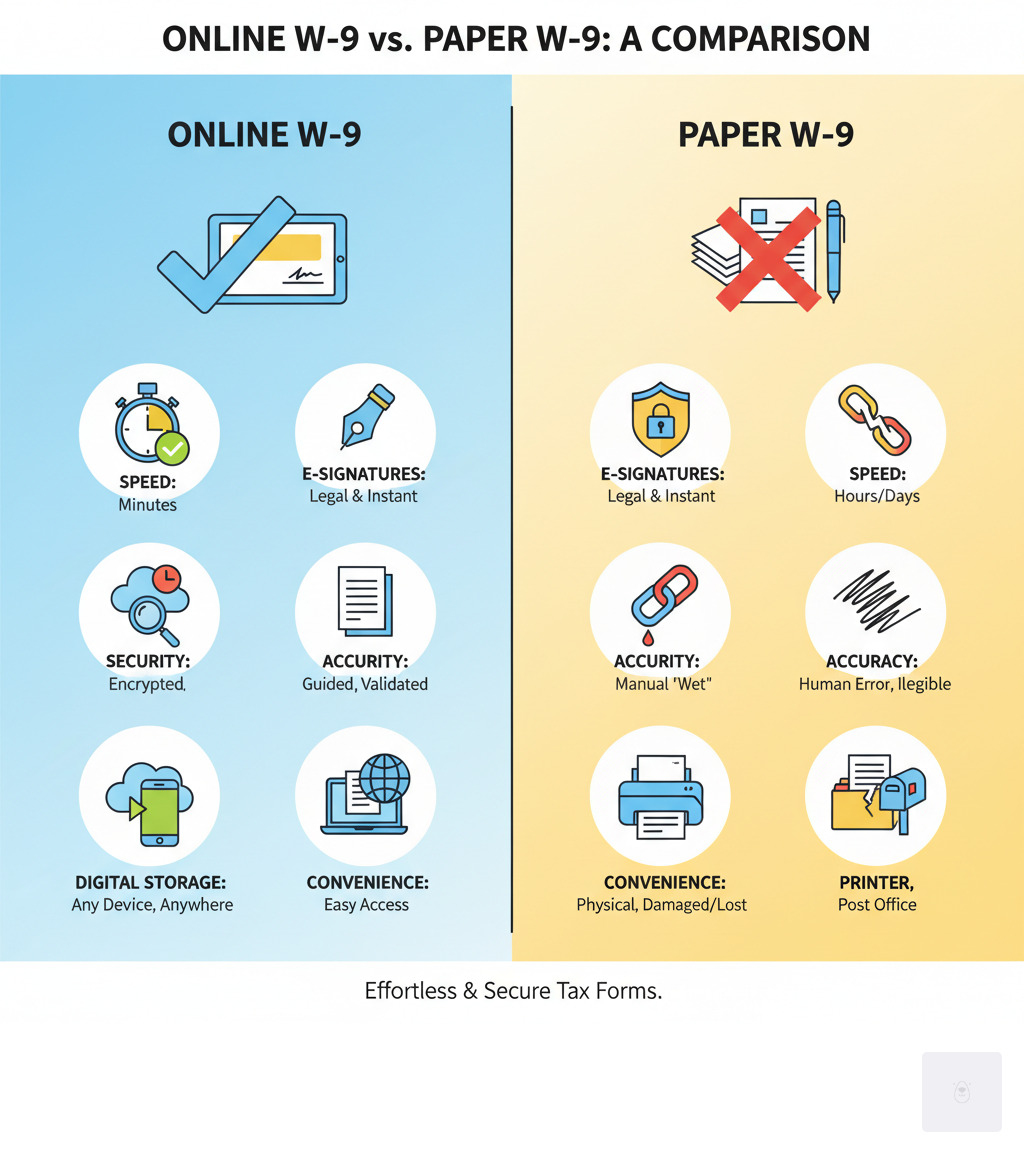
Here’s a quick comparison to show you what we mean:
| Feature | Online W-9 (Fillable W9) | Paper W-9 |
|---|---|---|
| Speed | Minutes to complete, sign, and send | Hours or days (print, fill, mail/scan) |
| E-Signatures | Legal and instant digital signatures | Manual “wet” signature required |
| Security | End-to-end encryption, secure cloud storage, SSL | Risk of loss/theft during transit or storage |
| Accuracy | Guided fields, auto-validation, error reduction | Prone to human error, illegible handwriting |
| Digital Storage | Easy access, organized records, searchable | Physical filing, susceptible to damage/loss |
| Convenience | Anytime, anywhere access from any device | Requires printer, scanner, postage, physical presence |
Benefits of Using Fillable W9 to Complete Your W9 Online
When you choose to complete W9 online with Fillable W9, you’re not just saving time—you’re investing in a smarter, more secure way to manage your tax compliance.
Speed and convenience are probably the first things you’ll notice. We’ve designed our platform so you can finish your W-9 in minutes, not hours. Whether you’re at your desk, on your couch, or grabbing lunch between client meetings, you can access and complete your form from any device. No more hunting for a printer or making special trips to the office supply store.
Error reduction is where our guided fields really shine. The platform walks you through each section with smart validation checks that catch common mistakes before they become problems. Sinking feeling when you realize you’ve transposed two digits in your Social Security Number on a paper form? Our system helps prevent those headaches entirely. You’ll see helpful prompts and real-time validation that ensure your information is correct the first time.
Security and encryption matter more than ever when you’re dealing with sensitive information like your Taxpayer Identification Number. Fillable W9 protects your data with end-to-end encryption, secure cloud storage, and SSL connections that meet industry standards. We use 256-bit encryption and RSA 2048 security protocols—the same level of protection used by major financial institutions. Your information stays confidential and protected from unauthorized access.
Electronic signatures aren’t just convenient—they’re legally valid and fully accepted by both the IRS and businesses nationwide. When you e-sign your W-9 through our platform, it’s authenticated instantly. No need to print, sign with a pen, scan, and email. The whole process is seamless and legally binding.
Digital record keeping means you’ll never lose an important document again. Once you complete your W-9, it’s stored securely in your account where you can access it anytime. Need to send an updated form to a new client? It takes seconds to retrieve and share. Facing an audit and need to prove you submitted a W-9 three years ago? Your digital records are organized, searchable, and always available.
We’ve built Fillable W9 to be intuitive and user-friendly, whether you’re a freelancer completing your first W-9, a small business owner managing vendor information, or an accountant handling multiple clients. Our platform is completely free to use, and we’ve included HIPAA compliance features for healthcare professionals, plus GDPR and CCPA friendly safeguards to protect your privacy rights.
Learn more about our security and compliance on our website.
Don’t waste time with paper forms — complete your secure W9 online at https://fillablew9.com/apply.
Common W-9 Questions and Pitfalls to Avoid
Dealing with tax forms can sometimes feel overwhelming, but understanding the most common questions and potential mistakes can save you time, money, and stress. Let’s walk through the key points that often confuse people when they complete W9 online or fill out paper forms.

W-9 vs. 1099: Understanding the Difference
Here’s a question I hear all the time, and it’s one that trips up even experienced freelancers: What’s the difference between a W-9 and a 1099?
Think of the W-9 as the information-gathering stage. When a client or business asks you to complete W9 online or on paper, they’re collecting your details—specifically your correct Taxpayer Identification Number (TIN) and certification. You provide this form directly to the person or business paying you. It never goes to the IRS from you.
The 1099 form, on the other hand, is what comes later. Using the information you provided on your W-9, the payer creates a 1099 (often a 1099-NEC for nonemployee compensation) to report the income they paid you. They file this with the IRS and send you a copy for your tax records. So the W-9 is the input that makes the 1099 output possible.
Backup Withholding: What Happens if You Don’t Provide a W-9?
This is where things can get expensive if you’re not careful. If you fail to provide a completed W-9 when requested, or if the TIN you provide doesn’t match IRS records, your payments may be subject to backup withholding of 24%. That means nearly a quarter of your hard-earned money goes straight to the IRS before you even see it.
Beyond the immediate hit to your cash flow, there’s also a potential penalty of $50 for each failure to furnish a correct TIN. These consequences underscore why it’s so important to complete W9 online accurately and promptly when requested. The few minutes it takes to fill out the form correctly can save you hundreds or even thousands of dollars.
When Should I Provide an Updated W-9 Form?
Here’s the good news: unlike tax returns, you don’t need to fill out a new W-9 every year. The form you submit remains valid until something changes. However, whenever your information does change, you need to provide an updated W-9 to all relevant payers right away.
You should submit a new W-9 if your name changes (whether personal or business), if your business structure changes (say you convert from a sole proprietorship to an LLC), if your TIN changes (you get a new EIN or your SSN is updated), or if your address changes. Keeping your information current ensures your clients and vendors have accurate records for their IRS reporting.
Can Foreign Individuals or Entities Fill Out a W-9 Form?
This is a critical distinction that can cause serious problems if misunderstood. Form W-9 is exclusively for U.S. persons, which includes U.S. citizens, resident aliens, and U.S. business entities. If you’re a foreign individual or entity, you should not fill out a W-9 under any circumstances.
Instead, foreign persons use the W-8 series of forms—typically Form W-8BEN for individuals or Form W-8BEN-E for entities. These forms certify your foreign status and allow you to claim any applicable tax treaty benefits. Using the wrong form can create tax complications for both you and the payer.
What Are the Recent Updates to Form W-9 and How Do They Affect Filers?
The IRS released a revised W-9 form in March 2024, and the changes are worth understanding. The most significant update involves Line 3, which now includes two parts: Line 3a and Line 3b.
Line 3a is where business entities indicate their federal tax classification—whether you’re a corporation, partnership, LLC, or another entity type. Line 3b is the new addition, and it’s particularly important for flow-through entities like partnerships and certain LLCs. You should check Line 3b if you indicated “Partnership” or “Trust/estate” on Line 3a, or if you selected “LLC” taxed as a partnership, and you’re providing this form to another partnership, trust, or estate in which you have an ownership interest. This helps identify any foreign partners, owners, or beneficiaries, improving transparency in complex business structures.
These updates reflect the IRS’s ongoing efforts to improve tax compliance and reporting accuracy. When you complete W9 online with Fillable W9, our system is updated with the latest March 2024 revision, ensuring you’re always using the correct form. For the most current guidance, you can always check the IRS W-9 instructions.
FAQ
Q: What happens if I don’t provide a W9 form?
A: You may face 24% backup withholding on your payments, meaning the payer will send that portion directly to the IRS. Additionally, you could incur IRS penalties of $50 for each failure to furnish a correct TIN.
Q: Can foreign individuals complete a W9 online?
A: No, only U.S. persons (including resident aliens) should use Form W-9. Foreign individuals or entities should use the appropriate Form W-8 series (such as W-8BEN for individuals or W-8BEN-E for entities) to certify their foreign status.
Q: What is the difference between a W9 and a 1099 form?
A: The W-9 is what you provide to a payer to give them your Taxpayer Identification Number and certification. The 1099 is what the payer sends to you and the IRS to report the income they paid you during the year.
Q: When should I provide an updated W9?
A: You should provide an updated W-9 any time your name, business structure, TIN, or address changes. This ensures payers have accurate information for their IRS reporting obligations.
Need to update your W9?
Complete your secure W9 online at https://fillablew9.com/apply.
Conclusion
If there’s one thing we hope you take away from this guide, it’s this: managing your tax paperwork doesn’t have to be complicated or stressful. The W-9 form might seem like just another administrative hurdle, but when you understand its purpose and have the right tools at your fingertips, it becomes a simple, straightforward task.
When you complete W9 online with Fillable W9, you’re choosing a smarter path forward. No more wrestling with confusing paper forms, no more worrying about illegible handwriting or lost documents in the mail. Instead, you get a streamlined process that takes minutes, not hours—one that actively helps you avoid the errors that lead to penalties and backup withholding.
Think about what that means for your business. You can respond to client requests instantly, maintain organized digital records that are accessible whenever you need them, and rest easy knowing your sensitive information is protected with bank-level encryption. You’re not just filling out a form; you’re taking control of your tax compliance in a way that actually works with your busy schedule.
The stakes are real. A missing or incorrect W-9 can cost you 24% of your payment through backup withholding, plus potential penalties. But the solution is equally straightforward: a few minutes of your time with the right platform, and you’re done.
We built Fillable W9 because we believe tax compliance should be accessible, secure, and genuinely helpful. Whether you’re a freelancer juggling multiple clients, a small business managing vendor relationships, or an accountant supporting dozens of professionals, our platform is designed to make your life easier.
So why wait? The next time a client asks for your W-9, you’ll be ready to respond immediately—professionally, accurately, and securely.
✅ Ready to complete your W9 in minutes? Apply here now:
https://fillablew9.com/apply