
Your Quick Guide to Grabbing a Fillable W9 Form Online
Why You Need to download fillable W9 Before Your Next Client Pays You

Downloading a fillable W9 is fast and straightforward — here’s the quickest way to do it:
- Go to the official IRS page: www.irs.gov/FormW9
- Download the March 2024 revision of Form W-9 (the current version)
- Open it in Adobe Acrobat to fill it out digitally
- Or skip the PDF hassle entirely — complete your W-9 online at fillablew9.com/apply
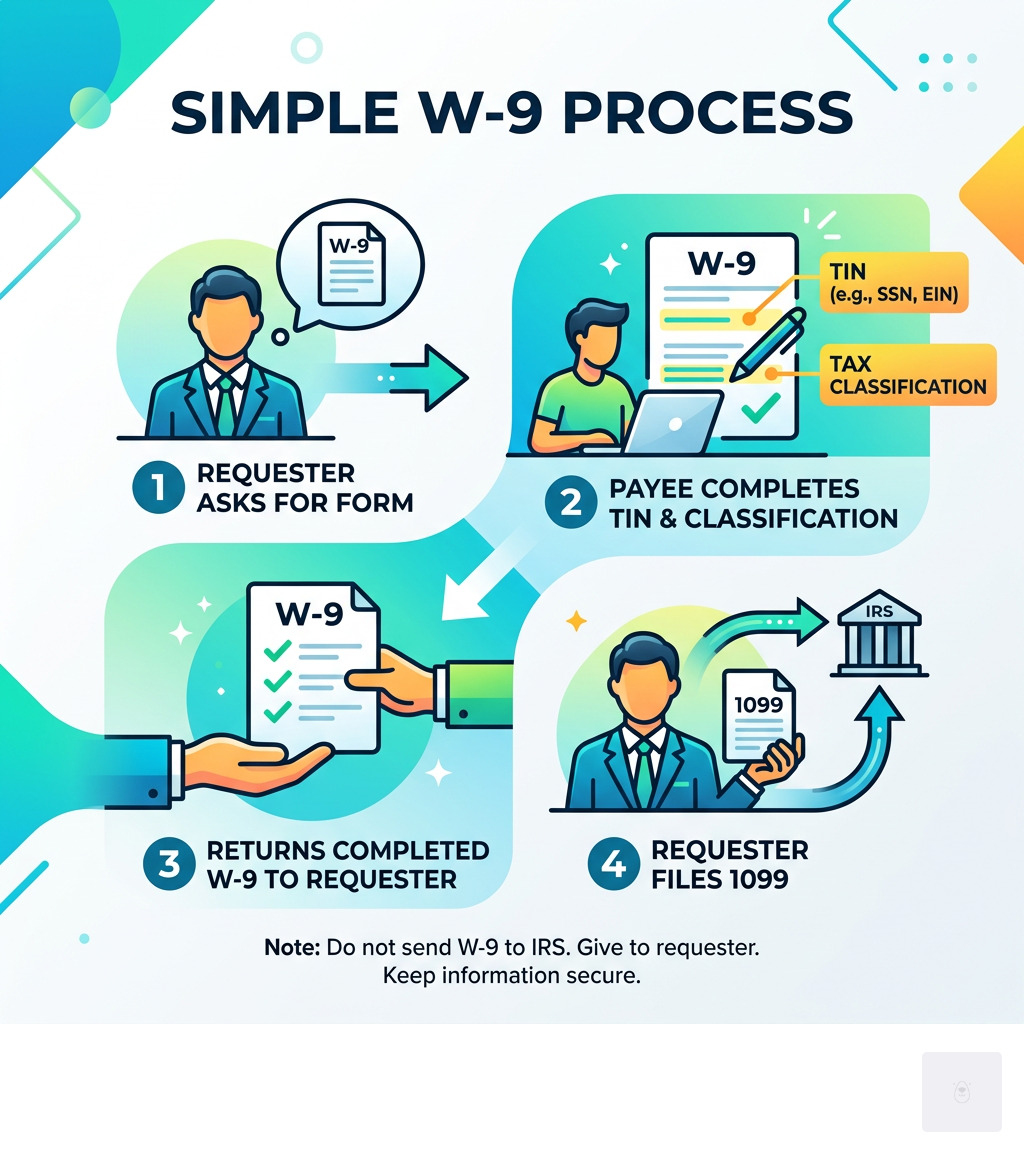
Quick tip: Never send your completed W-9 to the IRS. Give it directly to the person or business that requested it.
If a client has ever asked you for a W-9 and you weren’t sure what to do next, you’re not alone. IRS Form W-9 is one of the most commonly requested tax documents for freelancers, contractors, and small business owners in the U.S. — yet it trips people up every day.
The stakes are real. Provide the wrong information — or skip the form entirely — and you could face a 24% backup withholding on your payments. That means a client withholds nearly a quarter of what they owe you and sends it straight to the IRS.
The good news? Getting this right takes just a few minutes when you know what you’re doing.
Start filling your W9 now at fillablew9.com/apply.
I’m Haiko de Poel, a fractional CMO and digital strategist who has helped businesses streamline compliance processes — including making it easier to download fillable W9 forms and complete them without errors. In this guide, I’ll walk you through everything you need to know, step by step.
What is IRS Form W-9 and Why Do You Need It?
At its core, IRS Form W-9 (officially titled “Request for Taxpayer Identification Number and Certification”) is a document used by businesses to collect necessary information from U.S. persons. We often think of it as the “freelancer’s form,” but it applies to any U.S. citizen, resident alien, or domestic entity (like a corporation or partnership) that is being paid for services.

The primary purpose of the W-9 is to provide your correct Taxpayer Identification Number (TIN) to the person or entity required to file an “information return” with the IRS. Think of it as a way for the IRS to keep track of money moving between businesses and independent workers.
When you download fillable W9 forms and submit them to a client, they use that data to generate various 1099 forms at the end of the year, such as:
- 1099-NEC: For nonemployee compensation (the most common for freelancers).
- 1099-MISC: For miscellaneous income like rent or prizes.
- 1099-INT: For interest earned on bank accounts.
- 1099-DIV: For dividends from stocks or mutual funds.
Without a W-9 on file, a company doesn’t know your tax status or your ID number, which forces them to assume the worst and withhold taxes upfront. You can learn more about how our platform handles these requirements by visiting our features page.
Where to Access the Latest March 2024 Revision
It is vital to use the most current version of the form to ensure you are compliant with the latest tax laws. As of early 2025, the standard is the March 2024 revision. The IRS updated this version to include specific new lines that help clarify ownership for certain types of business entities.

You can find the official PDF at IRS.gov, but many users find the government’s static files difficult to manage on mobile devices or tablets. If you prefer a more streamlined experience, you can see how to use our online tool to generate a perfect document without needing to install heavy PDF software like Adobe Acrobat.
Benefits to download fillable W9 online
Why should you look for a digital solution rather than printing a paper copy and mailing it? Here are a few reasons:
- Speed: You can complete and send the form in under five minutes.
- Accuracy: Digital forms often have built-in validation to ensure you don’t skip a required field.
- Digital Signatures: No need for a printer or scanner; you can sign with your mouse or finger.
- Cross-Device Compatibility: Our platform is designed to be mobile-friendly, so you can finish your paperwork while waiting for coffee.
- Security: Emailing a PDF with your Social Security Number is risky. Using a secure portal is much safer.
Don’t waste time with paper forms — complete your secure W9 online at https://fillablew9.com/apply. You can also check our pricing to see how we make compliance affordable for everyone.
Step-by-Step: How to Complete Your Form After You download fillable W9
Once you have the form open, it’s time to fill it out. We’ve broken down the most critical sections to ensure you don’t make a mistake that could delay your payments.
Line 1: Name
This must be the name shown on your income tax return. If you are an individual, this is your legal first and last name. If you are a sole proprietor, you still put your personal name here, not your business name.
Line 2: Business Name
If you have a “Doing Business As” (DBA) name or a disregarded entity name, enter it here. If you don’t have one, leave it blank.
Line 3a: Federal Tax Classification
This is where most people get confused. You must check only one box. Use the table below to determine which one fits you:
| Entity Type | Which Box to Check |
|---|---|
| Freelancer / Sole Proprietor | Individual/sole proprietor or single-member LLC |
| Single-Member LLC (Disregarded) | Individual/sole proprietor (Use owner’s info) |
| C Corporation | C Corporation |
| S Corporation | S Corporation |
| Partnership | Partnership |
| Trust / Estate | Trust/estate |
Line 3b: Foreign Partners
This is a new addition in the March 2024 revision. If you are a partnership, LLC, or trust providing this form to another flow-through entity, you may need to check this box if you have foreign partners or owners. This helps the IRS track international tax obligations.
Part I: Taxpayer Identification Number (TIN)
Enter your TIN in the appropriate box. For individuals, this is usually your Social Security Number (SSN). For most businesses, it is an Employer Identification Number (EIN).
Part II: Certification
You must sign and date the form under penalties of perjury. By signing, you certify that the TIN you provided is correct and that you are not subject to backup withholding.
Tips to correctly download fillable W9 and enter your TIN
- Matching Name Requirement: The name on Line 1 must match the name the IRS has associated with the TIN in Part I. If they don’t match, the IRS will send a “B-Notice” to your client, which triggers automatic withholding.
- “Applied For” Status: If you don’t have a TIN yet, you can write “Applied For” in the TIN section. You then have a 60-day grace period to get the number and provide it to the requester before withholding starts.
- ITINs: If you are a resident alien not eligible for an SSN, use your Individual Taxpayer Identification Number (ITIN). ITINs can expire if not used on a tax return for three consecutive years.
Avoiding Common Mistakes and 24% Backup Withholding
The IRS doesn’t take kindly to missing or incorrect information. If you fail to provide a correct TIN, you are subject to a $50 penalty for every failure. Even worse, if you make a false statement with no reasonable basis that results in no backup withholding, you could face a $500 civil penalty.
The 24% Penalty
If you don’t provide a W-9, or if the TIN you provide is incorrect, the “requester” (your client) is legally required to withhold 24% of your payment. For a $1,000 invoice, you’d only see $760. This is known as backup withholding.
Disregarded Entities
A common mistake involves Limited Liability Companies (LLCs). If you are a single-member LLC that hasn’t elected to be treated as a corporation, you are a “disregarded entity.” In this case, you should put your personal name on Line 1 and check the “Individual/sole proprietor” box. Do not check the “Limited liability company” box unless you are a multi-member LLC or have filed specific forms to be taxed as a C or S Corp.
FATCA Reporting
If you have accounts outside the U.S., you may see codes for FATCA (Foreign Account Tax Compliance Act) reporting. Most domestic freelancers can leave the “Exemptions” box (Line 4) blank, but you should read our full FAQ if you think you might be exempt.
Frequently Asked Questions about W-9 Forms
Who is required to fill out a W-9?
Generally, any U.S. person receiving reportable payments needs to fill one out. This includes:
- U.S. citizens and resident aliens.
- Freelancers and independent contractors.
- Domestic corporations, partnerships, and LLCs.
- Estates and trusts.
What is the difference between the March 2024 revision and older versions?
The main change is the addition of Line 3b. This was added to improve reporting for flow-through entities (like partnerships) that have foreign owners. It ensures that the IRS can properly track income that might be subject to different withholding rules under sections 1446(a) or (f).
What happens if I provide incorrect information?
Beyond the 24% backup withholding, providing intentionally false information on a W-9 is a serious offense. Because you sign the form “under penalties of perjury,” you could face criminal penalties, including fines or imprisonment, if you willfully falsify your status as a U.S. person or your TIN.
Conclusion
Staying compliant with the IRS doesn’t have to be a headache. By taking the time to download fillable W9 forms and filling them out accurately, you protect your income from unnecessary withholding and keep your professional relationships running smoothly.
Before you hit “send” on your next form, run through this final checklist:
- Is your name on Line 1 exactly as it appears on your tax return?
- Did you check only one box for tax classification?
- Does your TIN (SSN or EIN) match the name on Line 1?
- Did you sign and date the certification?
Ready to stop struggling with confusing PDF files? We’ve built a secure, user-friendly platform to help you get your paperwork done in record time.
✅ Ready to complete your W9 in minutes? Apply here now.