
Why Knowing How to File 1099-NEC Electronically Saves Time and Prevents Costly Mistakes
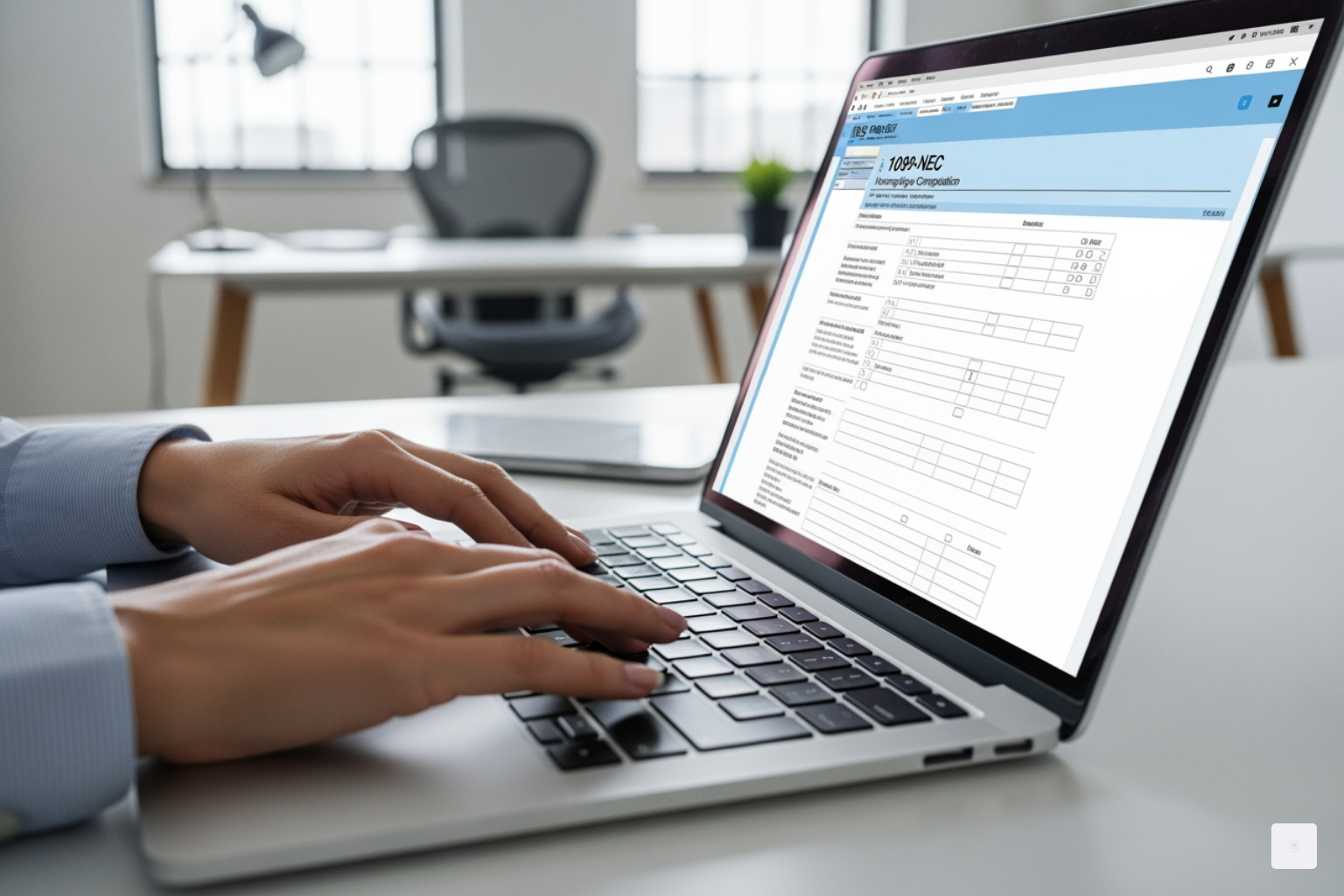
How to file 1099 nec electronically is simpler than most business owners think. Here’s the quick answer:
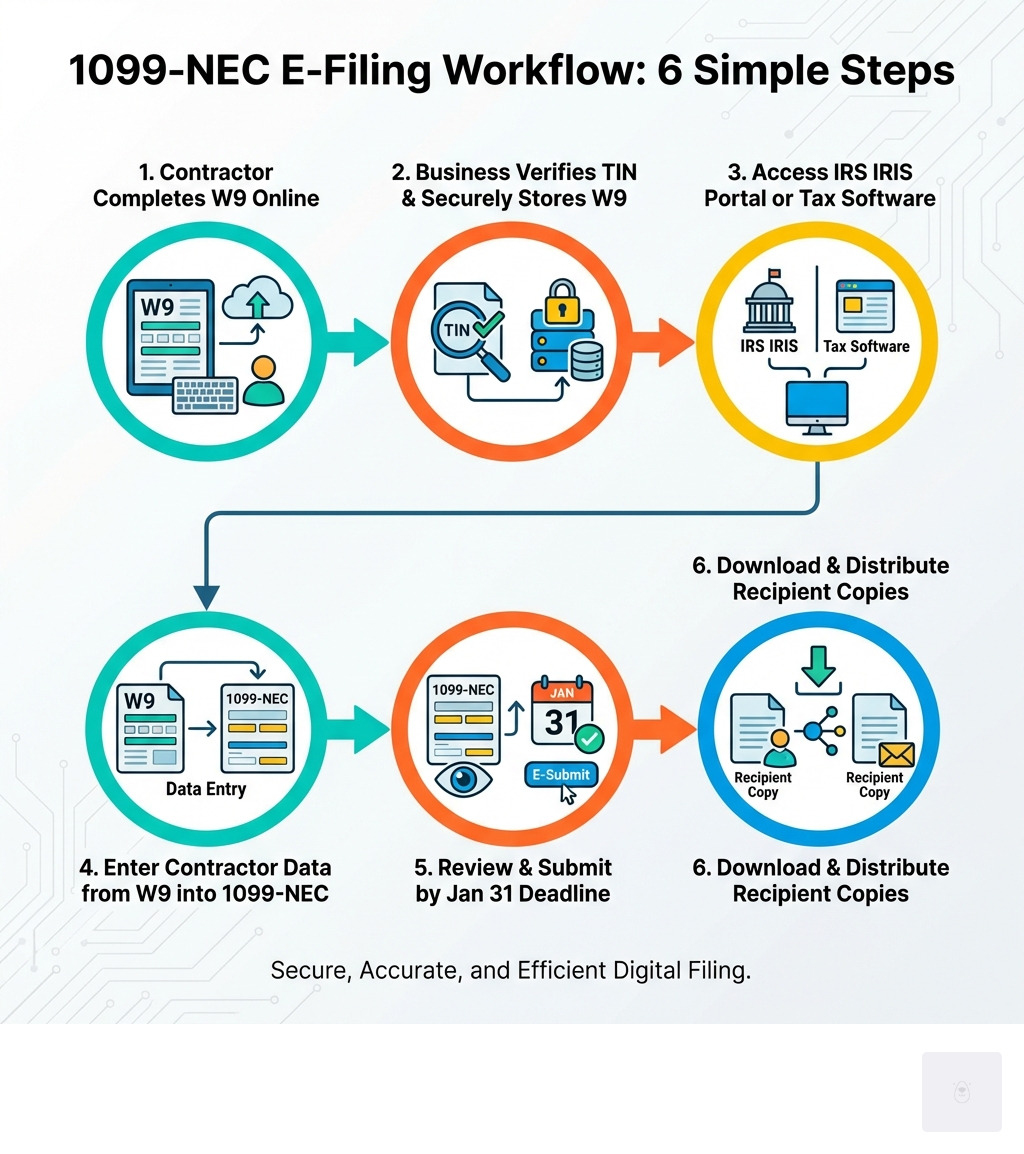
- Collect completed W9 forms from all contractors who earned $600 or more
- Verify their TIN (Taxpayer Identification Number) using the W9 data
- Access the IRS IRIS Taxpayer Portal (free) or use approved tax software
- Enter contractor information directly from their W9 forms
- Submit by January 31 to avoid penalties
- Download and distribute recipient copies to contractors
Starting with tax year 2023, the IRS requires businesses to file electronically if they have 10 or more information returns. Even if you file fewer forms, e-filing is faster, more accurate, and gives you instant confirmation that the IRS received your submission.
The foundation of accurate 1099-NEC filing is having complete and correct W9 forms from every contractor. A single TIN mismatch can trigger penalties of $60 to $310 per form. That’s why collecting W9s digitally—instead of chasing down paper copies—is critical for smooth tax compliance.
Proper W9 management makes how to file 1099 nec electronically dramatically easier and more accurate. This guide will walk you through the complete process, starting with the most important step: securing accurate W9 forms from your contractors.
Start filling your W9 now at https://fillablew9.com/apply to ensure you’re ready when tax season arrives.
Understanding Form 1099-NEC and the Role of the W9
Form 1099-NEC, or Nonemployee Compensation, is a crucial IRS form for businesses. It’s used to report payments of $600 or more made to individuals or entities that are not your employees, typically for services rendered during your trade or business. This includes payments to independent contractors, freelancers, vendors, consultants, and other self-employed individuals. The IRS reintroduced Form 1099-NEC for the 2020 tax year to simplify the reporting of nonemployee compensation, which was previously included on Form 1099-MISC.
So, who needs to file this form? If your business, operating in a state like Texas, pays an independent contractor $600 or more for services in a calendar year, you are generally required to file a 1099-NEC. This applies to a wide range of organizations, including for-profit businesses, nonprofits, government agencies, and even certain trusts. The core idea is to report payments made in the course of your business that are not subject to standard employee withholding.
The deadline for filing Form 1099-NEC with the IRS, whether you choose to file electronically or by paper, is January 31 of the year following the tax year. You also need to furnish a copy of the 1099-NEC to the recipient by the same January 31 deadline. This early deadline makes it critical to have all your ducks in a row well before the end of the year.

This is where the W9 form comes in. Before you can accurately complete a 1099-NEC, you absolutely need a completed Form W9, Request for Taxpayer Identification Number and Certification, from each contractor. The W9 provides the essential information: the contractor’s legal name, business name (if applicable), address, and most importantly, their Taxpayer Identification Number (TIN). Without this accurate information, your 1099-NEC filing can be rejected, leading to delays and potential penalties.
The IRS provides comprehensive guidance on reporting payments to independent contractors. We understand that the details can get a bit complex, but with the right tools, it doesn’t have to be a headache.
Let’s look at the clear advantages of electronic filing over paper:
| Feature | Electronic Filing (E-File) | Paper Filing |
|---|---|---|
| Form 1096 | Not required (transmittal handled automatically) | Required for each type of 1099 form submitted |
| Speed | Instant submission and faster processing | Slower, involves mailing and manual processing |
| Confirmation | Immediate electronic confirmation of receipt | No immediate confirmation, relies on postal service |
| Cost | Often free (IRIS Taxpayer Portal) or low-cost for software | Cost of forms, printing, postage, and potential manual errors |
| Accuracy | Built-in error checks reduce mistakes | Higher chance of manual errors and rejections |
| Convenience | File from anywhere, anytime | Requires physical forms, envelopes, and a trip to the post office |
As you can see, electronic filing is a clear winner for efficiency and accuracy.
How to Prepare for Filing Your 1099-NEC Electronically
The IRS is pushing for greater electronic filing, and for good reason—it’s more efficient for everyone. A significant change to keep in mind is the new e-filing threshold. Thanks to the Taxpayer First Act of 2019, regulations were issued that lowered the electronic filing requirement. For information returns required to be filed on or after January 1, 2024 (meaning for tax year 2023 and beyond), if you have 10 or more information returns in aggregate (this includes 1099-NECs, W-2s, 1099-MISCs, etc.), you must file them electronically. This is a big shift from the previous 250-return threshold and means many more businesses will need to accept e-filing.
Preparing for electronic filing is primarily about meticulous data collection and organization. Here’s a checklist to ensure you’re ready:
- Collect completed W9 forms from all contractors: This is your starting point. Ensure you have a W9 for every independent contractor, freelancer, or vendor you paid $600 or more to during the tax year. This is where Fillable W9 shines, making collection and storage effortless.
- Verify TINs using W9 data: A common reason for IRS rejections and penalties is an incorrect Taxpayer Identification Number (TIN). Use the information from the W9 to cross-reference with your payment records and, if possible, use IRS TIN Matching services for verification prior to filing.
- Total payment amounts: Accurately calculate the total nonemployee compensation paid to each contractor for the tax year.
- Confirm IRS e-filing requirements: Stay up-to-date with the latest IRS guidelines, especially regarding the e-file threshold and any changes to forms. You can always find the most current information on information return reporting directly from the IRS.

Having these details organized and verified before you even log into an e-filing system will save you immense time and frustration.
Don’t waste time with paper forms — complete your secure W9 online at https://fillablew9.com/apply
Choosing Your E-Filing Method
When it comes to how to file 1099 nec electronically, the IRS offers several pathways. The most accessible and often recommended option for many businesses, especially those with fewer returns, is the IRIS Taxpayer Portal.
The Information Returns Intake System (IRIS) Taxpayer Portal is an online service provided by the IRS that allows you to electronically file Form 1099 series returns, including the 1099-NEC, at no cost. It’s designed to be user-friendly, secure, and doesn’t require any special software. You can manually enter data for up to 100 returns or upload a CSV file for larger batches. The IRIS system supports filings for tax year 2022 and later, and even handles corrections and extension requests. This portal is a fantastic resource for simplifying your compliance efforts.
For businesses or tax professionals who file thousands of returns, the IRIS Application to Application (A2A) channel is available, allowing for programmatic filing through third-party software. We’ll touch more on this later.
Regardless of the method you choose, a critical step remains constant: you need accurate W9 data. Using Fillable W9 ensures you have all the correct W9 data—names, addresses, and TINs—ready to go, minimizing errors and streamlining your entire e-filing process. For more details on the IRIS system, visit E-file information returns with IRIS.
Applying for a Transmitter Control Code (TCC)
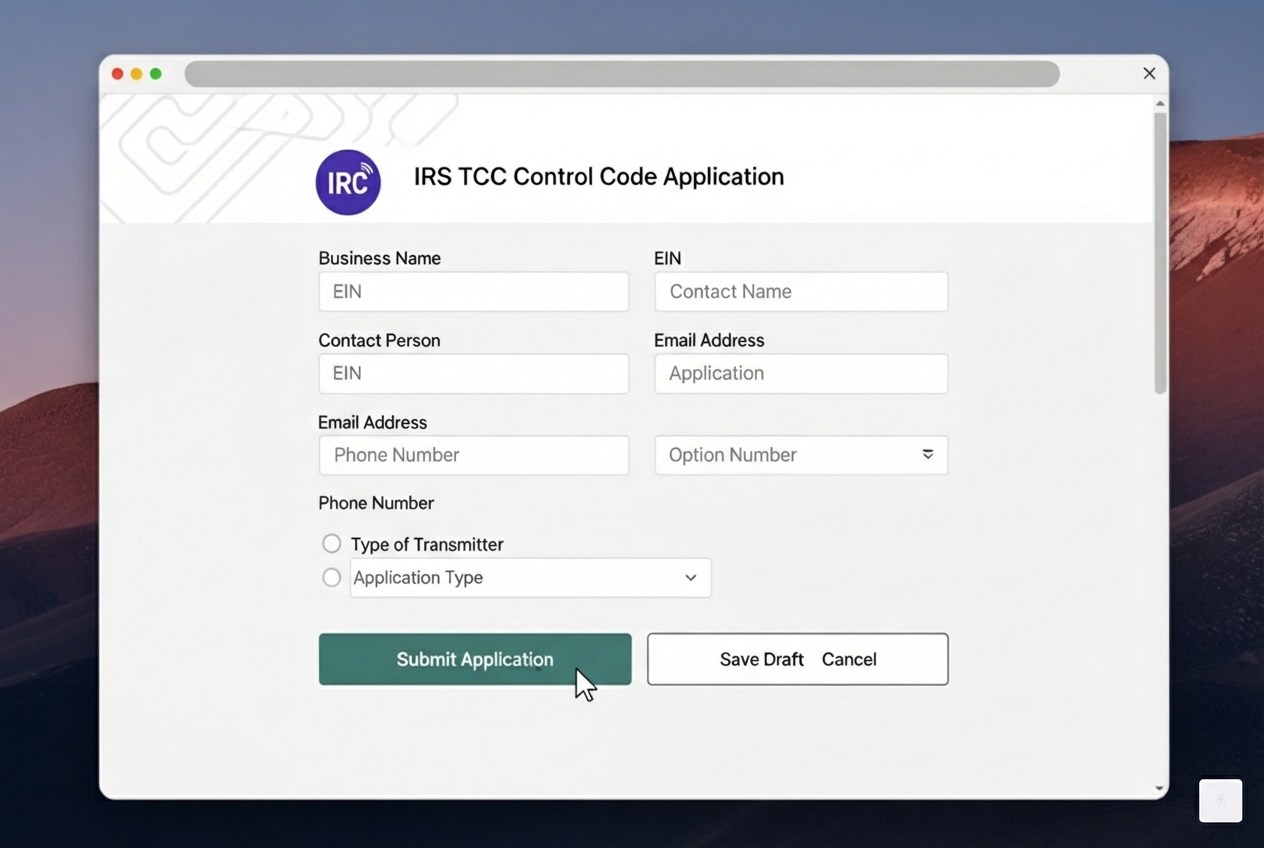
Before you can directly e-file information returns with the IRS using their systems (like the IRIS Taxpayer Portal or the older FIRE system), you’ll need a Transmitter Control Code (TCC). A TCC is a unique five-character alphanumeric code that identifies you as an authorized electronic filer. Think of it as your digital credentials for sending tax information to the IRS.
Here’s what you need to know about TCCs:
- Requirement: A TCC is mandatory for direct e-filing through IRS systems. If you’re using a third-party service provider to file on your behalf, they will likely use their own TCC, so you might not need one yourself.
- Application Process: You apply for a TCC through the IRS. For the IRIS system, your TCC will start with a ‘D’. The application typically involves providing information about your business.
- Processing Time: It’s crucial to apply for your TCC well in advance. The IRS states that processing a TCC application can take up to 45 days. This means if you wait until January to apply, you’ll likely miss the January 31 deadline for your 1099-NECs. We recommend submitting your TCC application by November 1st of the year prior to the filing deadline to ensure you’re ready.
Once you have your TCC, you’re one step closer to confidently filing your 1099-NECs electronically.
Step-by-Step Guide: How to File 1099-NEC Electronically (with W9 Data)
Now that we’ve covered the preparation, let’s dive into the practical steps for how to file 1099 nec electronically. This guide will focus on using the IRIS Taxpayer Portal, as it’s the most accessible direct-to-IRS option for many businesses.
Checklist: What You Need Before You Start
- Completed, accurate W9 forms for each contractor (ideally collected and stored securely with Fillable W9)
- Your business TIN (Employer Identification Number – EIN) and contact information
- Total payment amounts made to each contractor for the tax year
- Your IRS-issued Transmitter Control Code (TCC)
- Access to the IRS IRIS Taxpayer Portal (la.www4.irs.gov/irportal/)
Step 1: Gather and Verify W9 Information
This step is foundational. Before you input any data into the IRS system, ensure the information you have is spotless.
- Collect W9s using Fillable W9: If you haven’t already, use Fillable W9 to streamline the collection of W9s from all your independent contractors. Our platform ensures the forms are correctly filled out and securely stored, giving you a reliable source of truth.
- Double-check TINs and addresses: Compare the TIN (SSN, EIN, or ITIN) and address on each W9 against your payment records. Any discrepancy here can lead to a rejected filing later.
- Store W9s securely for compliance: Keep these W9s readily accessible for future reference and IRS compliance. Fillable W9 provides a secure, encrypted environment for storing this sensitive data, protecting you and your contractors.
Step 2: Access the IRS E-Filing Portal and Enter Issuer Details
- Sign in to the IRIS Taxpayer Portal: Go to the IRIS Taxpayer Portal (la.www4.irs.gov/irportal/) and sign in using your IRS credentials and your TCC.
- Enter your business information: The portal will prompt you to enter your business’s identifying information (legal name, EIN, address, etc.). This is often referred to as the “Issuer” or “Payer” details.
- Save for future filings: The IRIS portal allows you to save your issuer information, making subsequent filings much faster.
Step 3: Enter 1099-NEC Data Using W9 Information
This is where the data from your W9s becomes directly actionable.
- Start a new 1099-NEC form: Within the IRIS portal, select the option to create a new Form 1099-NEC.
- Enter contractor details directly from W9s: For each contractor, carefully input their information into the corresponding fields on the digital 1099-NEC form. This includes:
- Recipient’s name (from Box 1 on W9)
- Recipient’s address (from Box 5 on W9)
- Recipient’s TIN (from Box 2 on W9)
- Nonemployee compensation amount (Box 1 on 1099-NEC)
- Any federal income tax withheld (if applicable, Box 4 on 1099-NEC)
- Manual entry or CSV upload: If you have only a few 1099-NECs, manual entry is straightforward. For a larger volume of forms, the IRIS portal supports CSV file uploads. You’ll need to format your data according to the IRS’s specifications for the CSV template, which you can find within the portal. This is where organized W9 data, often exported from a system like Fillable W9, can be quickly converted.
- Refer to IRS Instructions: For detailed box-by-box guidance, always consult the official Instructions for Forms 1099-MISC and 1099-NEC (04/2025) – IRS.
Step 4: Review, Submit, and Download Copies
Accuracy is paramount before hitting that submit button.
- Review for errors: Carefully review every 1099-NEC you’ve prepared in the system. Check names, TINs, addresses, and compensation amounts against your W9s and payment records. The IRIS system often includes built-in error checks, but a human eye is invaluable.
- E-sign and submit: Once you’re confident all information is correct, electronically sign and submit your forms. The IRIS portal will provide immediate confirmation of your submission.
- Download recipient copies: After successful submission, the portal will allow you to download PDF copies of the 1099-NECs for your contractors (recipients).
- Distribute to contractors: Ensure each contractor receives their copy of Form 1099-NEC by the January 31 deadline. You can mail them a physical copy or securely deliver an electronic version (with their consent).
Navigating Corrections, State Filing, and Common Errors
Even with the best preparation, sometimes mistakes happen. Understanding how to correct an e-filed 1099-NEC and navigating state-specific requirements are crucial parts of the process.
How to Correct an E-Filed 1099-NEC
The IRIS Taxpayer Portal is equipped to handle corrections, which is a major advantage of e-filing. If you find an error after submitting a 1099-NEC, you’ll need to file a corrected return.
- IRS correction feature: The IRIS system provides a feature to file corrected returns for tax year 2022 and later. You’ll generally need your TCC and the original submission details.
- How to file a corrected return: When making a correction, you typically won’t re-submit the entire original file. Instead, you’ll indicate that it’s a corrected return and only include the specific information that needs to be changed. The IRS’s technical specifications for e-filing (Publication 1220) detail specific correction indicator codes (e.g., ‘G’ or ‘C’) used in the electronic file.
- Filing within 3 years: Generally, you have up to three years from the original filing due date to submit corrected information returns.
Understanding State Filing Requirements
While you’re busy with federal filings, don’t forget about state requirements! Some states require a separate copy of the 1099-NEC, while others participate in a streamlined program.
- Combined Federal/State Filing (CF/SF): This is a fantastic program where the IRS automatically forwards federal information returns to participating states. If your state participates, and you indicate state information on your federal e-file, you often don’t need to file separately with the state.
- Direct state filing: For states not in the CF/SF program, or if you choose not to use CF/SF, you might need to file directly with the state tax agency.
- Texas-specific information: For businesses operating in Texas, we have good news! Texas does not currently have a state income tax and therefore does not require a separate 1099-NEC to be filed at the state level. You only need to worry about your federal filing obligations. This simplifies things significantly for our Texas-based users!
For other states, you will need to check their specific filing requirements. Always verify directly with the state’s tax agency for the most current and accurate information, as rules can change.
Avoiding Common Errors and Penalties
Mistakes can be costly. The IRS assesses penalties for various infractions related to information returns. Here are some common errors to avoid:
- TIN mismatch: This is arguably the most frequent and easily avoidable error. If the name and TIN on the 1099-NEC don’t match IRS records, your filing can be rejected. This almost always stems from an incorrect W9. Using Fillable W9 to collect and verify W9s helps mitigate this risk significantly.
- Incorrect amounts: Double-check your payment totals. Even small errors can trigger issues.
- Wrong form: Ensure you’re using Form 1099-NEC for nonemployee compensation, not 1099-MISC or another form.
- Late filing penalties: The IRS assesses late filing penalties if forms aren’t submitted by the January 31 deadline. These penalties are tiered and can range from $60 to $310 per form, depending on how late you file. If the IRS determines intentional disregard for filing, penalties can be much higher.
- Failure to furnish recipient statements: You must provide a copy of the 1099-NEC to your contractors by January 31. Failure to do so can also incur penalties.
For comprehensive details on electronic filing specifications and potential penalties, refer to Publication 1220 from the IRS. Staying informed and organized is your best defense against these costly mistakes.
Frequently Asked Questions about E-Filing 1099-NEC and W9 Forms
We know you might have more questions about how to file 1099 nec electronically and how W9 forms fit into the picture. Here are some common queries we encounter:
What is the difference between the IRS IRIS and FIRE systems?
The IRS uses different systems for electronic filing, and it’s easy to get them confused.
- IRIS (Information Returns Intake System): This is the newer, modernized system. The IRIS Taxpayer Portal is designed to be user-friendly, offering a no-cost online method for filing 1099 series forms directly. You can manually enter data for up to 100 returns or upload a CSV file. IRIS is intended to be the future of information return e-filing.
- FIRE (Filing Information Returns Electronically): This is the older, legacy system. While still operational, the FIRE system is targeted for retirement by Tax Year 2026/Filing Season 2027. It primarily serves financial institutions and high-volume filers who use specialized software to generate files in a specific format (as detailed in Publication 1220). FIRE does not offer an electronic fill-in form option like IRIS.
For most small to medium businesses, IRIS is the recommended and more accessible option.
Do I need to file Form 1096 if I e-file my 1099-NEC?
No, you do not need to file Form 1096, Annual Summary and Transmittal of U.S. Information Returns, if you e-file your 1099-NECs. Form 1096 is specifically designed as a cover sheet for paper submissions of 1099 series forms. When you file electronically through systems like IRIS, the transmittal information is handled automatically within the digital submission process. This is another convenience that e-filing offers!
What are the penalties for filing a 1099-NEC late?
The IRS takes late filings of information returns seriously. The penalties for filing a 1099-NEC late are tiered based on how late the form is submitted:
- Within 30 days late: $60 per form
- More than 30 days late, but before August 1: $120 per form
- On or after August 1: $310 per form
These penalties can quickly add up if you have multiple late forms. Furthermore, if the IRS determines there was intentional disregard for filing or for providing correct payee statements, the penalties can be significantly higher, often reaching $630 or more per failure, with no maximum limit. That’s why meeting the January 31 deadline is so crucial.
How does Fillable W9 help with 1099-NEC e-filing?
Fillable W9 is designed to lay the groundwork for seamless 1099-NEC e-filing, particularly for businesses in Texas and across the U.S. We help you tackle the most common pain points:
- Ensures accurate, IRS-compliant W9s: Our platform guides your contractors through filling out their W9s correctly, reducing errors from the start. We help capture all the necessary information—name, address, and TIN—that directly translates to your 1099-NEC.
- Reduces TIN errors: Incorrect TINs are a leading cause of rejected 1099-NEC filings and penalties. By standardizing W9 collection and making verification easier, we help minimize these costly mistakes before they ever reach the IRS.
- Streamlines contractor onboarding and recordkeeping: Instead of chasing paper forms, you can invite contractors to complete their W9s online securely. This not only speeds up your onboarding process but also provides a centralized, secure repository for all your W9s, which are essential records for your 1099-NEC compliance.
By ensuring your W9 data is clean and organized, Fillable W9 makes the actual process of how to file 1099 nec electronically much faster and less stressful.
Conclusion: Simplify Your Contractor Tax Compliance with Fillable W9
Mastering how to file 1099 nec electronically is more than just a compliance chore; it’s an opportunity to streamline your business operations, improve accuracy, and avoid unnecessary penalties. The benefits of e-filing—from instant confirmation and built-in error checks to saving time and resources—are undeniable, especially with the new 10-return e-filing threshold.
At the heart of every successful 1099-NEC filing is accurate and complete W9 data. Secure W9 collection is the absolute foundation for a smooth process. Without reliable W9s, you risk TIN mismatches, rejected filings, and expensive penalties.
Fillable W9 makes it easy to collect, verify, and securely store W9s online, changing what can be a daunting administrative task into a simple, efficient workflow. By starting with a solid foundation of accurate W9s, you’re well on your way to confidently e-filing your 1099-NECs and ensuring full compliance.
✅ Ready to complete your W9 in minutes? Apply here now: https://fillablew9.com/apply/