
Why You Need to Print W 9 Forms—And How to Do It Fast

If you need to print w 9 forms, you’re likely a freelancer, independent contractor, or small business owner who’s been asked to provide tax information to a client or payer. Here’s the fastest way to get your W-9:
Quick Steps to Print W 9:
- Download the latest W-9 form (Rev. March 2024) from the IRS website
- Open the PDF file on your computer
- Press Ctrl+P (Windows) or Command+P (Mac)
- Select your printer and click Print
- Fill out the printed form by hand, or complete it digitally first
Or skip the printer entirely: Fill out your W-9 online at https://fillablew9.com/apply and download a completed, signed PDF in minutes.
Form W-9 is how you provide your correct Taxpayer Identification Number (TIN)—usually your Social Security Number or Employer Identification Number—to entities that need to report payments made to you on information returns like Form 1099. The person or business paying you uses your W-9 to file accurate tax reports with the IRS. If you don’t provide a correct TIN, you could face backup withholding, where 24% of your payments are automatically withheld.
Whether you’re a graphic designer sending your first invoice, a landscaper hiring seasonal help, or an accountant managing multiple clients, getting your W-9 right matters. It’s not just about compliance—it’s about getting paid without delays or penalties.
The March 2024 revision of Form W-9 includes updated instructions for disregarded entities and a new line (3b) for flow-through entities with foreign partners. Using an outdated version could cause confusion or rejection by the requester.
I’m Haiko de Poel, and through my work with businesses navigating tax compliance and digital change, I’ve seen how confusing it can be to print w 9 forms and fill them out correctly. That’s why I created Fillable W9—to make this process simple, secure, and instant for freelancers and small business owners like you.
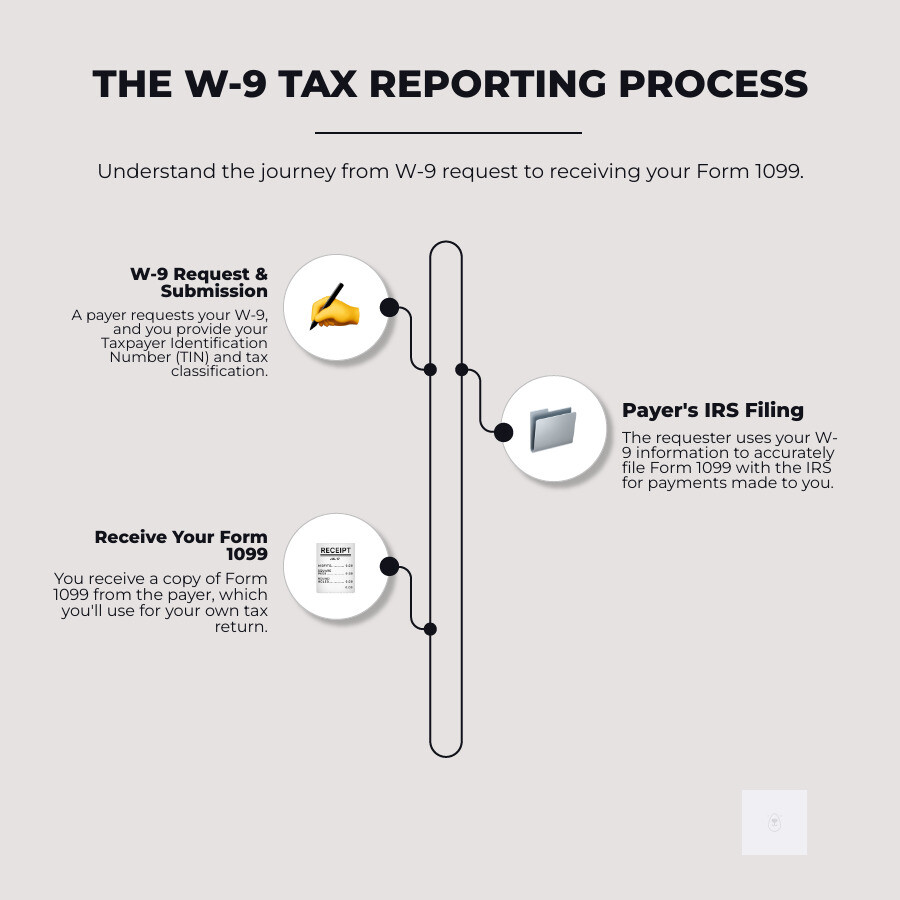
Common print w 9 vocab:

What is a W9 Form and Why Do You Need It?
We understand that tax forms can sometimes feel like a puzzle, but Form W-9 is actually quite straightforward once you know its purpose. At its core, Form W-9, officially titled “Request for Taxpayer Identification Number and Certification,” is a way for you to provide your correct Taxpayer Identification Number (TIN) to someone who needs to report payments made to you to the IRS. Think of it as your official identification for tax purposes when you’re working as an independent contractor or receiving certain types of income.
So, who needs to fill out a Form W-9? If you are a U.S. person (which includes U.S. citizens and resident aliens) and you’re being paid for services, or receiving other types of reportable income, the entity paying you will likely ask for a W-9. This applies to a wide range of situations, such as:
- Independent contractors and freelancers: If you’re paid for your services (e.g., consulting, graphic design, writing), the client will need your W-9.
- Small business owners: If you’re a sole proprietor, LLC, partnership, or corporation, you’ll provide your W-9 to clients or vendors.
- Individuals receiving certain payments: This can include real estate transactions, mortgage interest paid, cancellation of debt, or contributions made to an IRA.
The payer uses the information on your W-9 to accurately file an information return with the IRS, such as a Form 1099. These forms report income paid to you throughout the year. Without a correct W-9, the payer can’t fulfill their IRS reporting obligations. This is why providing an accurate W-9 is so important for both you and the entity paying you.
A crucial aspect of the W-9 is its role in preventing backup withholding. If you fail to furnish a correct TIN, or if the TIN you provide is incorrect, the IRS may require the payer to withhold a flat 24% of your payments and send it directly to the IRS. This can be a real headache for your cash flow! By providing a correct W-9, you help ensure that your payments arrive in full, as expected.
You can find more official information directly from the source on the IRS’s “About Form W-9” page: About Form W-9, Request for Taxpayer Identification Number … – IRS.

How to Get a Blank W9 to Print or Fill
Getting your hands on a blank W-9 form is quite simple, whether you prefer to print w 9 forms and fill them out by hand or complete them digitally. The IRS provides the official form directly on its website, ensuring you always have access to the latest version. This is particularly important because forms, like the W-9, can be revised. For instance, the most current version is the Form W-9 (Rev. March 2024).
Using the latest revision is crucial for compliance. Outdated forms might lack new fields or instructions, leading to potential delays or rejections from the requester. We always recommend downloading directly from the IRS or using a trusted platform like Fillable W9 that keeps its forms up-to-date.
Step-by-Step Guide to Print W9 Form
If you need to print w 9 forms, here’s how we recommend doing it:
- Download the latest W9 PDF: Head directly to the IRS website to get the official Form W-9 (Rev. March 2024). You can find it here: [PDF] Form W-9 (Rev. March 2024) – IRS. This ensures you have the most current form.
- Open the file: Once downloaded, open the PDF file using your preferred PDF viewer (like Adobe Acrobat Reader, which is free).
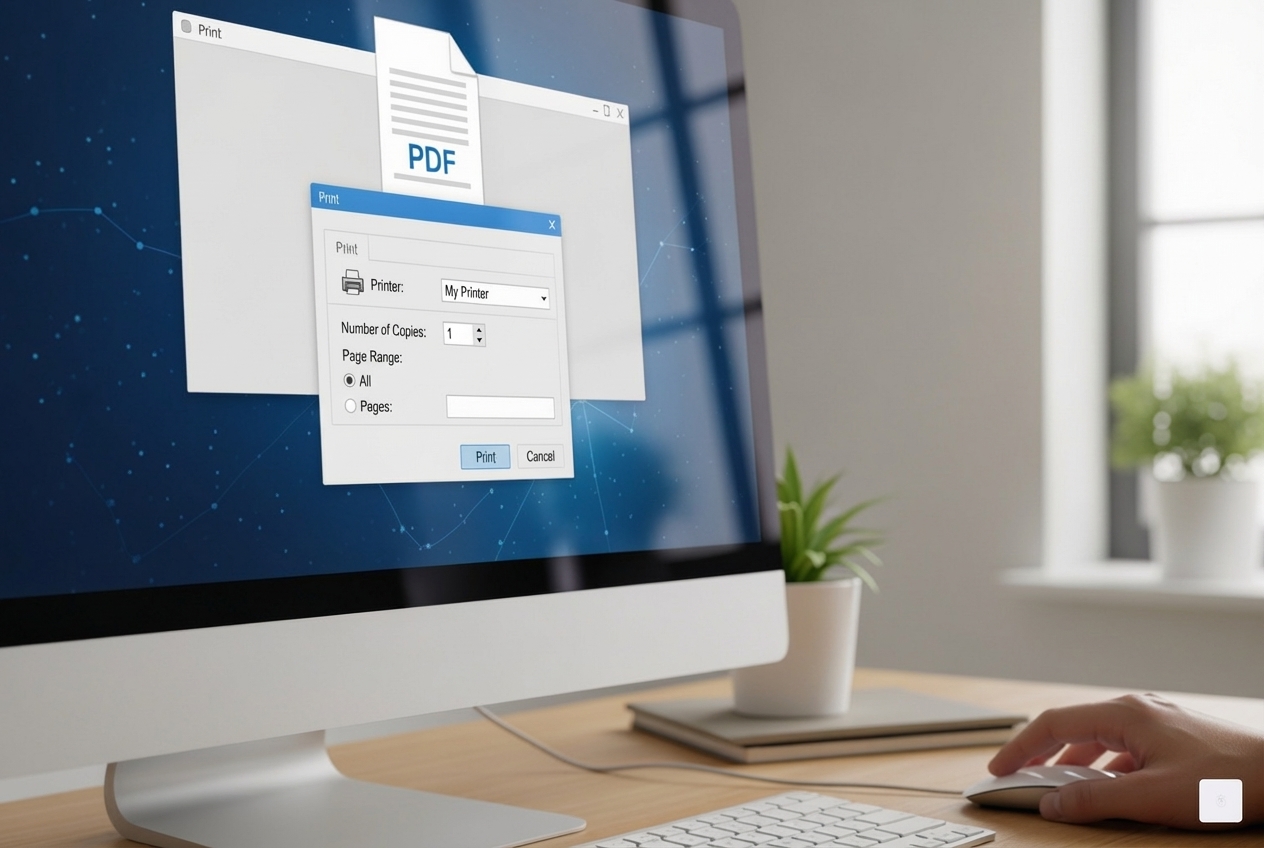
- Use Ctrl+P or Command+P: With the form open, simply press Ctrl+P on a Windows computer or Command+P on a Mac. This will bring up your printer’s dialog box.
- Select your printer: From the list of available printers, choose the one you want to use.
- Adjust settings: You can typically choose options like the number of copies, paper size, and whether to print in color or black and white. For a W-9, black and white is perfectly fine.
- Print the document: Click the “Print” button. Your blank W-9 form should now be coming out of your printer, ready for you to fill it out.
For general troubleshooting on printing, you can refer to resources like How to Print a Document, Picture, or Another File .
Don’t waste time with paper forms — complete your secure W9 online at https://fillablew9.com/apply.
What If You Don’t Have a Printer?
What if you’re out and about, or simply don’t have access to a printer when a client urgently requests your W-9? That’s where our modern solutions come in handy. We’ve designed Fillable W9 specifically for these situations, allowing you to bypass the need to print w 9 forms entirely.
Here’s how we make it easy for you:
- Save the W9 as a PDF: Even if you download the blank form, you can save it directly to your computer or cloud storage without printing.
- Use Fillable W9 to complete and sign your form online: Our platform provides a secure, intuitive interface where you can fill out every field of the W-9 form digitally. You can even add your digital signature, making it fully IRS-compliant.
- Download or email your completed W9 instantly: Once filled out and signed, you can immediately download the completed W-9 as a PDF or email it directly to your client. No scanning, no faxing, no hassle.
- Access your W9 from any device: Because Fillable W9 is cloud-based, your completed forms are always accessible from your computer, tablet, or smartphone. This means you’re always ready to respond to a W-9 request, no matter where you are.
This online approach not only saves you time and paper but also improves security by reducing the physical handling of sensitive tax information.
A Line-by-Line Guide to Filling Out Your W9
Filling out a W-9 form correctly is essential to avoid delays and potential penalties. We’ll walk you through each part, clarifying what information is needed and highlighting key considerations, especially with the latest March 2024 revision. For more detailed guidance, we encourage you to check out More info about how to fill out a W-9 on our site.
Part I: Taxpayer Name, Business Classification, and TIN
This section is all about identifying you or your business to the IRS. Accuracy here is paramount.
- Line 1: Name (as shown on your income tax return). This is critically important. For individuals and sole proprietors, this should be your legal name exactly as it appears on your most recent income tax return. For other entities, it should be the name that matches your tax return filing.
- Line 2: Business name/disregarded entity name, if different from above. If you’re a sole proprietor operating under a business name (e.g., “Jane’s Designs”), you’d put “Jane’s Designs” here, while your legal name (“Jane Doe”) remains on Line 1. If you’re a single-member LLC that is a disregarded entity (meaning the IRS treats it as part of its owner for tax purposes), you’d enter the LLC’s name here.
- Line 3: Federal tax classification. This is where you tell the IRS how you’re classified for federal tax purposes. You must check only one box.
- Individual/sole proprietor or single-member LLC: Most freelancers and independent contractors will check this box. If you’re a single-member LLC, you’ll also check this box, as the IRS generally treats you as a sole proprietor unless you elect otherwise.
- C Corporation (C)
- S Corporation (S)
- Partnership (P)
- Trust/estate
- Limited liability company (LLC): If your LLC is not a single-member LLC (e.g., it has multiple members), or if your single-member LLC has elected to be taxed as a corporation, you must check the “Limited liability company” box and then specify its tax designation (C=C corporation, S=S corporation, or P=Partnership).
- Other: Use this for specific situations not covered by the above.
- Line 3a: Disregarded Entity. The March 2024 revision clarifies that a disregarded entity should check the appropriate box for the tax classification of its owner, not its own, and the owner’s name should be on Line 1.
- Line 3b: Flow-through entity with foreign partners, owners, or beneficiaries. This is a new line introduced in the March 2024 revision. If you are a flow-through entity (like a partnership or multi-member LLC taxed as a partnership) and you have foreign partners, owners, or beneficiaries, you’ll need to check this box when providing the form to another flow-through entity. This helps with FATCA reporting, which we’ll discuss shortly.
- Line 4: Exemptions (codes). Generally, individuals and sole proprietors won’t use this section. These codes are primarily for certain entities that are exempt from backup withholding or FATCA reporting. For instance, some tax-exempt organizations or governmental entities might use exemption codes.
- Lines 5 and 6: Address. Provide your complete mailing address (street address, city, state, and ZIP code) where you receive your tax information. For a business, this would be the business address.
- Line 7: List account number(s) here (optional). You can provide the account number(s) for which you are submitting the W-9. This helps the requester match the form to the correct account or payment.
- Line 8: Taxpayer Identification Number (TIN). This is arguably the most critical piece of information. Your TIN is the number the IRS uses to identify you for tax purposes.
- Social Security Number (SSN): Most individuals, including sole proprietors and single-member LLCs, will use their SSN.
- Employer Identification Number (EIN): Businesses (corporations, partnerships, multi-member LLCs) and some individuals who have employees or file certain types of returns will use an EIN. If you’re a sole proprietor or single-member LLC and have an EIN (perhaps from hiring employees in the past), you can use either your SSN or EIN, but be consistent.
- Individual Taxpayer Identification Number (ITIN) / Adoption Taxpayer Identification Number (ATIN): These are less common for W-9 purposes, but are used by certain resident or non-resident aliens (ITIN) or for children awaiting adoption (ATIN). If you have one of these, you’d use it here.
Ensuring your TIN matches the name on Line 1 is vital. A mismatch is a common reason for backup withholding. If you don’t have a TIN but have applied for one, you can write “Applied For” in the TIN space, sign, and date the form, but you must provide the TIN when you receive it.
Part II: Certification to Avoid Backup Withholding
This section is your declaration, under penalties of perjury, that the information you’ve provided is correct. It’s a crucial part of the form that helps the payer avoid unnecessary backup withholding.
- Certification statements: By signing, you’re certifying several things:
- The TIN you provided is correct.
- You are not subject to backup withholding, either because you haven’t been notified by the IRS that you are, or because you’ve been notified and the IRS has since told you that you are no longer subject to it.
- You are a U.S. citizen or other U.S. person (including a U.S. resident alien).
- The FATCA codes entered (if any) are correct.
- Understanding backup withholding: As we mentioned, backup withholding means 24% of your payments could be withheld. You generally need to cross out item 2 of the certification if you have been notified by the IRS that you are currently subject to backup withholding because you failed to report all interest and dividends on your tax return. However, for real estate transactions, item 2 doesn’t apply.
- Sign and date the form: Your signature makes the certification legally binding. Always remember to date the form as well.
- Penalties for willfully falsifying information: The IRS takes the accuracy of W-9 forms seriously. Providing false information can lead to severe consequences. You could face a $50 civil penalty for each failure to furnish a correct TIN unless due to reasonable cause. More gravely, willfully falsifying certifications or affirmations on Form W-9 may subject you to criminal penalties, including fines and/or imprisonment. So, always double-check your information!
W9 vs. Other Common Tax Forms
It’s easy to get lost in the alphabet soup of IRS forms, especially when they all deal with your tax identity and income. Let’s clarify the differences between the W-9 and two other frequently encountered forms: Form W-4 and Form 1099. Understanding these distinctions is key to knowing which form applies to your situation.
Understanding Form W-4
Form W-4, officially called the “Employee’s Withholding Certificate,” is for employees. If you work for an employer who pays you a regular salary or hourly wage and withholds taxes from your paycheck, you’ll fill out a W-4.
- For employees: This form is specifically used by individuals to tell their employer how much federal income tax to withhold from their paychecks.
- Payroll withholding: The information on your W-4 helps your employer calculate the correct amount of income tax, Social Security tax, and Medicare tax to deduct from each payment.
- Employee’s Withholding Certificate: It’s about adjusting your payroll withholding to match your tax situation, not about providing your TIN for income reporting.
In short, if you’re an employee, you fill out a W-4. If you’re an independent contractor or business, you provide a W-9 to your clients.
Understanding Form 1099
Form 1099 is often confused with Form W-9 because they are intrinsically linked. However, they serve very different roles. While you provide a W-9, you receive a 1099.
- For payers: A Form 1099 is what your client (the payer) uses to report payments made to you to the IRS. For example, if you’re an independent contractor and a client pays you $600 or more in a calendar year, they are generally required to send you a Form 1099-NEC (Nonemployee Compensation) and also send a copy to the IRS.
- Reports non-employee income: The 1099 series of forms covers various types of income, not just non-employee compensation. Other common examples include:
- Form 1099-INT: for interest income.
- Form 1099-DIV: for dividends and distributions.
- Form 1099-MISC: for miscellaneous income like rents, royalties, or awards.
- Sent to contractor and IRS: The payer sends one copy of the 1099 to you (the payee) and another copy to the IRS. You use the information on the 1099 to accurately report your income on your tax return.
So, the W-9 is the information you give to the payer so they can generate an accurate 1099. The 1099 is the report the payer sends to the IRS (and you) about the income they paid you.
The Modern Solution: Complete Your W9 Online with Fillable W9
In today’s world, we know you don’t have time for paper forms, printers, and trips to the post office. That’s why we built Fillable W9—to provide a modern, efficient, and secure way to handle your W-9 needs. We believe that managing your tax compliance should be as easy as sending an email.
Our platform transforms the traditional process of getting and filling out a W-9 into a seamless online experience. Here’s how we make your life easier:
- No printer required: Forget the hassle of finding a working printer or running out of ink. With Fillable W9, you can complete everything digitally from start to finish.
- Fill, sign, and download your W9 instantly: Our intuitive interface guides you through each step of the W-9 form. You can digitally sign your form with an IRS-compliant e-signature, and then instantly download or email the completed PDF. This means you can respond to requests in minutes, not days.
- Secure, encrypted, and IRS-compliant: We understand that your Taxpayer Identification Number and personal details are sensitive. That’s why we prioritize your security with advanced encryption and robust protocols, ensuring your data is protected every step of the way. Our forms are always up-to-date with the latest IRS revisions, making them fully compliant.
- Access your W9 anytime, anywhere: Your completed W-9 forms are securely stored in your Fillable W9 account. This means you can access, review, or re-send your forms from any device, whether you’re at your desk in Texas or on the go.
We’re constantly working to improve our features and services to make your tax compliance effortless. You can learn more about how we simplify the process by visiting More info about features services. We’re committed to being the #1 trusted resource for W-9 form completion and related compliance topics, helping freelancers and small businesses nationwide.
Apply now and complete your W9 in minutes at https://fillablew9.com/apply.
Conclusion: From Print W9 to Paid Project
Navigating tax forms doesn’t have to be a source of stress. Whether you choose to print w 9 forms and fill them out by hand or leverage the convenience of an online solution like Fillable W9, the goal remains the same: to accurately provide your Taxpayer Identification Number and ensure smooth tax reporting for both you and your clients.
We’ve explored the critical role of Form W-9 in your financial life, from preventing backup withholding to enabling proper income reporting. We’ve also highlighted the simplicity of obtaining and filling out this essential document, whether through traditional printing methods or the modern, secure, and instant online process. Choosing the right method means getting your W-9 submitted correctly and on time, which ultimately means you get paid faster and avoid unnecessary headaches.
By understanding the nuances of the W-9 and utilizing efficient tools, you can transform a potentially daunting task into a quick and secure step in your business operations.
✅ Ready to complete your W9 in minutes? Apply here now.
FAQs
Q: Can I fill out a W9 online?
A: Yes! With Fillable W9, you can securely complete, sign, and download your W9 form online in minutes.
Q: Is the online W9 accepted by clients and the IRS?
A: Absolutely. Digital W9s from Fillable W9 are IRS-compliant and widely accepted by clients and the IRS across the United States.
Q: What if I need to print my W9?
A: You can print your completed W9 directly from Fillable W9 or save it as a PDF for future use.
Q: How do I keep my information secure?
A: Fillable W9 uses advanced encryption and security protocols to protect your sensitive data, ensuring your information is safe from unauthorized access.
Don’t wait — start your W9 now and get paid faster!