
Why W9 Electronic Signature Free Solutions Are Changing How We Handle Tax Forms

W9 electronic signature free tools have transformed tax compliance for millions of freelancers and small businesses. If you’re looking for a fast, secure, and no-cost way to complete your W-9 form digitally, a dedicated platform is your best choice.
While some people might use generic PDF editors or limited free trials from general-purpose signature providers, these options often lack the specific security and compliance features needed for sensitive tax documents. For a truly secure and compliant experience, a specialized tool like FillableW9.com offers a completely free, IRS-compliant fillable W-9 with integrated electronic signatures.
Key Benefits:
- ✅ Legal and IRS-approved under the ESIGN Act and IRM 10.10.1
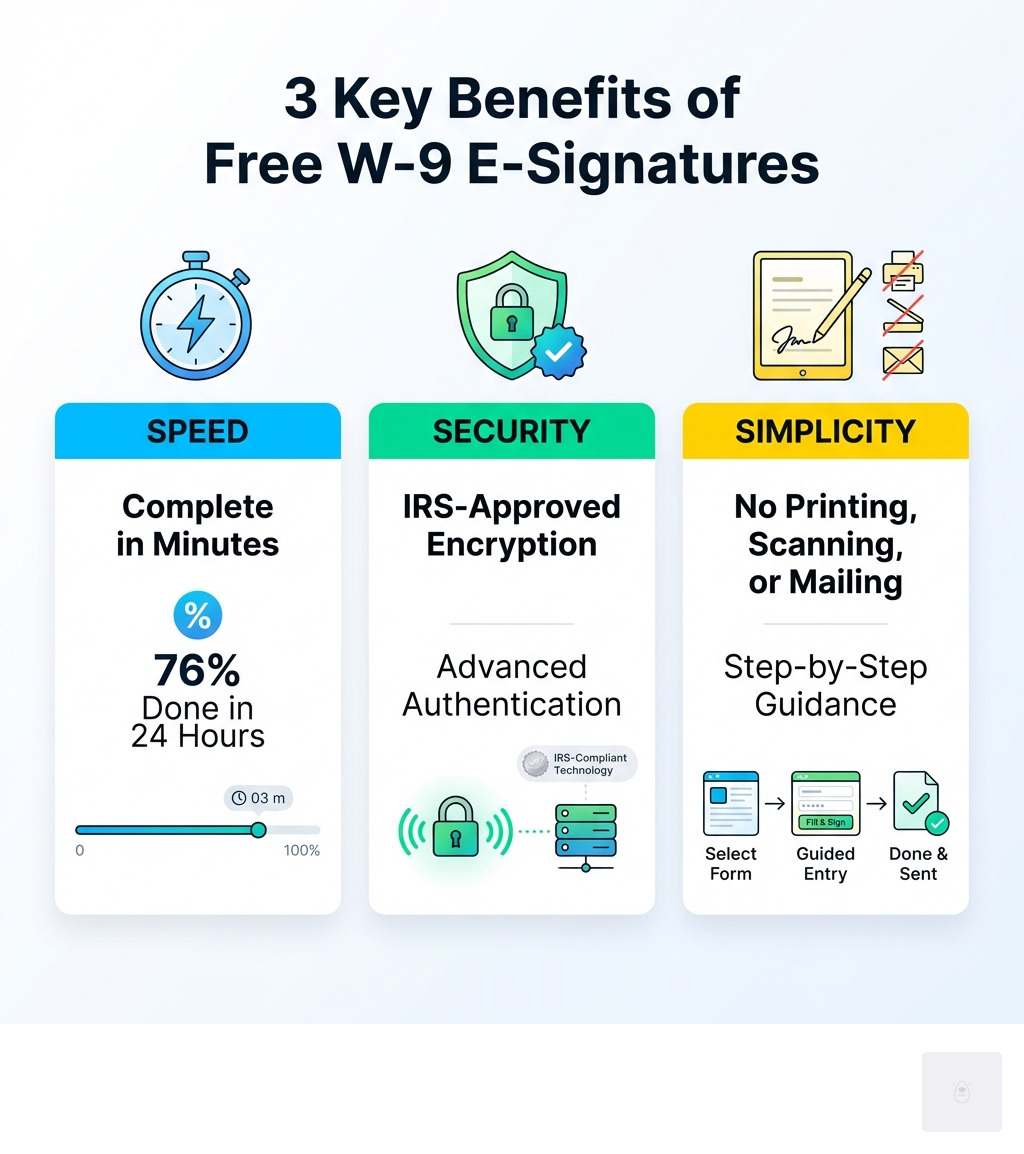
- ✅ 76% complete in under 24 hours (41% in just 15 minutes)
- ✅ No printing, scanning, or mailing required
- ✅ Secure encryption protects your sensitive tax information
Gone are the days of printing W-9 forms, signing with pen, scanning, and emailing. The IRS officially accepts electronic signatures on W-9 forms, provided they meet basic security requirements like data integrity and signer authentication. This means you can complete the entire process from your laptop, tablet, or phone—without ever touching a printer.
Why this matters: Independent contractors and freelancers handle W-9 requests constantly. Every new client relationship triggers this requirement. Traditional paper-based processes waste time and create opportunities for errors. A single incorrect Taxpayer Identification Number (TIN) can trigger 24% backup withholding on your payments.
The shift to digital W-9 completion isn’t just about convenience—it’s about accuracy, speed, and professionalism. Electronic platforms guide you through each required field, reducing the risk of leaving critical information blank or selecting the wrong tax classification.
I’m Haiko de Poel, and through my work helping businesses streamline their operations and digital processes at Mass Impact, I’ve seen how w9 electronic signature free solutions eliminate administrative bottlenecks for contractors and the businesses that hire them. This guide will show you exactly how to leverage these tools to complete your W-9 correctly, securely, and at zero cost.
Start filling your W9 now at https://fillablew9.com/apply.

Why E-Signing Your W-9 is Legal, Secure, and IRS-Approved
When you’re dealing with tax documents, especially something as crucial as a W-9 form, the question of legality and security is always paramount. We understand the hesitation you might feel about moving away from the traditional pen-and-paper method. However, we’re here to assure you that using a w9 electronic signature free solution is not only legally sound but also often more secure and efficient than its physical counterpart.
The legal standing of electronic signatures in the United States is firmly established by the Electronic Signatures in Global and National Commerce (ESIGN) Act, enacted in 2000. This landmark legislation ensures that electronic signatures hold the same legal weight and validity as traditional handwritten signatures. What this means for your W-9 is simple: if signed electronically through a compliant platform, it’s just as binding as if you’d put ink to paper.
But what about the Internal Revenue Service (IRS) itself? Do they accept electronic signatures for tax forms like the W-9? Absolutely! The IRS has recognized the shift towards digital processes and has integrated its policies on electronic signatures into its permanent Internal Revenue Manual (IRM 10.10.1). This means that they officially accept a wide range of electronic signature methods, from a typed name in a signature block to a scanned image of a handwritten signature, or even signatures created using a stylus on a digital pad. This acceptance isn’t just a nod to convenience; it’s a recognition of the robust security measures that modern electronic signature platforms employ.
Security is a cornerstone of any digital tax process. When we use a w9 electronic signature free service, we’re not just looking for convenience; we’re seeking protection for sensitive information like your Social Security Number (SSN) or Employer Identification Number (EIN). Reputable electronic signature platforms incorporate advanced security features, including:
- Authentication: Verifying the identity of the person signing the document. This might involve email verification, multi-factor authentication, or other methods to ensure only the authorized individual is signing.
- Data Encryption: Protecting your information during transmission and storage. This ensures that your personal and tax data remains confidential and secure from unauthorized access. Services often use 256-bit end-to-end encryption, a standard in data security.
- Audit Trails: Creating a comprehensive record of every action taken on the document, including who viewed it, when it was signed, and from what IP address. This provides an indisputable chain of custody and evidence of the signature’s validity.
- Secure Storage: Storing your completed W-9 forms in secure, cloud-based environments, often with advanced data centers and backup protocols. This safeguards your documents against loss, damage, or unauthorized access far more effectively than a physical filing cabinet.
The IRS’s acceptance of electronic signatures for W-9 forms, as outlined in their guidelines, hinges on these crucial elements. The electronic system must ensure that the information received is identical to what was input, that it matches the paper form, and that the electronic signature effectively identifies and authenticates the payee. Furthermore, it must include a perjury statement and allow the payer to provide a hard copy to the IRS if requested.
When you choose a compliant and secure w9 electronic signature free platform, you’re not cutting corners. You’re embracing a modern, legally recognized, and often superior method for handling your tax documentation. It’s a strategic move towards modernizing business processes, making tax compliance simpler, faster, and more secure for everyone involved.

How to Get a W9 Electronic Signature Free: A Step-by-Step Guide
Navigating tax forms can feel like solving a puzzle, but with w9 electronic signature free solutions, it becomes a straightforward process. We’ve broken it down into simple, actionable steps to help you complete your W-9 quickly and correctly.
Step 1: Access a Reliable Fillable W-9 Template
The first step is always to ensure you’re working with the most current and accurate version of the W-9 form. The IRS frequently updates its forms, and using an outdated version can lead to errors or delays.
We recommend always starting with an IRS-compliant template. This ensures that all the necessary fields are present and correctly formatted. Platforms like FillableW9.com provide just that – a free, fillable W-9 with integrated e-signature capabilities that is consistently updated to meet the latest IRS requirements. This removes the guesswork and ensures you’re on the right track from the start.
It’s crucial to choose a secure platform for this step. Public Wi-Fi or untrusted websites can compromise your sensitive information. Always opt for services that prioritize data security and clearly state their compliance measures.
Step 2: Gather and Fill Out Your Information
Before you even touch your mouse to sign, you need to have all your personal and tax information ready. This prevents errors and ensures a smooth process. Here’s what you’ll need:
- Your Full Name and Address: This should match the name and address you use on your federal income tax return.
- Your Business Name (if applicable): If you operate as a business entity, enter its name here. If you’re a sole proprietor, you’ll typically use your individual name.
- Your Federal Tax Classification: This is critical. You’ll need to select one of the following boxes:
- Individual/Sole proprietor or single-member LLC
- C Corporation
- S Corporation
- Partnership
- Trust/Estate
- Limited Liability Company (LLC) – check the box for the tax classification of the LLC (C=C corporation, S=S corporation, P=Partnership).
- Your Taxpayer Identification Number (TIN): This is the most important piece of information. For individuals, this will be your Social Security Number (SSN). For businesses, it will typically be an Employer Identification Number (EIN). If you’re a sole proprietor, you can generally use your SSN. Ensure this number is accurate; even a single digit off can cause significant issues, including backup withholding.
Double-check every piece of information you enter. It’s much easier to catch a mistake now than to deal with the consequences later.
Step 3: Create Your Free Electronic Signature and Sign
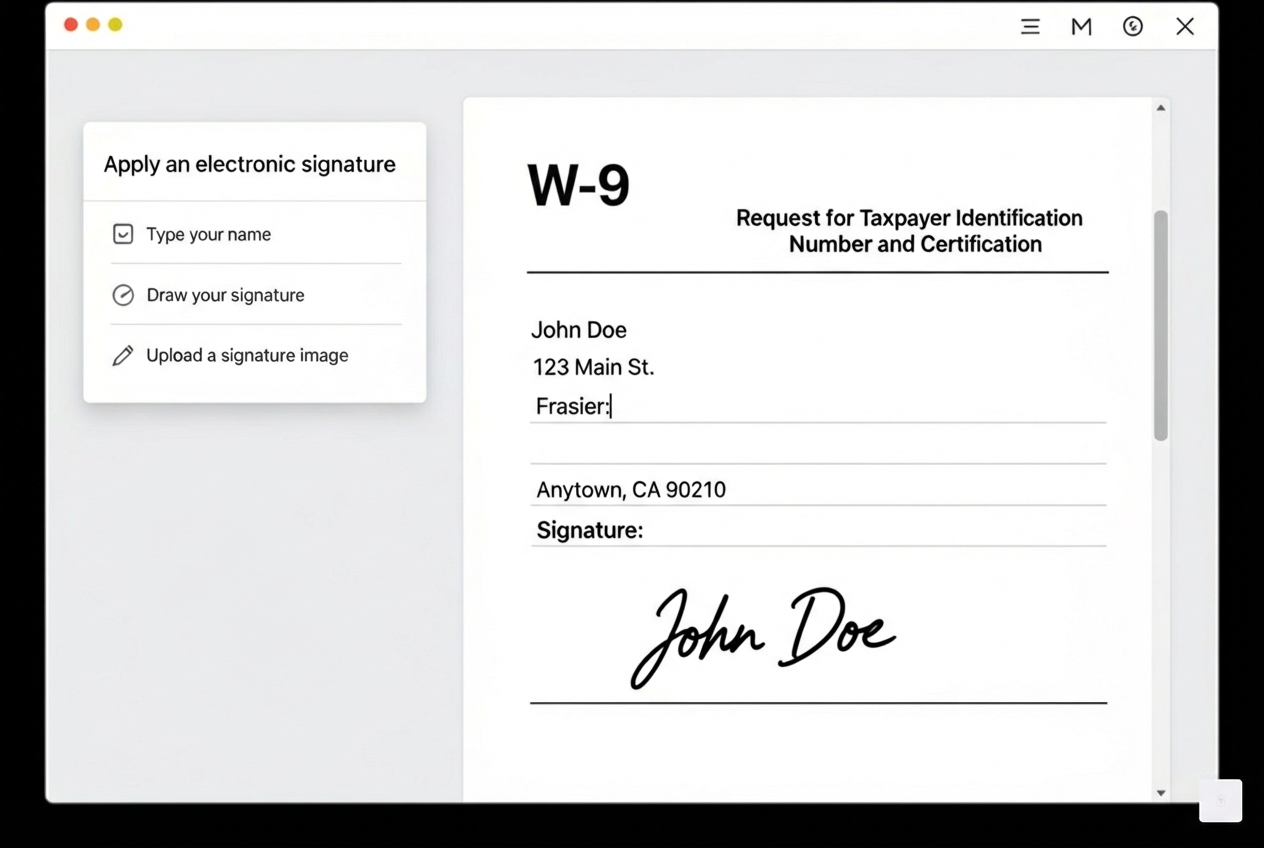
This is where the magic of w9 electronic signature free tools truly shines. Once your information is accurately entered, the platform will guide you to the signature field. Most reputable services offer several user-friendly options for creating your electronic signature:
- Typing Your Name: The simplest method. You type your full name, and the system converts it into a stylized font that serves as your electronic signature.
- Drawing with a Mouse or Touchpad: If you prefer a more personalized touch, you can use your mouse, trackpad, or even a stylus on a touchscreen device to draw your signature directly onto the form.
- Uploading a Scanned Image: Some platforms allow you to upload a picture of your handwritten signature.
After creating your signature, you’ll simply apply it to the designated signature line on the W-9 form. The system will then automatically date the form, further streamlining the process. This entire step usually takes just a few clicks and a moment of your time.
Step 4: Securely Submit and Store Your Form
Once your W-9 is filled out and signed, the final steps are about ensuring its secure delivery and safekeeping.
- Review for Accuracy: Before hitting “send,” take one last look. Confirm all fields are complete and accurate, especially your TIN and tax classification. A quick review can prevent headaches down the line.
- Secure Submission: Most online platforms offer direct, encrypted submission options. This means your W-9 goes straight to the requesting party through a secure channel, minimizing the risk of interception. Avoid sending sensitive tax forms via regular, unencrypted email.
- Download a Copy: Always download a copy of your completed and signed W-9 form for your personal records. This is crucial for your own tax documentation and for future reference.
- Cloud Storage for Records: Securely store your downloaded copy. Many platforms offer cloud storage for your signed documents, making them easily accessible whenever you need them, without cluttering your local device. This also provides a secure backup in case of device failure.
Don’t waste time with paper forms — complete your secure W9 online at https://fillablew9.com/apply.
Common Mistakes to Avoid When Signing Your W-9 Online
While using a w9 electronic signature free solution significantly reduces the chance of errors, it’s still essential to be aware of common pitfalls. Avoiding these mistakes will ensure a smooth process and prevent potential issues with your payments or the IRS.
Here are the top mistakes we see and how to steer clear of them:
- Using an Outdated Form: The IRS updates its forms periodically. Always ensure you are using the most current version of the W-9 form. Reputable online platforms, like FillableW9.com, automatically provide the latest version, but if you’re downloading from elsewhere, always check the revision date on the IRS’s site.
- Entering an Incorrect TIN: Your Taxpayer Identification Number (SSN or EIN) is the cornerstone of the W-9. A typo here can lead to significant problems, including backup withholding. Double-check this number carefully before submission.
- Choosing the Wrong Tax Classification: The W-9 requires you to identify your federal tax classification. This can be confusing, especially for LLCs. Make sure you select the correct box (e.g., individual, C corporation, S corporation, partnership, or the appropriate LLC designation). If you’re unsure, consult a tax professional.
- Forgetting the Signature: Even with electronic forms, the signature (or electronic equivalent) is mandatory. A W-9 without a valid signature is incomplete and will likely be rejected. Ensure the e-signature process is fully completed and applied.
- Using an Unsecured Platform or Public Wi-Fi: Your W-9 contains highly sensitive personal information. Never fill out or transmit a W-9 over an unsecured public Wi-Fi network. Always use a secure, encrypted platform and a private, trusted internet connection to protect your data from potential breaches.
By paying close attention to these details, we can ensure that your w9 electronic signature free experience is not only convenient but also accurate and secure, saving you time and potential headaches down the road.
Frequently Asked Questions about Free W-9 E-Signatures
We often hear similar questions from freelancers and small business owners about W-9 forms and electronic signatures. Let’s tackle some of the most common ones to give you complete clarity.
What is a W-9 form and why is it important?
The W-9 form, officially known as the “Request for Taxpayer Identification Number and Certification form,” is a critical IRS document that businesses use to collect tax information from individuals or entities they pay. This includes independent contractors, freelancers, vendors, and other non-employees. It collects your name, address, and, most importantly, your Taxpayer Identification Number (TIN).
The information on your W-9 allows the paying entity to report the income they paid you to the IRS. If they pay you $600 or more in a calendar year, they are generally required to issue you a Form 1099 (like a 1099-NEC for nonemployee compensation) at the end of the year. This form details the income you received, which you then use to file your own income taxes.
Who is required to fill out a W-9 form?
You are typically required to fill out a W-9 form if you are a “U.S. person” (which includes U.S. citizens, resident aliens, corporations, partnerships, estates, and trusts) and you receive payments from a business that needs your Taxpayer Identification Number (TIN) for tax reporting purposes.
This most commonly applies to:
- Independent Contractors and Freelancers: If a client hires you for services and expects to pay you $600 or more in a year, they will almost certainly request a W-9.
- Vendors: Businesses that supply goods or services to another business.
- Individuals in certain transactions: This can include real estate transactions, mortgage interest, stock sales, canceled debt, or contributions to an IRA.
It’s important to distinguish this from employees. If you are a full-time or part-time employee, you would typically fill out a W-4 form (Employee’s Withholding Certificate) for your employer, not a W-9. The W-4 is used to determine how much income tax should be withheld from your paychecks.
What information is needed before signing a W-9 form?
Before you sign a W-9 form, you’ll need to have the following information readily available:
- Your Legal Name: As it appears on your tax return.
- Business Name (if different from legal name): If you operate under a business name, enter it here.
- Address: Your complete mailing address.
- Federal Tax Classification: You’ll need to select the appropriate box (Individual/Sole Proprietor, C Corporation, S Corporation, Partnership, Trust/Estate, or LLC).
- Taxpayer Identification Number (TIN): Your Social Security Number (SSN) if you’re an individual or sole proprietor, or your Employer Identification Number (EIN) if you’re a business entity.
Having this information prepared beforehand ensures you can accurately and quickly complete the form without interruptions.
What are the benefits of signing a W-9 form electronically?
The benefits of using a w9 electronic signature free solution are numerous and significantly improve efficiency and security:
- Speed and Convenience: You can complete and sign a W-9 in minutes from anywhere, using any device, eliminating printing, scanning, and mailing. Our data shows 76% of eSignature transactions are completed in less than 24 hours, with 41% done within 15 minutes!
- Accuracy: Digital forms often have built-in validation and clear fields, reducing the chance of manual errors or illegible handwriting.
- Security: Reputable platforms use encryption, authentication, and audit trails to protect your sensitive data more effectively than paper forms.
- Audit Trails: Electronic signatures come with detailed records of who signed, when, and from where, providing a robust audit trail for compliance.
- Environmental Impact: It’s a paperless process, saving trees and reducing waste.
- Professionalism: It presents a modern, efficient image to your clients and partners.
What are the legal implications of using electronic signatures on a W-9 form?
As discussed earlier, the Electronic Signatures in Global and National Commerce (ESIGN) Act makes electronic signatures legally binding. For W-9 forms specifically, the IRS has explicitly accepted them under IRM 10.10.1, provided certain conditions are met: the system must ensure data integrity, authenticate the signer, include a perjury statement, and allow for a hard copy if requested. This means that an electronically signed W-9 holds the same legal standing as a physically signed one, offering peace of mind for both the signer and the requesting party.
What happens if I don’t provide a correct TIN on my W-9?
Failing to provide a correct Taxpayer Identification Number (TIN) on your W-9 can lead to a very unwelcome situation: backup withholding. If the payer doesn’t have your correct TIN, the IRS may require them to withhold a percentage of your payments for tax purposes. This rate is currently 24%.
Imagine receiving a payment for your hard work, only to find a significant chunk of it missing! This isn’t a tax; it’s a penalty for not providing accurate information. Beyond backup withholding, an incorrect TIN can also lead to payment delays as the payer tries to resolve the issue, and potentially even IRS penalties for non-compliance. It’s truly a situation we want to avoid, which is why double-checking your TIN is so critical.
Can I use any W9 electronic signature free service?
While many platforms offer electronic signature services, it’s crucial to choose wisely when it comes to sensitive tax documents like the W-9. Not all “free” services offer the same level of security or IRS compliance.
When selecting a w9 electronic signature free solution, we recommend looking for:
- IRS Compliance: Ensure the platform explicitly states its adherence to IRS guidelines for electronic signatures on tax forms.
- Security Features: Look for strong data encryption (e.g., 256-bit AES), secure servers, and robust authentication processes.
- Audit Trails: A comprehensive audit trail provides proof of who signed the document, when, and where, which is vital for legal and tax purposes.
- Reputation: Choose a reputable platform with a proven track record in handling sensitive documents.
While basic PDF editors might allow you to type your name, they often lack the robust security, authentication, and audit trail features necessary for full IRS compliance and peace of mind. For a truly secure, compliant, and easy-to-use experience, FillableW9.com ensures your W-9 is secure, compliant, and easy to complete.
Complete Your W-9 in Minutes with FillableW9
We’ve explored the ins and outs of the W-9 form, the undeniable benefits of electronic signatures, and how to steer the process with confidence. From understanding the legal framework provided by the ESIGN Act and IRS guidelines to recognizing the critical importance of accurate information, we hope you feel empowered to ditch the paper and accept the digital age for your tax compliance.
The statistics speak for themselves: electronic signing means faster completion, improved security, and unparalleled convenience. Why spend valuable time printing, signing, scanning, and mailing when you can achieve the same, if not better, results in minutes?
FillableW9.com is designed specifically to make your W-9 experience as seamless as possible. We provide a consistently updated, IRS-compliant form, a user-friendly interface for filling out your information, and a secure, legally binding w9 electronic signature free capability. Our platform helps you avoid common mistakes, protects your sensitive data, and ensures you remain compliant with tax regulations, all without costing you a dime.
Whether you’re a seasoned freelancer, a growing small business, or just starting out, streamlining your W-9 process is a smart move. It frees up your time, reduces stress, and allows you to focus on what you do best.
✅ Ready to complete your W9 in minutes? Apply here now.