
Why Understanding the 1099 Tax Form vs W9 Matters for Every Contractor

When you’re dealing with 1099 tax form vs w9 confusion, you’re not alone. These two forms work together but serve completely different purposes in the contractor-client relationship.
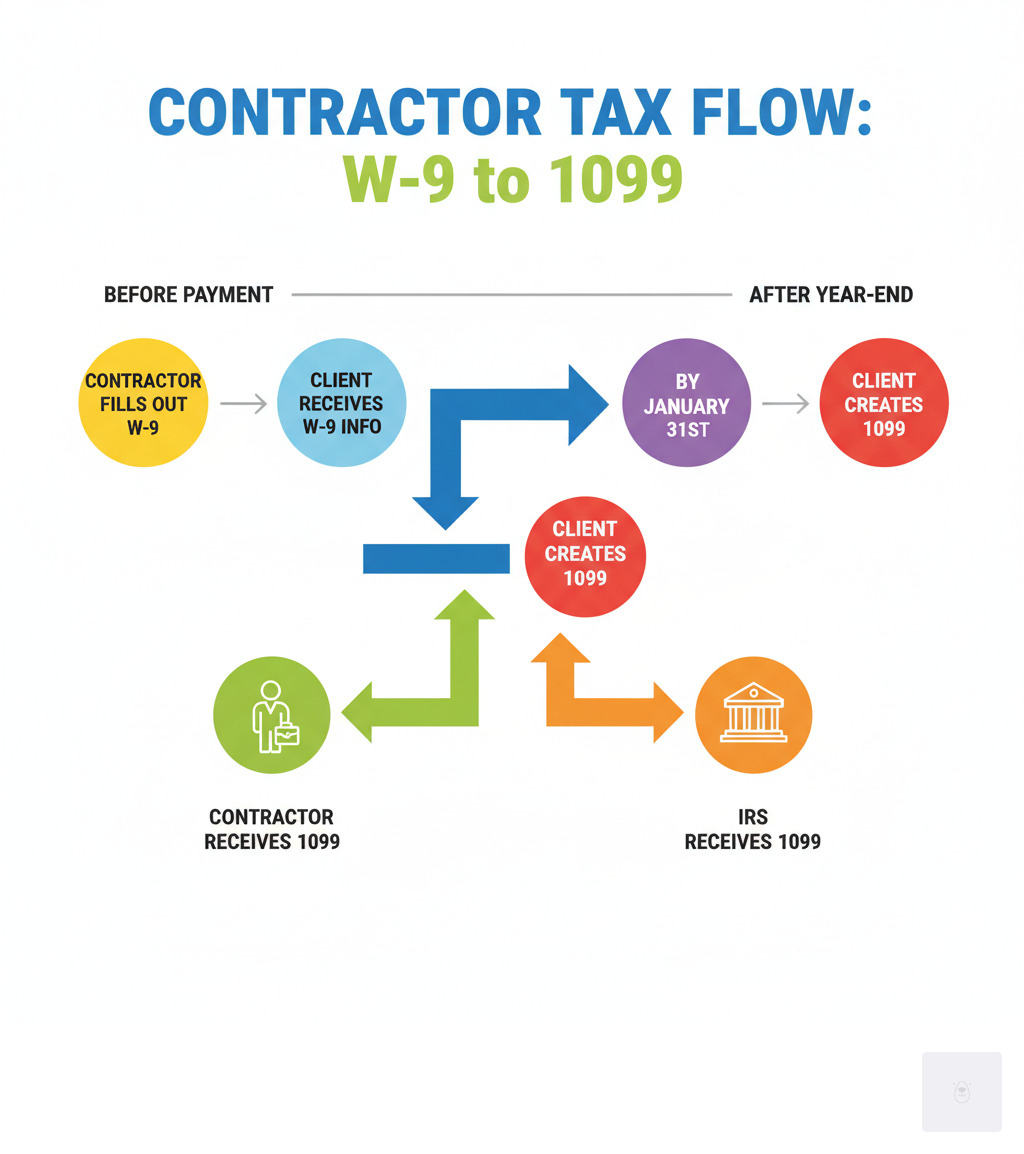
Quick Answer: W-9 vs 1099 Key Differences
- Form W-9: Contractor fills out and sends to client before getting paid
- Form 1099: Client fills out and sends to contractor and IRS after year-end
- Purpose: W-9 collects your tax info; 1099 reports what you earned
- Timing: W-9 happens first; 1099 comes later (by January 31st)
- Threshold: W-9 has no minimum; 1099 required for payments over $600
Start filling your W9 now at https://fillablew9.com/apply
Think of it this way: the W-9 is like giving someone your address so they can send you mail later. The 1099 is the actual mail they send you (and the IRS) at the end of the year.
As tax season approaches, countless freelancers and small business owners face the same challenge. “Do you know a W-9 from a 1099? Here are the forms you’ll need when you file taxes,” as financial experts often remind us. The confusion is real, but the solution is simpler than you think.
I’m Haiko de Poel, and through my work helping businesses steer tax compliance and digital change, I’ve seen how 1099 tax form vs w9 confusion can cost contractors money and clients penalties. My experience with business consulting and process optimization has shown me that understanding these forms is crucial for any successful contractor relationship.
What is a W-9 Form? The Information-Gathering Tool
Picture this: you’ve just landed a new freelance client, and they’re ready to pay you for your amazing work. But first, they send you a form with an intimidating official name: “Request for Taxpayer Identification Number and Certification.” Don’t let the bureaucratic language scare you – this is simply the W9 form, and it’s much simpler than it sounds.
Think of the W9 form as your tax introduction card. When you’re working as an independent contractor, freelancer, or running your own business, this form is how you tell your clients, “Here’s who I am for tax purposes.” It’s the essential first step that makes everything else possible in your contractor-client relationship.

The W9 form serves one primary purpose: giving your client your correct Taxpayer Identification Number (TIN) so they can report payments to the IRS later. Your TIN is either your Social Security Number (SSN) if you’re working as an individual, or your Employer Identification Number (EIN) if you’ve set up a business entity like an LLC or corporation.
But it’s not just about numbers. Your fillable W9 also captures your legal name (exactly as it appears on your tax return), your business name if you have one, your address, and your federal tax classification. This ensures that when tax time rolls around, everything matches up perfectly between what your client reports and what’s in your official tax records.
Checklist: What You Need to Fill Out a W9 Form
- Legal name (as shown on your tax return)
- Business name (if applicable, like your LLC’s name)
- Address (where you receive mail)
- TIN (Social Security Number or Employer Identification Number)
- Signature (certifying everything is accurate)
Don’t waste time with paper forms — complete your secure W9 online at https://fillablew9.com/apply
Who Handles Form W-9?
Here’s where many people get confused about the 1099 tax form vs w9 process, but the responsibilities are actually quite straightforward.
You, the contractor, fill out the W9 form. This is your job, and yours alone. You’re certifying that all the information you’re providing is accurate and matches your official tax records. Think of it as your digital handshake with the tax system.
Your client requests and receives it. The business or person paying you needs this information to stay compliant with IRS rules. They’ll keep your W9 form safely in their files, but here’s an important detail: they don’t send it directly to the IRS. It stays with them as backup documentation.
You should submit it before the first payment. While the IRS doesn’t set a specific deadline for you to submit your W9 form, smart clients will ask for it upfront. This prevents complications down the road, like backup withholding (more on that headache-inducing topic in a moment).
Always use secure, encrypted submission methods. Your W9 form contains sensitive personal information that identity thieves would love to get their hands on. When sending your fillable W9 to clients, never use unsecured email. Instead, use encrypted file attachments, mail hard copies, or better yet, use secure online platforms designed specifically for this purpose.
Why is Form W-9 Necessary?
You might wonder why we need all this paperwork in the first place. The W9 form isn’t just bureaucratic busy work – it serves several crucial functions that protect both you and your clients.
IRS reporting requirements drive the whole process. Your clients need your accurate information to prepare those 1099 forms they’ll send to both you and the IRS at year’s end. Without your W9 form, they’re flying blind when it comes to their tax reporting obligations.
Avoiding backup withholding is perhaps the most immediate reason you’ll want to get your W9 form right. If you don’t provide a correct Taxpayer Identification Number, or if there’s a mismatch in the IRS system, your client might be required to withhold 24% of your payments and send that money directly to the IRS. Imagine losing nearly a quarter of your income to an easily preventable mistake.
Verifying identity protects everyone involved. The W9 form helps clients confirm they’re paying the right person or business entity, which reduces fraud and ensures accurate reporting. It’s a simple but effective safeguard in our increasingly digital economy.
Record keeping for both parties creates a paper trail that satisfies IRS requirements. Your client needs to keep your W9 form for their tax compliance files, and you should keep a copy as a reference for your own records. The IRS recommends holding onto these documents for at least four years, so good organization pays off in the long run.
What is a 1099 Form? The Income-Reporting Document
If the W9 form is about gathering information, then the 1099 form is all about reporting it. Think of the 1099 as the “report card” that shows exactly how much money changed hands between you and your client during the tax year.
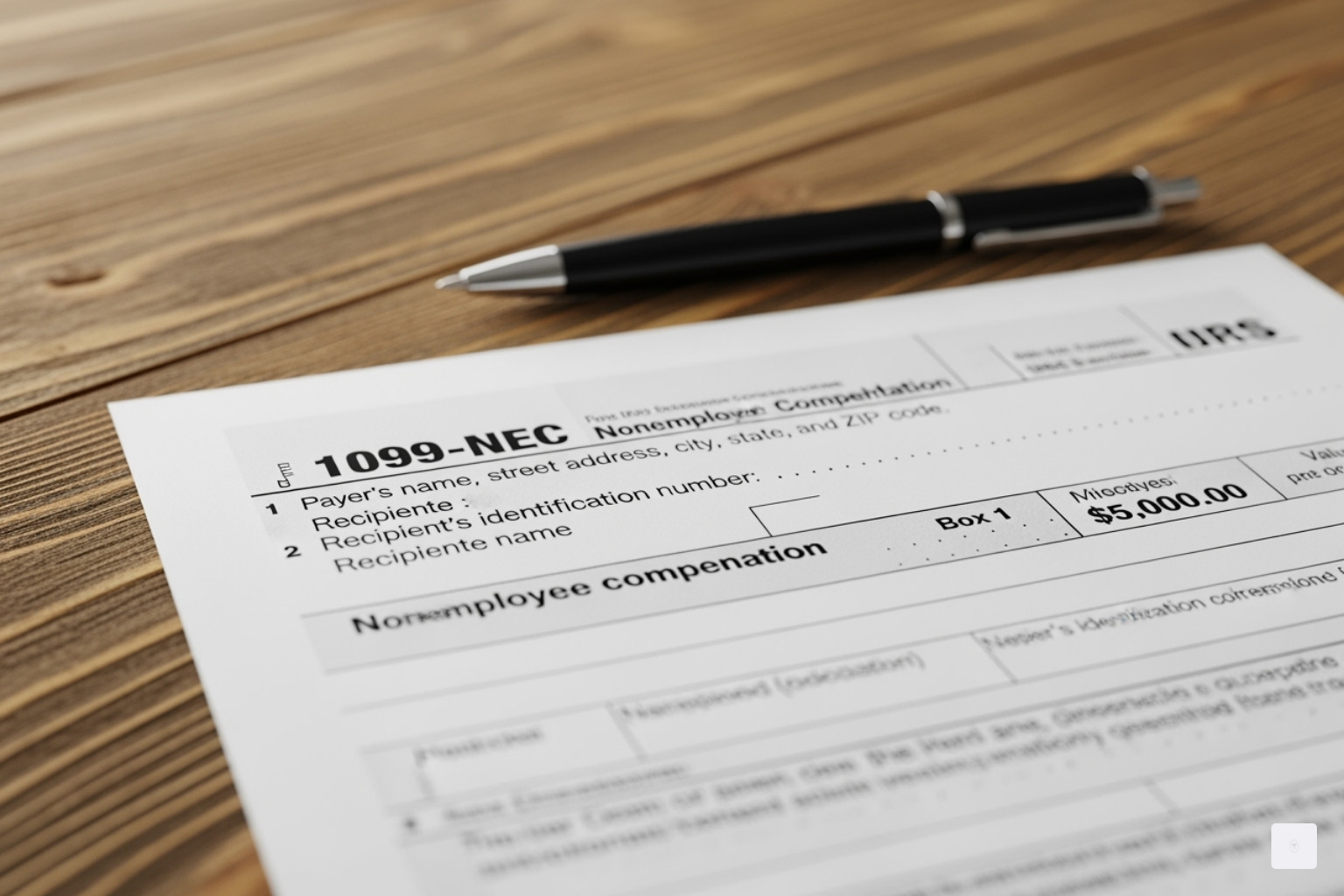
A 1099 form is what tax professionals call an “information return” — it’s your client’s way of telling both you and the IRS exactly what they paid you during the year. Unlike the W-9 that you fill out yourself, the 1099 is completed by your client and sent to you (and the IRS) after the year ends.
Here’s the key threshold to remember: if a client pays you $600 or more for services in a calendar year, they’re generally required to issue you a 1099 form. This isn’t money coming out of your pocket — it’s simply documentation of income you’ve already received.
The 1099 form serves as a cross-check for the IRS. When you file your tax return claiming certain income, the IRS can match it against the 1099 forms they received from your clients. It’s their way of making sure everyone’s being honest about their earnings.
Common Types of 1099 Forms
While there are many flavors of 1099 forms floating around, most contractors will encounter just a few key types. The 1099-NEC (Nonemployee Compensation) is your bread and butter if you’re a freelancer, independent contractor, or gig worker. This form replaced the old 1099-MISC for contractor payments starting in 2020, and it reports any payments of $600 or more made for services you provided.
You might also see a 1099-MISC (Miscellaneous Income), which now handles other types of payments like rents, royalties, prizes, and awards — again, generally for amounts of $600 or more. If you ever win a contest or receive rental income, this is likely where it’ll show up.
The 1099-K (Payment Card and Third-Party Network Transactions) has become increasingly important for online sellers and gig workers. If you receive payments through credit card transactions or third-party payment networks like PayPal, Stripe, or even Etsy, you might receive a 1099-K. The reporting threshold for this form has been significantly lowered to just over $600 for recent tax years, which caught many small business owners by surprise.
For those with investments or savings, the 1099-INT (Interest Income) reports interest income of $10 or more from banks and financial institutions, while the 1099-DIV (Dividend Income) covers dividends from stocks or mutual funds, also for amounts of $10 or more.
The beauty of understanding the 1099 tax form vs w9 relationship is seeing how they work together — your properly completed W-9 ensures your client can accurately prepare your 1099, which then helps you file your taxes correctly and avoid any unpleasant surprises from the IRS.
The Core Differences: 1099 Tax Form vs W9
When you’re navigating the 1099 tax form vs w9 landscape, it helps to think of these forms as dance partners — they work together, but each has their own distinct moves. Understanding their fundamental differences will save you headaches and help you stay compliant with the IRS.
The W9 form is all about collecting information, while the 1099 form is about reporting what happened with that information. It’s like the difference between giving someone your phone number (W9) and them actually calling you later (1099).
| Feature | Form W-9 | Form 1099 (e.g., 1099-NEC) |
|---|---|---|
| Purpose | Collects Taxpayer ID Number (TIN) and certification | Reports specific types of income paid to non-employees |
| Who Fills It Out | The Contractor/Payee | The Client/Payer |
| Who Receives It | The Client/Payer (for their records) | The Contractor/Payee AND the IRS (and sometimes state tax agencies) |
| When It’s Used | Before payments are made | After the calendar year ends, by January 31st of the following year |
| Threshold | No minimum payment threshold | Generally, payments of $600 or more (varies by 1099 type) |
| Information | Name, address, TIN, tax classification | Total payments made, federal tax withheld (if any) |
Who is Responsible for What? Client vs. Contractor Duties
The beauty of understanding the 1099 tax form vs w9 relationship lies in knowing who does what. It’s actually quite straightforward once you break it down.
As a contractor, your job is refreshingly simple. You need to provide an accurate W9 form to your client with your correct legal name, business name (if you have one), address, and Taxpayer Identification Number. Think of it as your tax introduction card. If any of your information changes — maybe you move, get married, or switch from using your Social Security Number to an Employer Identification Number — you’re responsible for sending an updated W9 form to your clients.
You also need to keep copies of all 1099s you receive and report all your income on your tax return, even if you don’t receive a 1099 for every payment. The IRS expects you to report everything, regardless of whether the paperwork follows.
Clients have the more active role in this dance. They must request a W9 form from each independent contractor they hire, then use that information to accurately prepare a 1099 form at year-end. They’re also responsible for issuing the 1099 form to you and filing it with the IRS (and sometimes state tax agencies), plus keeping accurate records of all payments made to contractors.
Information Collected vs. Information Reported: A Key Distinction in the 1099 Tax Form vs W9 Comparison
Here’s where the 1099 tax form vs w9 difference becomes crystal clear. The W9 form is your tax identity card — it tells your client who you are from an IRS perspective. It captures your legal name, business name, address, and your Taxpayer Identification Number (SSN or EIN). You also certify your federal tax classification, whether you’re an individual, sole proprietor, LLC, or corporation.
The 1099 form flips the script entirely. Instead of asking who you are, it reports what you earned. Using the information from your W9 form, your client documents the total amount they paid you during the year. For a 1099-NEC, this shows up as “nonemployee compensation.” If there was any backup withholding (that 24% we mentioned earlier), that amount gets reported too.
It’s the difference between showing your driver’s license (W9) and getting a receipt for your purchase (1099).
Deadlines and Timelines for the 1099 Tax Form vs W9
Timing in the 1099 tax form vs w9 world is everything, and the schedules couldn’t be more different.
The W9 form operates on what I call “relationship time.” There’s no official IRS deadline for you to submit it, but smart contractors provide it to clients before their first payment. This prevents backup withholding issues and keeps everyone happy. Clients are technically required to have your W9 form on file before they pay you, so getting it to them promptly is just good business.
The 1099-NEC runs on strict calendar time. Your client must send you a copy and file one with the IRS by January 31st of the year following the payment. So for income you earned in 2024, that 1099-NEC must be in your hands and the IRS’s by January 31, 2025. Other 1099 forms might have slightly different filing deadlines, but that January 31st recipient deadline is pretty standard.
Missing these deadlines can cost your clients real money in penalties, which is another reason why providing your W9 form promptly helps everyone stay compliant and stress-free.
Stay compliant — don’t miss deadlines! Start your online W9 today at https://fillablew9.com/apply
Consequences and Compliance: What Happens When Things Go Wrong?
Nobody likes to think about what could go wrong, but when it comes to tax forms, the consequences of mistakes can be surprisingly costly. Understanding what happens when the 1099 tax form vs w9 process breaks down is your best defense against expensive surprises.

The Importance of the W-9: Backup Withholding Explained
Think of your W9 form as your financial shield. When you don’t provide one — or worse, provide incorrect information — you’re essentially telling the IRS, “Go ahead and take my money upfront.”
Here’s what triggers the dreaded backup withholding scenario: failing to provide a W9 form when requested, submitting a W9 with an incorrect Taxpayer Identification Number, not certifying that your TIN is accurate, or being flagged by the IRS for underreporting previous income. Any of these situations puts your client in a tough spot — they’re legally required to withhold money from your payments.
The current backup withholding rate sits at a hefty 24%. Picture this: you’ve just completed a $2,000 project, but instead of receiving your full payment, you only get $1,520. That missing $480 goes straight to the IRS as backup withholding. While you might eventually get some of that back when you file your tax return, it creates an immediate cash flow problem that most contractors can’t afford.
The good news? Backup withholding is completely preventable. All it takes is providing an accurate, properly completed W9 form before you start working. This is exactly why smart contractors use secure platforms to submit their tax information — it eliminates the guesswork and protects their income.
Penalties for Failing to File Form 1099
While contractors worry about backup withholding, clients face their own set of expensive consequences. The IRS doesn’t take kindly to businesses that skip their 1099 filing responsibilities, and the penalty structure reflects that seriousness.
Late filing penalties escalate quickly based on timing. For 1099 forms due in 2025, businesses face $60 per form if they file within 30 days of the deadline. Miss that window, and the penalty jumps significantly. File after August 1st or skip filing altogether? That’s $310 per form. For a business with just ten contractors, we’re talking about potential penalties of $3,100 — money that could have been better spent growing the business.
But here’s where it gets really expensive: intentional disregard of 1099 filing requirements carries a $630 penalty per form with no maximum limit. The IRS considers it intentional disregard when a business knowingly ignores their filing obligations or consistently provides incorrect information without attempting to fix it.
These steep penalties explain why clients are often insistent about getting your W9 form quickly and why they appreciate contractors who make the process smooth. Stay organized and use secure W9 solutions to avoid fines — it’s a win-win situation that keeps everyone compliant and penalty-free.
Frequently Asked Questions about W-9 and 1099 Forms
Tax forms can feel overwhelming, especially when you’re juggling the 1099 tax form vs w9 differences while trying to run your business. Let’s clear up some of the most common questions I hear from contractors and small business owners.
How does a Form W-4 differ from a Form W-9?
This question comes up all the time, and it really highlights the fundamental difference between being an employee versus an independent contractor.
When you’re an employee, you fill out a Form W-4 to tell your employer how much federal income tax to withhold from each paycheck. The W-4 considers factors like your marital status, number of dependents, and other income sources. Your employer uses this information to automatically deduct taxes from your wages and send them to the IRS on your behalf.
But when you’re an independent contractor, you complete a W9 form instead. This form doesn’t set up any tax withholding at all. Instead, it simply provides your client with your Taxpayer Identification Number (TIN) so they can report the payments they make to you. As a contractor, you’re responsible for making your own estimated tax payments throughout the year.
Think of it this way: W-4s are for people who get regular paychecks with taxes already taken out, while W9 forms are for people who get paid the full amount and handle their own taxes.
Do I still need to report income if I don’t receive a 1099?
Absolutely, yes! This is one of the biggest misconceptions I encounter. The IRS requires you to report all income you earn, regardless of whether you receive a 1099 form or not.
Here’s what many contractors don’t realize: the $600 threshold for issuing a 1099 is the client’s reporting requirement, not yours. So if you earn $500 from a client and they don’t send you a 1099, you still must report that $500 as income on your tax return. The same applies if you earn $50 from ten different clients who each pay you less than $600.
The 1099 forms you receive are helpful for record-keeping, but they’re not the final word on what income you need to report. Keep your own detailed records of all payments received, because the IRS expects you to report every dollar you earn as an independent contractor.
How often do I need to submit a W-9 to a client?
Generally speaking, you only need to submit a W9 form to each client once. However, life isn’t always that simple, and there are several situations where you’ll need to provide an updated form.
You’ll need to send a new W9 form whenever your information changes. This includes changes to your legal name (perhaps due to marriage), your business name (if you rebrand your LLC), your address (when you move), or your Taxpayer Identification Number (if you switch from using your SSN to an EIN when you form a business entity).
Every new client who will pay you $600 or more will also need a current W9 form from you before they start making payments. Some clients are extra cautious and request updated forms annually, even if your information hasn’t changed, just to keep their records current.
My advice? Keep several completed copies of your fillable W9 ready to go. When you use a secure online service, you can quickly generate a fresh copy whenever a client requests one, without having to start from scratch each time.
Ready to streamline your W9 process? Complete your secure W9 online at https://fillablew9.com/apply
Conclusion: Streamline Your Tax Forms and Stay Compliant
After walking through the 1099 tax form vs w9 journey together, the relationship between these forms becomes crystal clear. Think of the W9 form as the handshake that starts your business relationship — it’s the “before” step where you share your tax identity with your client. The 1099 form is the “after” — the official year-end report that tells both you and the IRS exactly what you earned.
For contractors and freelancers, mastering this distinction is your ticket to smoother business operations. When you provide accurate W9 forms promptly, you’re doing more than just paperwork — you’re ensuring your payments flow without interruption, protecting yourself from that dreaded 24% backup withholding, and setting yourself up for a stress-free tax season. The key is staying ready for every client request by keeping your information organized and accessible.
For businesses hiring contractors, requesting and properly storing accurate W9 forms isn’t just good practice — it’s your shield against costly IRS penalties. With the right W9 forms in hand, you can confidently issue 1099s by the January 31st deadline, keep your records squeaky clean, and ensure you can deduct those contractor payments as legitimate business expenses.
The beauty of understanding the 1099 tax form vs w9 relationship is that it transforms what feels like bureaucratic confusion into a simple, logical process. The W9 comes first, the 1099 follows later. One collects information, the other reports it. Both are essential pieces of the tax compliance puzzle.
We know that juggling multiple clients, deadlines, and tax forms can feel overwhelming. That’s exactly why we built our platform to take the hassle out of W9 form completion. Whether you’re a freelancer managing relationships with dozens of clients or a small business owner trying to stay compliant while growing your team, you shouldn’t have to wrestle with outdated paper forms or worry about the security of your sensitive information.
Fillable W9 makes it easy to complete your W9 form securely online — no more printing, scanning, or wondering if your personal information is safe in transit. Our intuitive platform ensures your information is always accurate, properly formatted, and protected with bank-level encryption.
✅ Ready to complete your W9 in minutes? Apply here now