
Why Understanding W9 Electronic Signature Validity Matters Right Now

Electronic signature W9 forms are fully legal and accepted by the IRS when completed through compliant systems. Here is what you need to know:
- Yes, e-signatures are IRS-approved since 1998 (IRS Announcement 98-27).
- Acceptable signature types include typed names, scanned images, stylus signatures, and digital signature software.
- Requirements for validity: The system must verify identity, maintain information integrity, include the perjury statement, and authenticate the submission.
- Legal standing: Electronic signatures on W9 forms carry the same legal weight as handwritten signatures under federal law.
- Security is built-in: Compliant platforms use encryption and authentication to protect your sensitive tax information.
If you are a freelancer who just landed a new client, a small business owner hiring contractors, or an accountant managing multiple W9 requests, you have probably wondered: Can I just sign this digitally? The answer is yes, as long as it is done through a compliant, secure system.
Paper W9 forms create unnecessary delays, increase error rates, and require physical handling of sensitive information like your Social Security Number or Employer Identification Number. Electronic signatures solve these problems while meeting every IRS requirement for compliance. Since the IRS integrated its e-signature policy into the Internal Revenue Manual (IRM 10.10.1), digital W9 completion has become the standard for modern businesses.
Start filling your W9 now at https://fillablew9.com/apply.
At Fillable W9, we specialize in helping businesses and freelancers streamline their tax documentation. Our expertise lies in providing secure electronic signature W9 systems that save time while ensuring full IRS compliance. Whether you are completing your first W9 or your hundredth, understanding how e-signatures work is crucial for protecting both you and the businesses you work with.
Why E-Signing Your W9 is a Game-Changer for Freelancers and Small Businesses
The W-9 form, officially known as a Request for Taxpayer Identification Number and Certification form, is a crucial IRS document. Its primary purpose is for businesses and other entities (known as “requesters”) to collect accurate tax information, including a person’s name, address, and Taxpayer Identification Number (TIN), from U.S. persons. This information is vital for the requester to fulfill their own tax reporting obligations to the IRS, particularly when issuing forms like the 1099-NEC (for nonemployee compensation) or 1099-MISC (for miscellaneous income).
So, who needs to fill out a W-9 form? Primarily, it’s required from individuals or entities who are U.S. persons (including resident aliens) and are expected to receive payments that will be reported to the IRS. This most commonly includes independent contractors, freelancers, consultants, and gig workers who earn $600 or more in compensation from a single payer within a tax year. However, W-9s might also be needed for real estate transactions, mortgage interest, stock sales, canceled debt, and contributions made to an IRA. It’s important to differentiate the W-9 from the W-4 form, or Employee’s Withholding Certificate, which is used by traditional employees to determine income tax withholding. If you’re not an employee, you’re likely dealing with a W-9.
For businesses, the W-9 form is an indispensable tool for compliance. By collecting this form, they gather the necessary details to accurately report how they’ve paid non-employees on their own taxes, typically through a Form 1099. Without a properly completed W-9, a business might face penalties or be required to initiate “backup withholding” on payments, deducting a portion of the payment to send directly to the IRS.

Benefits of E-Signing Your W9:
Given the importance of the W-9, streamlining its completion with an electronic signature W9 is not just a convenience—it’s a strategic advantage.
- Faster turnaround: Say goodbye to printing, signing, scanning, and emailing. E-signing drastically cuts down the time it takes to complete and return a W-9, allowing you to get paid faster or onboard new contractors more efficiently.
- Fewer errors: Our online platforms, like Fillable W9, often guide you through the process, minimizing common mistakes. Automated fields and clear instructions reduce the chance of illegible handwriting or missed information, which can lead to payment delays or IRS notices.
- Improved security: Sending sensitive information like your Social Security Number via unsecured email or physical mail carries risks. Secure e-signature platforms use encryption and other robust security measures to protect your data during transmission and storage.
- Convenient for remote work: In today’s remote-first world, physical paperwork is a relic. E-signing allows you to complete your W-9 from anywhere, at any time, using any device, fitting seamlessly into a digital workflow.
- Legally compliant: As we’ll dig into, the IRS fully accepts electronic signatures on W-9 forms, provided specific guidelines are met. This means you get all the benefits of digital convenience without sacrificing legal validity.
Don’t waste time with paper forms — complete your secure W9 online at https://fillablew9.com/apply.
IRS Guidelines for Electronic Signatures on W9 Forms
The IRS has been forward-thinking when it comes to electronic documentation. They’ve allowed the use of electronic or digital signatures on certain paper forms that cannot be filed electronically since as early as April 1998, as outlined in IRS Announcement 98-27. This policy has since been extended and integrated into the official framework, specifically within the Internal Revenue Manual (IRM) 10.10.1, IRS Electronic Signature (e-Signature) Program. This means that the IRS is not just tolerating e-signatures; they are actively incorporating them into their operational guidelines. You can find more details on using e-signatures for certain forms directly from the IRS.

When it comes to an electronic signature W9, the IRS has specific requirements for the electronic system used to receive these forms. These requirements are designed to ensure the integrity and authenticity of the information, protecting both the payee and the requester.
Here’s what an electronic system for W-9 submissions must ensure:
- Information integrity: The system must guarantee that the information received is precisely the information that was sent. There should be no alterations or data loss during the electronic transmission. This means the electronic system must maintain the exact same information as the paper form.
- User authentication: The system must document all user access occasions that result in form submission. More importantly, it must make it “reasonably certain” that the person accessing the system and submitting the form is indeed the person identified in the W-9. This is crucial for verifying the identity of the submitter.
- Perjury statement: The electronic submission must include the full perjury statement language from the paper W-9 form. This statement, which typically reads “Under penalties of perjury, I certify that…”, must be presented immediately preceding the electronic signature. The electronic signature then authenticates and verifies the submission under these penalties.
- Hard copy availability: Upon request by the IRS, the payer (the entity collecting the W-9) must be able to supply a hard copy of the electronic W-9 and a statement verifying that, to the best of their knowledge, the form was submitted by the named payee.
These requirements, detailed in the Instructions for the Requester of Form W-9 (03/2024), underline the IRS’s commitment to balancing the convenience of e-signatures with the critical need for security and protection against identity theft and fraud. Our goal at Fillable W9 is to ensure our platform adheres to all these stringent IRS guidelines, providing you with a secure and compliant way to handle your W-9s.
How to Securely Add an Electronic Signature to a W9 Form: A Step-by-Step Guide
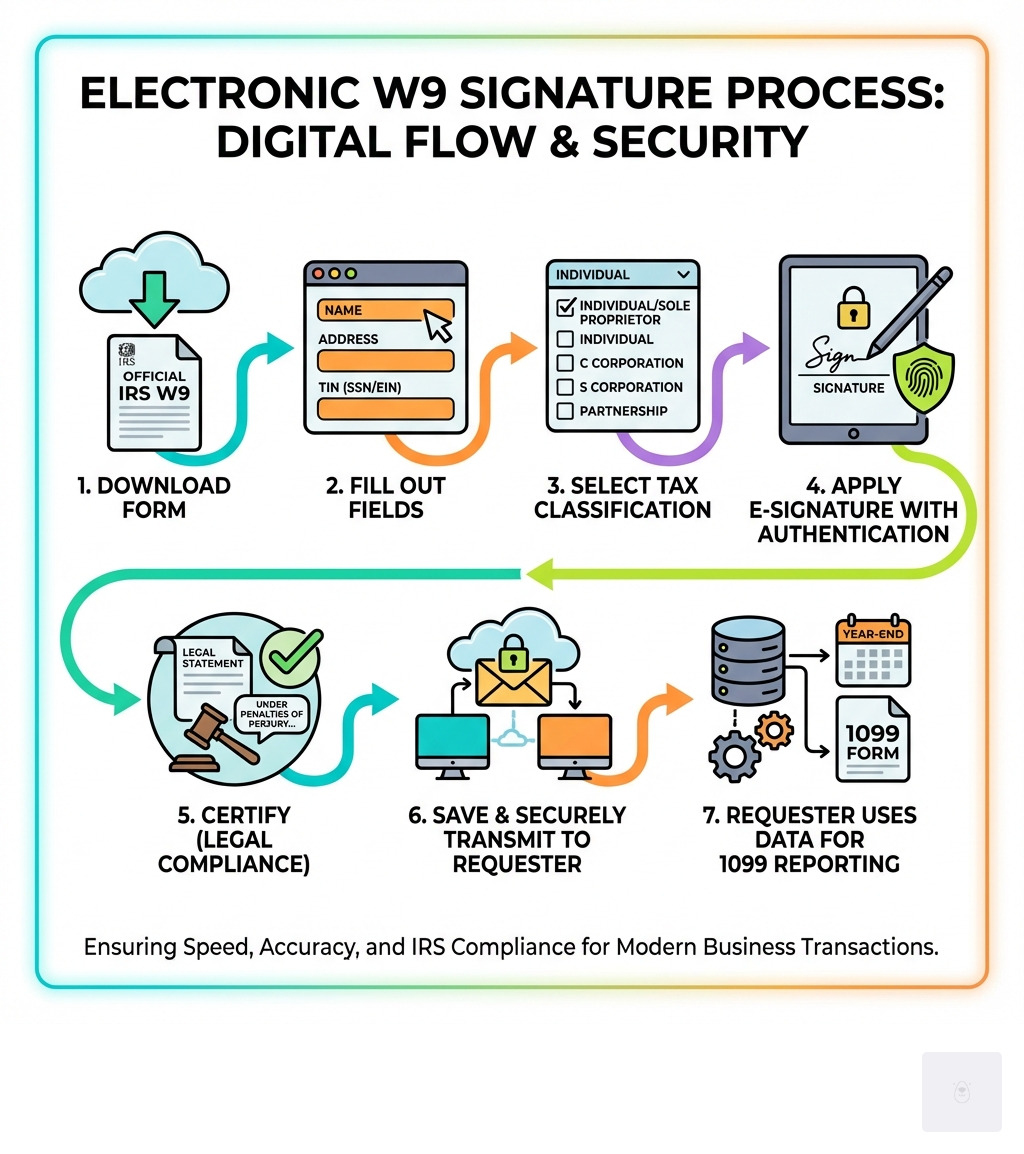
Electronically signing your W-9 form doesn’t have to be a daunting task. With the right tools and approach, it’s a straightforward process that ensures compliance and security. Here’s our step-by-step guide to adding an electronic signature W9:
Step 1: Download the Latest W9 Form
First things first, you need the official form. Always download the W-9 directly from the IRS website. This ensures you have the most current version with all the correct fields and instructions.
- Get the official W9 from the IRS website.
- Save the PDF to your computer. Place it somewhere easy to find, like your desktop or a dedicated tax documents folder.
- Tip: Do not fill out the form directly on the IRS site, as it will not save your information. Download it first, then proceed.
Step 2: Fill Out the Form Using Fillable W9
Once you have the official PDF, it’s time to fill it out. This is where a platform like ours shines, making the process intuitive and error-free.
- Enter required fields: You’ll need to accurately provide your name, address, Taxpayer Identification Number (TIN), and select your federal tax classification.
- Name (Line 1): Enter your name exactly as it appears on your income tax return.
- Business Name (Line 2): If you operate under a business name, or are a disregarded entity, enter that here. Otherwise, leave it blank.
- Federal Tax Classification (Line 3): Check the box that accurately describes your tax entity type (e.g., Individual/sole proprietor, C Corporation, S Corporation, Partnership, Trust/estate, or Limited liability company (LLC)). For LLCs, select the tax classification of the owner.
- Address (Lines 5 & 6): Provide your complete street address, city, state, and ZIP code.
- Taxpayer Identification Number (Part I): This is your TIN. For individuals, it’s typically your Social Security Number (SSN). For businesses (like corporations or partnerships), it’s an Employer Identification Number (EIN). Enter it carefully.
- Use Fillable W9’s secure online platform for easy, compliant completion. Our platform guides you through each field, often with helpful tips and automated features to prevent common mistakes, ensuring your W-9 is ready for a compliant electronic signature W9.
Step 3: Apply Your Electronic Signature
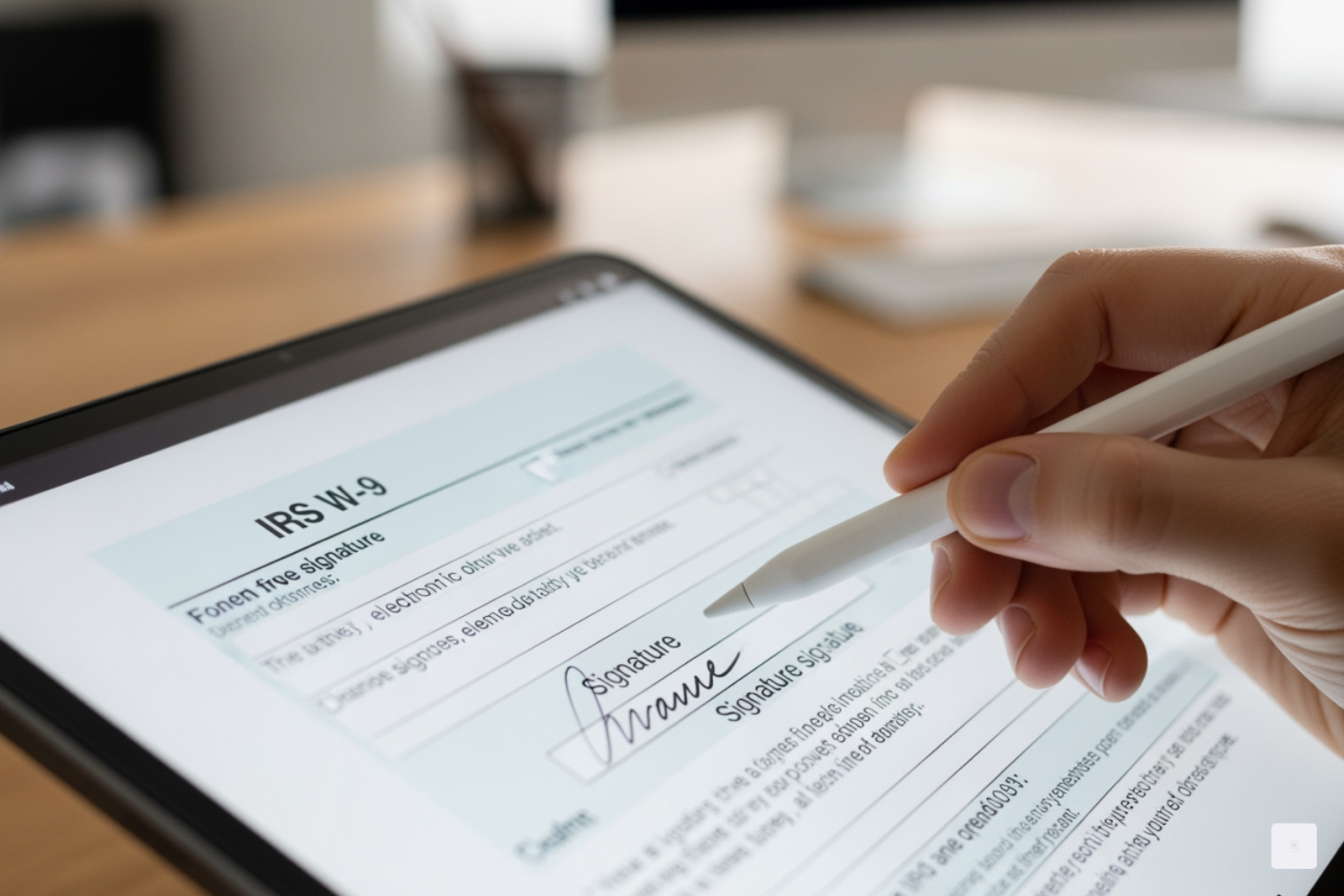
This is the “digital stamp of approval” part! The IRS accepts various forms of electronic signatures, provided they meet authenticity and integrity standards.
- Choose your signature type:
- Typed name: Many platforms allow you to simply type your name, and it will be rendered in a signature-like font. This is a common and acceptable method.
- Drawn signature: Using your mouse, trackpad, or a stylus on a touchscreen device, you can draw your signature directly onto the form.
- Uploaded image: You can upload an image of your handwritten signature (e.g., a scanned JPG or PNG) and place it on the signature line.
- Place your signature in the correct field: Ensure your signature is clearly positioned on the signature line in Part II, the “Certification” section of the W-9.
- Certify under penalties of perjury: By applying your signature, you are certifying under penalties of perjury that the information provided is true, correct, and complete, and that you are a U.S. person not subject to backup withholding.
Step 4: Save and Securely Send
Once your W-9 is completed and signed, the final step is to save and transmit it securely to the requester.
- Save your completed W9 as a PDF: After signing, save the document to your computer. This creates a static, uneditable record of your submission. Our platform automatically handles this for you.
- Use secure delivery methods: Sensitive tax information should never be sent via unencrypted email. Instead, use:
- Encrypted portals: Many businesses use secure vendor portals or document upload systems.
- Secure upload links: Your client may provide a secure link specifically for W-9 submissions.
- Avoid sending sensitive info via unsecured email. This is a critical security best practice to protect your Taxpayer Identification Number and other personal data.
Legal and Security Implications of Your W9 Electronic Signature
When we talk about an electronic signature W9, we’re not just discussing convenience; we’re talking about legal validity and robust security. The ability to e-sign these crucial tax documents is backed by federal law, specifically the Electronic Signatures in Global and National Commerce (ESIGN) Act, which gives electronic signatures the same legal weight as traditional wet ink signatures. Combined with IRS regulations, this means your digitally signed W-9 is every bit as binding as one signed with a pen.
Data security is paramount when handling personal tax information like your TIN or SSN. Compliant platforms like Fillable W9 prioritize this through:
- Encryption: Your data is encrypted both in transit (when it’s being sent) and at rest (when it’s stored), making it unreadable to unauthorized parties.
- Privacy: Strict privacy policies ensure your information is handled according to legal standards and is not shared improperly.
- Protection of TIN/SSN: Specific safeguards are in place to prevent unauthorized access to your most sensitive identifiers.
The Importance of a Valid Electronic Signature on Your W9
A valid electronic signature W9 is fundamental to ensuring your tax compliance and avoiding potential issues. The IRS takes the integrity of these forms very seriously.
- IRS validation process: As detailed in IRS Announcement 98-27 and the IRM 10.10.1, the IRS ensures validity through strict system requirements. This includes verifying that the information has not been altered, documenting who accessed the system, and making it “reasonably certain” that the person signing is indeed the person identified.
- Authentication and identity verification: A valid e-signature isn’t just a scribble; it’s a digital process that authenticates the signer’s identity. This might involve multi-factor authentication, audit trails, and other security features that link the signature directly to you.
- Perjury clause significance: The “Under penalties of perjury” statement on the W-9 is legally binding. When you apply your electronic signature W9, you are affirming the accuracy of the information provided under the full weight of the law, just as you would with a handwritten signature. Misrepresentations can lead to severe penalties.
Consequences of an Improperly Signed W9
An improperly filled out or signed W-9 can lead to a cascade of headaches for both you and the entity requesting the form.
- Invalid or incomplete forms: If your W-9 lacks a proper signature or has incorrect information, the requester cannot accept it. It’s essentially useless for their tax reporting purposes.
- Backup withholding (24%): This is one of the most immediate and impactful consequences. If you fail to furnish a correct TIN, fail to certify that you are not subject to backup withholding, or if the IRS notifies the payer that you provided an incorrect TIN, the payer may be required to withhold 24% of your payments and send it directly to the IRS. This means you receive less money in your pocket upfront.
- Payment delays: An incomplete or invalid W-9 will likely halt payment processing. Your client or payer needs a valid W-9 on file before they can release funds, meaning you’ll wait longer to get paid until the issue is resolved.
- Potential penalties: Both the payee and the payer can face penalties from the IRS for non-compliance. For the payee, this could include a $50 penalty for failure to furnish a correct TIN or even a $500 penalty for making false statements. For the payer, failure to obtain a valid W-9 can result in penalties for incorrect or incomplete information returns. We really don’t want that for anyone!
Frequently Asked Questions about E-Signing a W9
We know you might have more questions about navigating the digital landscape of tax forms. Here are some of the most common queries we hear about electronic signature W9 forms:
What types of electronic signatures does the IRS accept for a W9?
The IRS is quite flexible and accepts a wide range of electronic signatures, reflecting modern technology. This includes:
- Typed name: Simply typing your name into the signature field, often rendered in a signature-like font.
- Scanned signature: A digital image of your handwritten signature (e.g., a photograph or scan) that is then inserted into the document.
- Stylus-drawn signature: Signatures created on electronic pads or display screens using a stylus.
- Signatures created by third-party software: This includes solutions provided by electronic signature platforms that meet IRS guidelines.
- The IRS will accept images of signatures (scanned or photographed) in common file types supported by Microsoft 365, such as tiff, jpg, jpeg, pdf, Microsoft Office suite, or Zip.
Is it legally valid to just type my name on the signature line of a PDF W9?
Yes, simply typing your name can be legally valid as an electronic signature W9, provided the electronic system used meets all the IRS requirements for authenticity and integrity. These requirements include:
- Ensuring the information received is the same as the information sent.
- Documenting user access.
- Reasonably ascertaining the identity of the submitter.
- Providing the same information as a paper form.
- Including an electronic signature that authenticates and verifies the submission under penalties of perjury, with the required language clearly presented.
Our platform, Fillable W9, is designed to ensure these conditions are met, so you can confidently use a typed signature.
What happens if a W9 form is not signed?
If a W-9 form is not signed, it is considered incomplete and invalid. Here’s what typically happens:
- The form is incomplete: A W-9 without a signature (and the accompanying certification under penalties of perjury) is not a legally acceptable document for tax reporting purposes.
- The requester cannot accept it: The entity requesting the W-9 will not be able to use it to fulfill their IRS reporting obligations. They will likely contact you to request a corrected, signed form.
- Backup withholding may be initiated: If the requester does not receive a properly signed W-9, they may be legally required to begin backup withholding, deducting 24% from your payments and sending it to the IRS. This is a common consequence of an unsigned W-9.
- Payment processing delays: Your payments will almost certainly be delayed until a correctly signed W-9 is submitted.
Conclusion: Finalize Your W9 with Confidence
Navigating tax documentation can feel like walking through a maze, but when it comes to your electronic signature W9, the path is clear. E-signing is not just a modern convenience; it’s a legally recognized, efficient, and secure method for handling this essential tax form. By understanding the IRS guidelines for electronic systems, the types of acceptable signatures, and the critical importance of the perjury statement, you can ensure your W-9s are always compliant.
Choosing a platform like Fillable W9 means you’re leveraging technology designed to meet these stringent requirements, protecting your sensitive information while streamlining your workflow. We make it simple to complete and sign your W-9 accurately and securely, so you can focus on what you do best.
Ready to complete your W9 in minutes? Apply here now.