
Your First Step to Getting Paid

The W9 form for DoorDash is a required IRS document you submit to confirm your Taxpayer Identification Number (TIN) and establish your status as a US taxpayer. Here’s what you need to know:
How to Submit Your W9 for DoorDash:
- Check your email for a message from Stripe with subject line “[Action Required] Update Your Tax Info to Continue Dashing”
- Click the link to access your Stripe Express account
- Verify your identity with phone number or email authentication
- Fill out the digital W9 form with your name, address, and TIN (SSN or EIN)
- Sign and submit by December 11, 2025 to avoid payout holds
Why it matters: DoorDash partners with Stripe Express to collect W9 forms from all Dashers who earn income. Without a completed W9, your payouts will be paused and your account may be deactivated. The information you provide allows DoorDash to file a 1099-NEC form with the IRS if you earn $600 or more during the tax year.
What happens if you don’t submit: Missing the deadline triggers backup withholding (24% of your earnings), blocks future payouts, and can result in account deactivation. Payouts may take up to two business days to restore after submission.
Start filling your W9 now at https://fillablew9.com/apply/
I’m Haiko de Poel, and I’ve helped countless freelancers and independent contractors steer tax compliance requirements, including understanding the W9 form for DoorDash and other gig economy platforms. My work focuses on simplifying complex tax processes so contractors can focus on earning instead of paperwork.
As a DoorDash driver, you’re classified as an independent contractor, not an employee. This means DoorDash doesn’t withhold taxes from your earnings—you’re responsible for reporting your income and paying taxes yourself. The W9 form is the first critical step in this process, establishing your tax identity so DoorDash can properly report your earnings to the IRS.
The good news? The process is entirely digital through Stripe Express, and completing it takes just a few minutes if you have the right information ready.
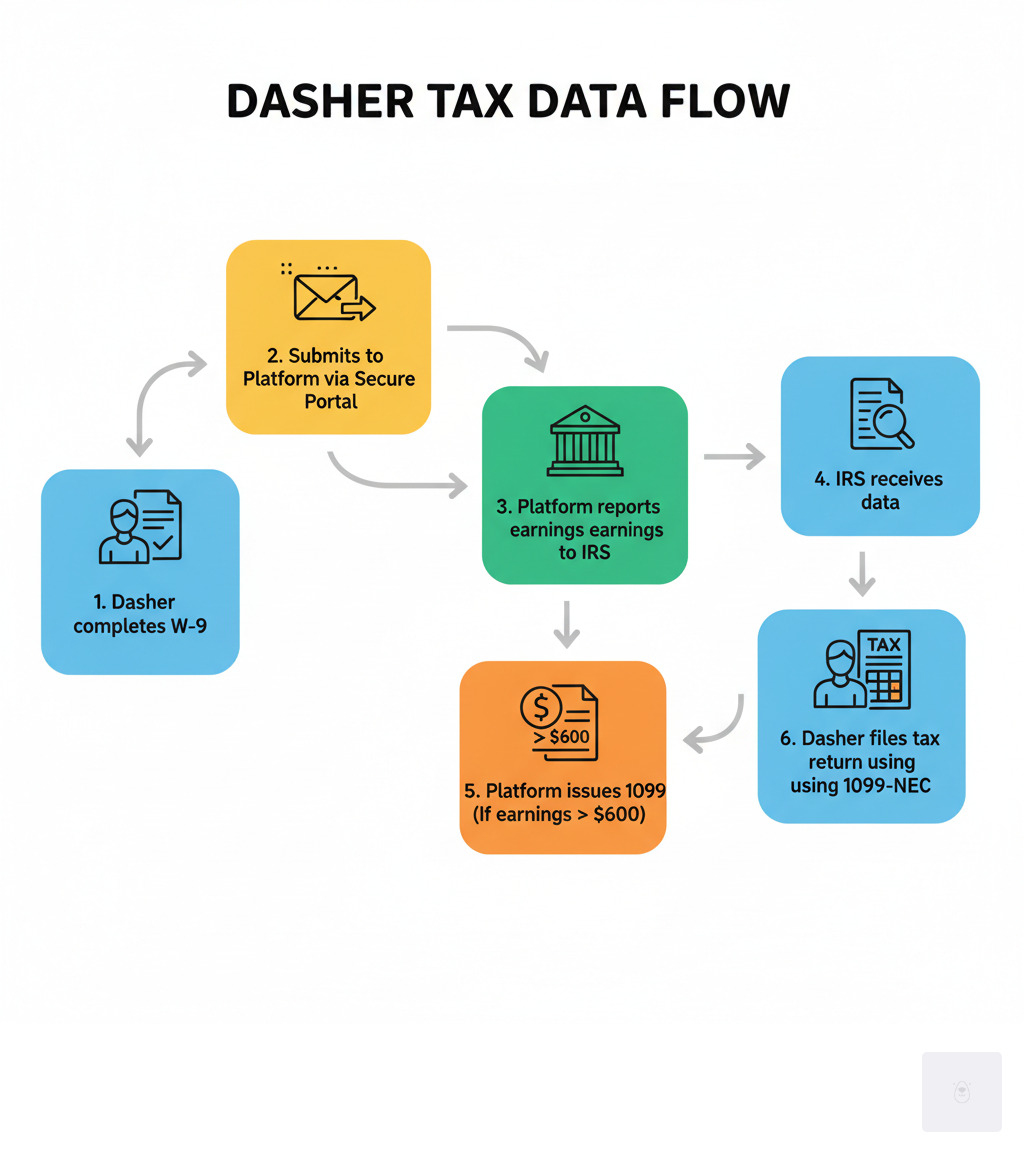

What is a W-9 Form and Why Do Dashers Need It?
Let’s explain the W9 form for DoorDash. At its core, an IRS Form W-9—officially called “Request for Taxpayer Identification Number and Certification”—is simply a document that tells DoorDash who you are for tax purposes. It captures your legal name and your Taxpayer Identification Number (TIN), which is usually your Social Security Number or, if you’ve set one up, your Employer Identification Number.
Think of it as your tax identity card for gig work. When you dash, you’re not a DoorDash employee—you’re an independent contractor running your own small business. DoorDash doesn’t withhold taxes from your earnings like a traditional employer would. Instead, they need your W-9 information to properly report your income to the IRS at tax time.
Here’s how it works in practice: DoorDash partners with Stripe to collect W9 forms from every Dasher. This digital submission confirms your tax ID number and establishes your classification as a US taxpayer. Without this information on file, DoorDash can’t fulfill their legal obligation to report your earnings—and you can’t get paid.
The real importance of the W-9 becomes clear when tax season rolls around. If you earn $600 or more during the year, DoorDash will use the information from your W-9 to generate a Form 1099-NEC. This form summarizes your total contractor earnings and gets sent to both you and the IRS. You’ll need that 1099-NEC when filing your own income taxes, which is why getting your W-9 information right from the start is so important.

One important detail: you don’t actually send your W-9 directly to the IRS. Instead, DoorDash (through Stripe Express) keeps it on file for their records. It’s their proof that they collected your taxpayer information properly. If you want to see what the official form looks like or review the detailed instructions, you can always download it directly from the IRS.
The bottom line? The W9 form for DoorDash isn’t just another piece of paperwork—it’s the foundation of your tax compliance as an independent contractor. Get it submitted correctly, and you’ll avoid payment delays, account issues, and potential tax penalties down the road.
How to Complete Your W9 Form for DoorDash via Stripe Express
Here’s some good news: you won’t be dealing with paper forms, printers, or snail mail to submit your W9 form for DoorDash. DoorDash has partnered with Stripe, a trusted payment processing platform, to make the entire process digital and secure. Through Stripe Express, you can complete your W-9, update your tax information, download your tax forms, and even track your earnings—all from one convenient dashboard.
If you’ve earned $600 or more through DoorDash in a calendar year, Stripe will send you an email invitation to set up your account. This email is your gateway to staying compliant and keeping those payouts flowing smoothly. You can access your account anytime at Stripe Express once you’ve completed the initial setup.
The digital submission process is straightforward, but let’s walk through each step so you know exactly what to expect.
Step 1: Find and Open Your Stripe Express Invitation
Your W-9 journey starts in your inbox. Stripe will send you an email with a subject line that reads something like ‘[Action Required] Update Your Tax Info to Continue Dashing.’ This isn’t spam—it’s an important message that needs your attention.
Start by checking your primary inbox. If you don’t see it there, take a moment to search your spam or junk folders. Email filters can be overzealous sometimes, and tax-related messages occasionally get caught in them. Once you locate the email, open it carefully and look for the account claim link inside.
This link is unique to you and will take you directly to your Stripe Express account setup. Can’t find the email after checking everywhere? Don’t stress. Reach out to DoorDash Dasher support and they’ll verify your email address on file and resend the invitation if needed.
Step 2: Verify Your Identity and Secure Your Account
After clicking your invitation link, Stripe Express will walk you through a quick identity verification process. This is a standard security step that ensures you—and only you—can access your sensitive tax information. Think of it as a digital handshake that confirms you’re really you.
You’ll be asked to provide some personal details and verify your identity through your phone number or email authentication. Stripe may also use two-factor authentication, which means they’ll send a verification code to your phone or email that you’ll need to enter before proceeding.
I know extra security steps can feel like a minor inconvenience when you just want to get things done, but these measures exist to protect your personal data from unauthorized access. Stripe takes security seriously, using encryption and industry-leading safeguards to keep your information safe. You can read more about their commitment to protecting your data at Stripe security information.
Once you’re verified, make sure to keep your Stripe Express login credentials somewhere safe. You’ll want to access this account later to download your 1099-NEC and manage your tax information throughout the year.
Step 3: Fill Out the Digital W9 Form for DoorDash
Now we’ve arrived at the heart of the matter: actually completing your W9 form for DoorDash. The digital form on Stripe Express is designed to be user-friendly, but you’ll need to have certain information ready before you start. Let’s break down exactly what you’ll need:
Your legal name must match exactly what appears on your income tax return. If you recently got married or changed your name for any reason, make sure you’re using your current legal name as the IRS knows it. If you operate under a business name (like an LLC), you’ll include that too, but most Dashers working as individuals can skip this or simply repeat their legal name.
Your address should match what the IRS has on file for you. This consistency helps prevent any red flags or processing delays. For your federal tax classification, most individual Dashers will select “Individual/sole proprietor or single-member LLC.” If you’ve formally structured your dashing business as a partnership, C-corp, or S-corp, you’ll choose the appropriate option for your situation.
The most important field is your Taxpayer Identification Number (TIN). For most Dashers, this will be your Social Security Number (SSN). If you’ve obtained an Employer Identification Number (EIN) for your dashing business, you can use that instead—we’ll discuss the difference between these two options in more detail in the FAQ section.
There are also fields for exemptions related to backup withholding or FATCA reporting, but the vast majority of Dashers won’t have any exemptions to claim here, so you can typically leave these blank.
Take your time reviewing everything you’ve entered. Accuracy matters here—mistakes can lead to processing delays, incorrect 1099-NEC forms, or even backup withholding. When you’re confident everything is correct, you’ll add your digital signature and certify that the information is true and correct under penalties of perjury. Then simply hit submit, and you’re done!
Don’t waste time with paper forms — complete your secure W9 online at https://fillablew9.com/apply/
Deadlines, Updates, and Consequences
Let’s talk about something nobody likes but everyone needs to understand: what happens if you don’t submit your W9 form for DoorDash on time. I know tax paperwork isn’t exactly thrilling, but ignoring it can seriously impact your ability to earn. The good news? Staying compliant is actually pretty straightforward once you know the stakes and the timeline.
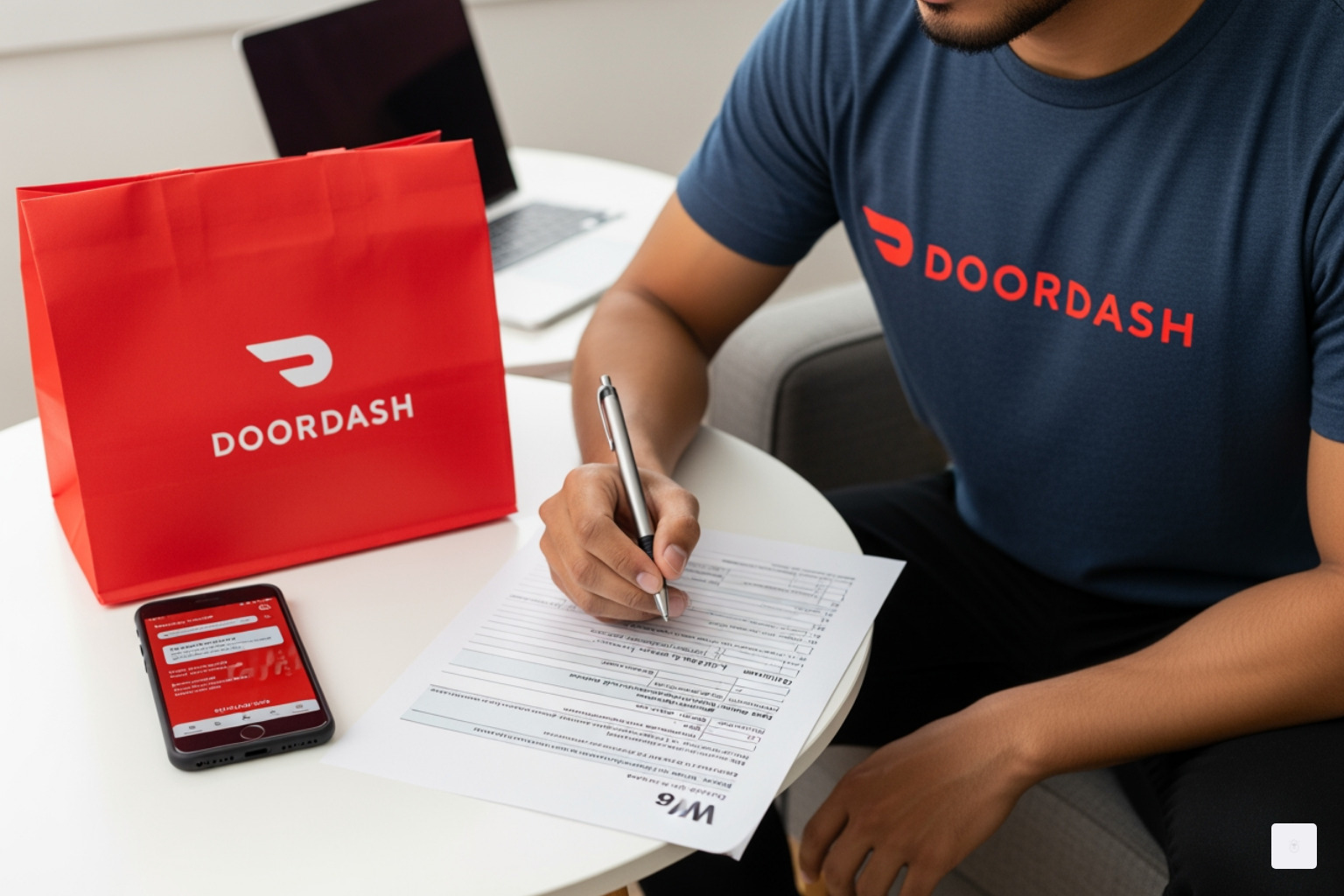
W-9 Submission Deadline and What Happens if You Miss It
DoorDash doesn’t mess around when it comes to tax compliance. When you receive that email from Stripe requesting your W-9, you’ll typically have a specific deadline to complete it. For the upcoming submission cycle, Dashers have until December 11, 2025 to successfully submit their W9 tax form. This isn’t a flexible “whenever you get around to it” kind of date—it’s a hard deadline that directly affects your income.
Miss that deadline, and here’s what happens: your payouts will be paused immediately. All the money you’ve earned from deliveries will be held in limbo, unable to transfer to your bank account. If you continue to delay submission, DoorDash may take the more drastic step of deactivating your Dasher account entirely. I’ve seen this happen to contractors who thought they could “deal with it later,” only to find themselves locked out of the platform they depend on for income.
The IRS adds its own layer of consequences. When you don’t provide a valid Taxpayer Identification Number, DoorDash becomes legally required to implement backup withholding on your earnings. This means 24% of every payment gets withheld and sent directly to the IRS—not as a tax credit you can easily recover, but as a penalty that significantly reduces your take-home pay. On top of that, the IRS can impose information return penalties for failure to provide accurate taxpayer information.
Even after you finally submit your W-9, there’s a waiting period. Your payouts typically take up to two business days to be restored after successful submission. That’s two days without income that could have been avoided by simply submitting on time. The lesson here is clear: proactive submission saves you money, stress, and access to your earnings.
How to Update or Correct Your Dasher Tax Information
Life changes, and sometimes your tax information needs to change with it. Maybe you’ve moved to a new address, or perhaps you’ve decided to formalize your dashing business by obtaining an Employer Identification Number (EIN). Keeping your W9 form for DoorDash information current isn’t just good practice—it’s essential for avoiding payment issues and IRS complications.
For simple updates like changing your address or updating your TIN, you can usually handle these directly through your Stripe Express account details page. Log into your account, steer to the tax information section, and make your corrections there. It’s a straightforward process that takes just a few minutes.
However, more significant changes require a different approach. If you need to switch from using your Social Security Number to an EIN, or if there’s been a legal entity change (like forming an LLC for your dashing business), you’ll need to contact DoorDash Support directly for assistance. Stripe Express often locks these more substantial edits for security reasons, particularly anything that affects your 1099 tax form. DoorDash support can guide you through the proper procedure and ensure your changes are processed correctly.
My advice? Review your information carefully when you first submit your W-9. Double-check that your legal name matches your tax return exactly, that your address is current, and that your TIN is entered correctly. Taking an extra minute to verify accuracy now can save you hours of hassle trying to correct mistakes later. And if you do need to make updates, don’t procrastinate—outdated information can trigger the same payout holds and penalties as missing information.
W-9 vs. 1099-NEC: Understanding Your Dasher Tax Forms
If you’re feeling a bit confused about the difference between a W9 form for DoorDash and a 1099-NEC, you’re definitely not alone. These two forms work together in your tax life as a Dasher, but they serve completely different purposes. Let’s clear up the confusion once and for all.
Think of the W-9 as your introduction to DoorDash for tax purposes. It’s the form where you’re essentially saying, “Here’s who I am, here’s my tax ID number, and yes, I’m a US taxpayer.” You complete this form and submit it to DoorDash (via Stripe Express) so they have your correct information on file. The W-9 is never sent to the IRS by you—DoorDash keeps it in their records to ensure they report your income correctly.
The 1099-NEC, on the other hand, is DoorDash’s report card to the IRS about you. It’s a form that DoorDash completes and files, showing exactly how much they paid you during the tax year. If you earned $600 or more as a Dasher, you’ll receive a copy of this form by January 31st of the following year, and the IRS gets one too. This is the document you’ll use when filing your annual income taxes to report your DoorDash earnings.
Here’s a quick comparison to help you see the differences at a glance:
| Feature | W-9 Form | 1099-NEC Form |
|---|---|---|
| Purpose | To collect your Taxpayer Identification Number (TIN) and certification | To report non-employee compensation (your earnings) to the IRS |
| Who Completes | You (the Dasher/independent contractor) | DoorDash (the payer) completes and sends to you and the IRS |
| When It’s Used | Before you start earning, or when requested, to set up tax reporting | Annually, by January 31st, if you earned $600 or more in the previous year |
| IRS Filing | You give it to DoorDash/Stripe; it’s not sent to the IRS by you | DoorDash sends it to the IRS and a copy to you |
The $600 threshold is important to remember. Even if you earn less than $600 and don’t receive a 1099-NEC, you’re still legally required to report your income to the IRS. The form just makes it easier by providing an official record of your earnings. Without a properly completed W-9 on file, DoorDash wouldn’t have the information they need to generate your 1099-NEC accurately.
For more detailed information on your tax obligations as a Dasher, including deductions you might be able to claim, you can always refer to DoorDash’s comprehensive Dasher guide to taxes. Understanding these forms is a crucial part of staying compliant and keeping more of your hard-earned money in your pocket.
Frequently Asked Questions about the W9 form for DoorDash
We know tax forms can bring up a lot of questions, especially when your ability to earn depends on getting them right. Here are some common concerns we hear about the W9 form for DoorDash and what you need to know to stay compliant.
What should I do if I’m having issues verifying my account on Stripe Express?
It can be incredibly frustrating when you’re trying to do the right thing and technology throws up roadblocks. If you’re having issues verifying your account on Stripe Express – maybe you keep getting rejection messages even though you’re certain your information is correct – take a deep breath. There’s usually a simple fix.
Your best first step is to contact DoorDash support and ask them to verify the information they have on file for you. Sometimes there’s a mismatch between what you’re entering and what’s in their system. They can check your name, TIN, date of birth, and other details to identify any discrepancies. A single typo or an outdated address can trigger verification failures.
If everything matches on DoorDash’s end, their support team can provide additional guidance or escalate the issue to Stripe on your behalf. They want you dashing and earning just as much as you do, so they’re motivated to help you resolve these technical hiccups quickly.
Should I use my Social Security Number (SSN) or an Employer Identification Number (EIN) on my W-9?
This is one of the most common questions we hear from Dashers, and the answer depends on how you’ve structured your dashing business. For most individual DoorDash Dashers, you’ll use your Social Security Number (SSN) on your W9 form for DoorDash. As a sole proprietor (which is the default status for most gig workers), your SSN serves as your Taxpayer Identification Number (TIN). It’s perfectly acceptable and what the IRS expects for individual contractors.
However, if you’ve taken the step to formally establish your dashing business as a separate legal entity – such as an LLC, partnership, or corporation – you may have an Employer Identification Number (EIN). An EIN is a unique nine-digit number assigned by the IRS specifically to identify business entities. Some Dashers also choose to get an EIN even as sole proprietors because they prefer to keep their SSN separate from business activities for privacy and security reasons.
If you have an EIN for your dashing business, you can use that instead of your SSN on the W-9. If you’re unsure which to use, or if you’re considering getting an EIN, it’s worth consulting with a tax professional who can evaluate your specific situation. For the vast majority of individual Dashers, though, the SSN is the right choice and keeps things simple.
Where can I find more help with my DoorDash taxes and deductions?
Navigating taxes as an independent contractor involves more than just submitting your W9 form for DoorDash. You’ll also need to track your income, understand what expenses you can deduct, and possibly make estimated quarterly tax payments. The good news is there are plenty of resources to help you through this.
Start with DoorDash’s own Dasher guide to taxes, which covers common tax questions, explains mileage tracking, and provides guidance specific to gig workers. It’s designed with Dashers in mind and addresses many of the unique situations you’ll encounter.
For official tax forms, instructions, and publications, the IRS website is your ultimate authoritative source. You can also find many online tools and apps designed for gig workers and independent contractors. These platforms can help you track income and expenses throughout the year, identify deductible business costs like mileage, phone usage, and delivery supplies, and even calculate estimated quarterly tax payments.
One piece of advice we can’t stress enough: keep meticulous records of your income and expenses throughout the year. Don’t wait until tax season to start organizing receipts and mileage logs. Whether you use a dedicated app, a spreadsheet, or a shoebox (we don’t recommend the shoebox method, but we’ve seen it work), staying organized will save you countless headaches when April rolls around.
Don’t waste time with paper forms — complete your secure W9 online at https://fillablew9.com/apply/
Conclusion: Stay Compliant and Keep Dashing
You’ve made it to the finish line! Completing your W9 form for DoorDash isn’t just another box to tick—it’s your passport to uninterrupted earnings and peace of mind. Think of it as the foundation of your relationship with DoorDash and the IRS. Without it, you’re essentially driving without a license, and we all know how that story ends.
The beauty of the Stripe Express system is that it’s designed to make this process as painless as possible. No printing, no mailing, no wondering if your form got lost in the mail. Just a few minutes of your time, accurate information, and you’re done. Your payouts continue flowing, your account stays active, and you avoid that dreaded 24% backup withholding that can seriously eat into your earnings.
Here’s the bottom line: accuracy matters, deadlines matter, and staying on top of your tax information matters. Whether you’re a weekend warrior earning extra cash or a full-time Dasher building a business, keeping your W-9 current protects your income stream. And if your circumstances change—you move, you get an EIN, or you update your business structure—don’t wait. Update that information right away to avoid any hiccups down the road.
At Fillable W9, we get it. Tax forms aren’t exactly thrilling, but they don’t have to be complicated either. We’re here to help independent contractors like you steer these requirements with confidence, so you can spend less time worrying about paperwork and more time doing what you love—whether that’s delivering amazing service to customers or just enjoying the flexibility of being your own boss.
So take control of your tax compliance today. Submit that W-9, keep your information accurate, and keep those wheels turning. Your future self (and your bank account) will thank you.
✅ Ready to complete your W9 in minutes? Apply here now