
Why Getting a W-9 Form Online is Essential for Texas Freelancers and Small Businesses

How to get W9 forms has become one of the most searched tax-related questions among freelancers and small business owners in Texas. Here’s the quick answer:
3 Ways to Get a W-9 Form:
- Download from IRS.gov (requires printing and scanning)
- Request from your client (often leads to delays)
- Use Fillable W9 online (fastest and most secure option)
The W-9 form is your gateway to getting paid as an independent contractor. According to IRS data, businesses must collect W-9 forms from anyone they pay $600 or more per year. Without it, your client can withhold 24% of your payments for backup withholding—money taken directly from your paycheck.
Many Texas freelancers and small business owners struggle with the traditional paper process. You download a PDF, print it, fill it out by hand, scan it, and email it to your client. This old-school method wastes time and creates security risks when sending sensitive tax information through regular email.
Start filling your W9 now at https://fillablew9.com/apply
We’ve helped hundreds of businesses streamline their contractor onboarding processes, including mastering how to get W9 forms efficiently. Experience has shown that the right online tools can eliminate administrative headaches while keeping you compliant.
What is a W-9 Form and Why Do You Need One?
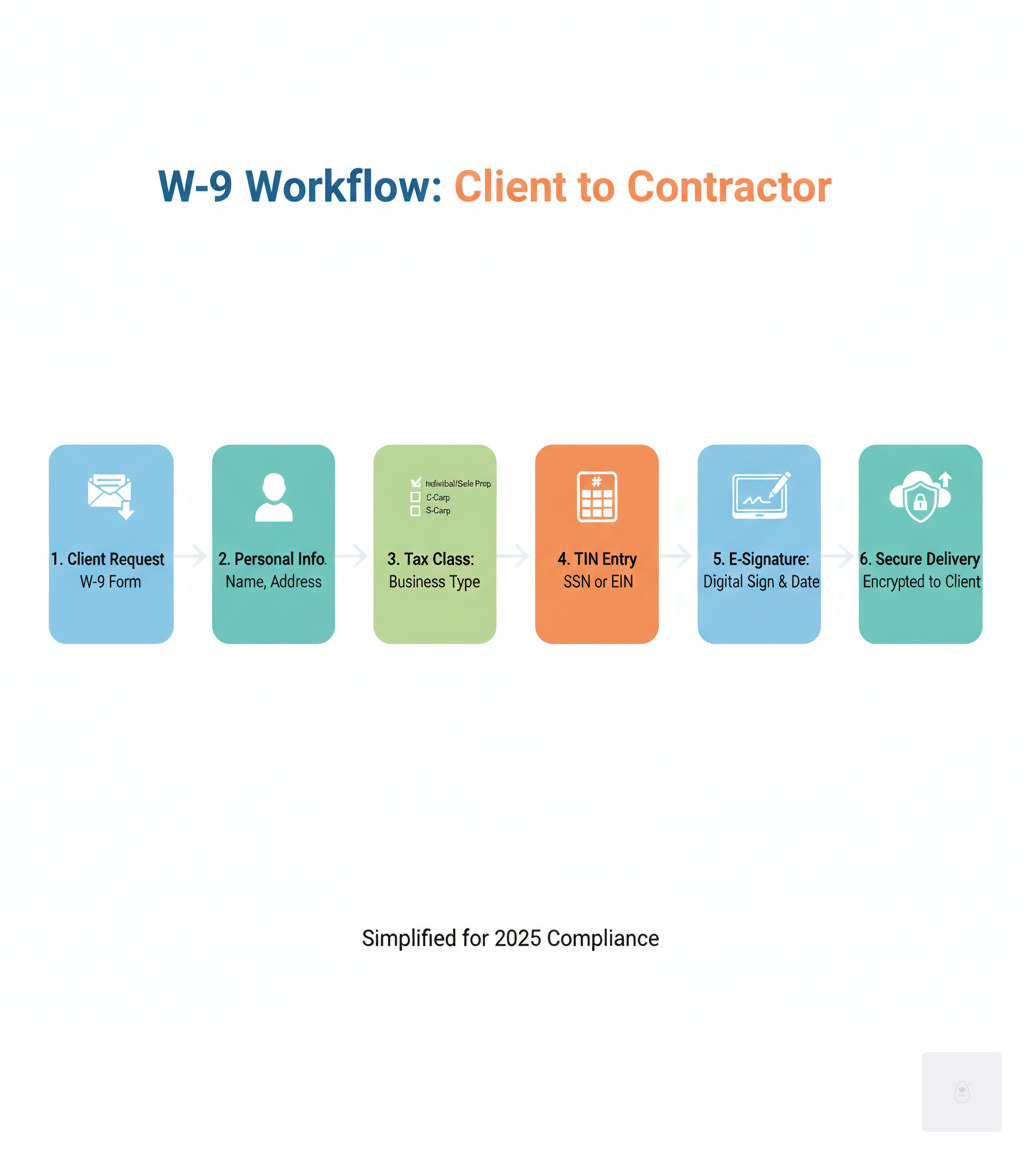
Wondering how to get W9 forms and why they matter? The W-9 form, officially the “Request for Taxpayer Identification Number and Certification,” is your tax ID card for contractor work. It’s not sent to the IRS directly but is provided to clients who need to report payments made to you.
Think of the W-9 as the bridge between getting paid and staying compliant. When a client pays you $600 or more in a year, they must report that payment to the IRS using a form like the 1099-NEC. To do so accurately, they need your correct Taxpayer Identification Number (TIN), which the W-9 provides.

The process is straightforward: your client requests a W-9, you fill it out, and they use it for their tax reporting. This system helps the IRS track income not subject to payroll withholding, which is crucial for freelancers.
The W-9 is specifically for U.S. persons only. If you’re not a U.S. citizen or resident alien, you’ll need to complete a different form, like the W-8BEN.
You can find complete details in the official About Form W-9, Request for Taxpayer Identification Number and Certification documentation from the IRS.

Who Fills Out a W-9?
The W-9 is your responsibility if you’re earning income as an independent contractor, freelancer, or through other business activities. This covers a wide range of people and businesses.
- Sole proprietors are the largest group, including most freelancers and consultants running their own unincorporated businesses.
- Partnerships (businesses owned by multiple people) also complete W-9 forms when working with clients.
- LLCs have requirements that depend on their tax classification (disregarded entity, partnership, S-corp, or C-corp).
- Corporations, both C-corps and S-corps, regularly fill out W-9s.
- Consultants, gig workers, and anyone receiving payments without automatic tax withholding will also encounter W-9 requests.
The key factor is simple: if you’re a U.S. person receiving non-employee payments, you complete the W-9.
Who Requests a W-9?
Entities required to report payments to the IRS will ask for your W-9. Knowing who they are helps you stay prepared.
- Clients are the most common requesters. Any business paying you $600 or more in a calendar year needs your W-9.
- Financial institutions request W-9s to report income like interest or dividends.
- Property managers and real estate professionals also request W-9s for reporting rental income or transaction proceeds.
- Other requesters include legal settlement administrators, mortgage companies, and IRA custodians.
The requester uses your W-9 to prepare 1099 forms for the IRS and you. An accurate, readily available W-9 is crucial for smooth business relationships and tax compliance.
The Fastest Way to Get a W-9 Form Online in Texas
Figuring out how to get W9 forms shouldn’t eat up your valuable time. The old-school route of downloading, printing, scanning, and emailing is slow and outdated, especially when you have clients to serve and deadlines to meet.
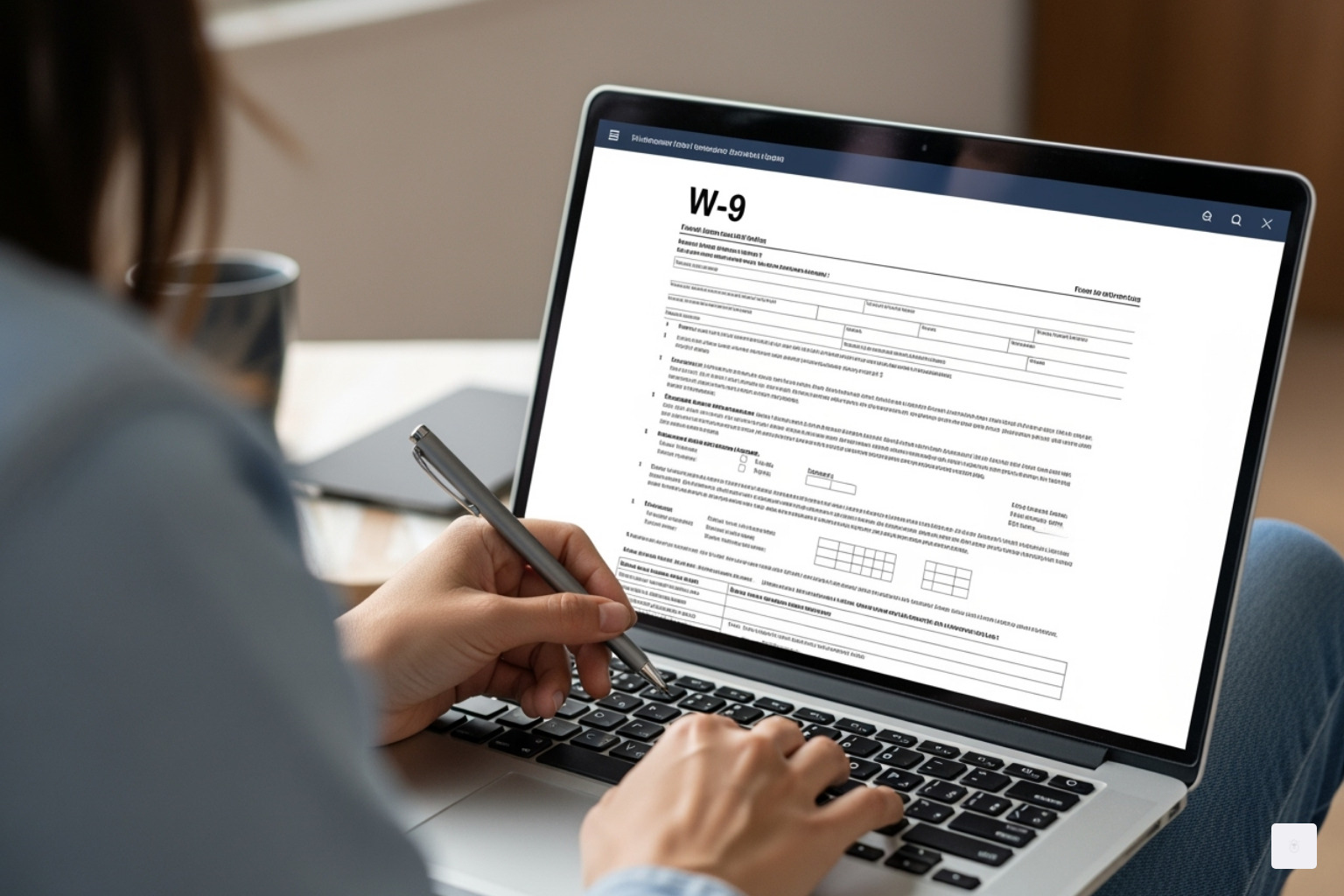
The business world is digital, and so is tax compliance. Handling your W-9 online saves time and shows clients you’re professional and organized. Instead of scrambling to find a printer, you can have your W-9 completed and sent within minutes. That’s the kind of responsiveness that builds trust and gets projects moving faster.
Use Fillable W9 for a Secure, Online W-9
We created Fillable W9 to eliminate the headaches of tax paperwork. Our platform makes completing your W-9 simple, from anywhere in Texas or beyond.
- Instant access means the latest IRS-approved W-9 is always ready in your browser. No downloads or printing.
- Digital completion on any device—laptop, tablet, or smartphone—so you can fill it out anywhere, anytime.
- E-signature lets you sign legally and securely with a few clicks, no pen or scanner needed.
- Secure delivery is critical. Your W-9 has sensitive data like your SSN or EIN. Regular email is not secure. Our system uses encryption to protect your information when sending it to a client. You can also download a secure PDF for your records.
- Always up-to-date so you never use an outdated form. When the IRS updates the W-9, our platform updates automatically.
Our guided process is designed to be straightforward and error-free, helping you avoid common mistakes that delay payments.
Don’t waste time with paper forms — complete your secure W9 online at https://fillablew9.com/apply
How to Fill Out Your W-9 Form: Step-by-Step Guide
Filling out your W-9 correctly is crucial but not intimidating. You’re just telling your client who you are for tax purposes. Getting it right helps you avoid payment delays and penalties. Let’s walk through it step-by-step.
Accuracy matters on this legal document, but we’ll guide you through it.
Step 1: Enter Your Identifying Information
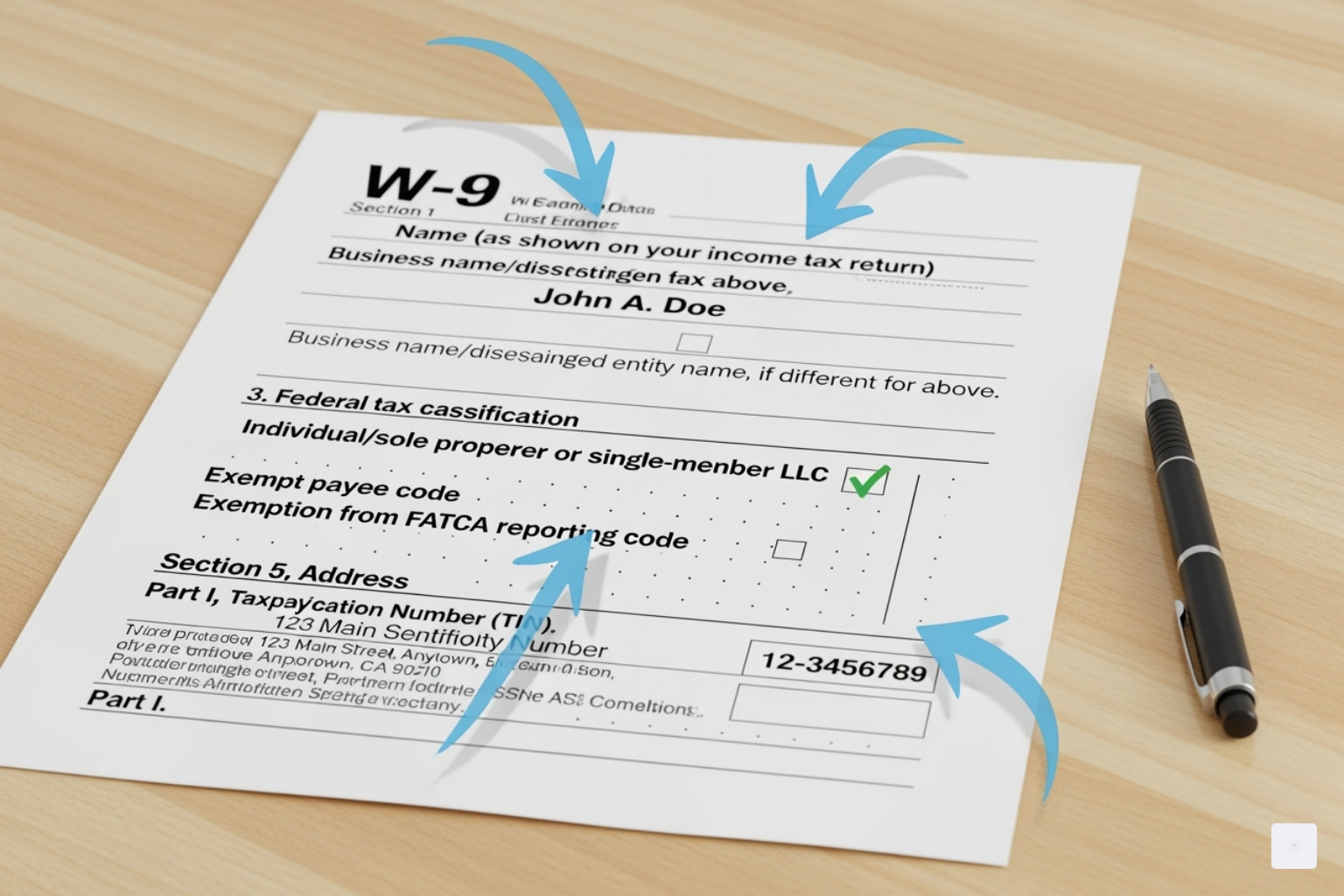
This section establishes your tax identity. Ensure these details exactly match your tax returns.
- Line 1: Enter your legal name as it appears on your income tax return. For sole proprietors and single-member LLCs (treated as disregarded entities), this is your individual name.
- Line 2: If you have a business name, DBA, or disregarded entity name different from your legal name, enter it here. If not, leave it blank.
- Line 3: Define your business tax structure. Most freelancers check “Individual/sole proprietor or single-member LLC.” Other options include C Corporation, S Corporation, or Partnership. For an LLC taxed as a corporation, check Limited Liability Company and specify the tax class.
- Line 4: This line is for exemptions. Most freelancers and small businesses can skip this.
- Lines 5 & 6: Enter your mailing address. Use the address where you receive tax documents like 1099s, which should match your tax return.
- Part I: Enter your Taxpayer Identification Number (TIN). For individuals, this is your Social Security Number (SSN). For businesses, use an Employer Identification Number (EIN). If you’ve applied for a TIN but haven’t received it, you can write “Applied For,” but your client may withhold 24% of payments until you provide the number.
Step 2: Certify and Sign
Your signature makes the W-9 legally binding. By signing, you certify under penalty of perjury that your information is correct and you are a U.S. person.
The certification confirms your TIN is correct, you are not subject to backup withholding, and you are a U.S. person. (Non-U.S. persons should use a W-8 form).
Sign and date the form. Electronic signatures are legally accepted for W-9s, which is why Fillable W9 allows you to sign and send your form digitally in seconds.
What You Need to Complete Your W9:
- Legal name and business name (if different)
- Tax classification (sole proprietor, LLC, corporation, etc.)
- Current mailing address
- Social Security Number (SSN) or Employer Identification Number (EIN)
- Today’s date for signing
Once you understand the process, completing a W-9 becomes second nature, allowing you to respond to clients quickly and professionally.
W-9 vs. W-4 and Other Common Questions
Confused about which tax form you need? You’re not alone. The W-9 is often confused with the W-4. Let’s clarify the difference.
Key Differences: W-9 vs. W-4 Form
Simply put: a W-9 is for independent contractors, and a W-4 is for employees. The difference is your employment status and who handles tax withholding.
As an independent contractor or freelancer, you use a W-9 to give your client your TIN for tax reporting. No taxes are withheld; you are responsible for paying your own taxes, often through quarterly estimated payments.
As an employee, you fill out a W-4 to tell your employer how much federal income tax to withhold from each paycheck. Your employer handles the withholding.
| Form | Who Uses It | Purpose | Withholding? |
|---|---|---|---|
| W-9 | Contractors, freelancers | Provides TIN to client | No withholding |
| W-4 | Employees | Tells employer how much tax to withhold | Yes |
Practical tip: The form you’re asked to fill out (W-9 or W-4) indicates whether a company is classifying you as a contractor or an employee.
What Happens If You Don’t Provide a W-9?
Ignoring a W-9 request creates serious headaches. Clients are legally required to collect this form to comply with IRS rules.
The most immediate consequence is backup withholding. Your client must withhold 24% of your payments for the IRS. This creates an immediate cash flow problem, even if you can reclaim it later on your tax return.
Many clients will simply stop paying you until they receive your W-9. This is standard practice to avoid IRS penalties and can lead to significant payment delays.
The IRS can also issue a $50 penalty for each failure to provide a correct TIN. Intentionally providing false information can lead to a $500 penalty or criminal charges.
For more details, see the IRS’s official guidance on Backup Withholding.
Where Do I Send the Completed W-9 Form?
A common question is where to send the W-9. The answer: never send it to the IRS. Provide it directly to the person or business that requested it. They use it to prepare tax forms like the 1099.
The W-9 is a document for your client’s records, not for the IRS. Security is crucial because your W-9 contains sensitive data like your SSN or EIN. Regular email is not a secure way to send it.
Fillable W9 solves this by letting you send your form through encrypted channels. This protects your data from being intercepted, unlike email. You can also download a secure PDF for your records. The peace of mind from secure delivery is invaluable when handling sensitive financial information.
Frequently Asked Questions about How to Get a W9
Navigating tax forms can be overwhelming. Here are straightforward answers to common questions about how to get W9 forms, helping you move forward with confidence.
How do I get a W-9 form for my business?
Getting a W-9 for your business is simple. The fastest and most reliable way is to use an online platform.
At Fillable W9, you can quickly complete and download a W-9. Our guided, step-by-step process ensures you use the latest IRS-approved form and avoid costly mistakes. This online approach is better than the traditional route: no hunting for forms, no printing, and no scanning. You can complete your W-9 online in minutes.
Need to request a W-9 from a vendor? Just send them the link to Fillable W9. They can complete and return it securely, streamlining your compliance process.
Can I fill out a W-9 form online in Texas?
Yes. The W-9 is a federal form, so the requirements are the same everywhere in the U.S., including Texas. There are no special Texas versions or state requirements. You can use the same online tools that work nationwide.
Use Fillable W9 to complete and sign your W-9 securely online from any device in Texas. Our platform adapts to your screen, eliminating the hassle of printing and scanning.
Is it safe to email a W-9 form?
Emailing a W-9 is not recommended. Standard email is not secure and your W-9 contains sensitive data like your Social Security Number (SSN) or Employer Identification Number (EIN). Standard email is often unencrypted, putting your W-9 at risk of interception and identity theft.
A safer alternative is Fillable W9. Our encrypted platform lets you securely send the completed form to your client, offering far more protection than email. We use robust security, including 256-bit SSL connections, to safeguard your tax information. This provides bank-level security with the convenience of instant digital delivery.
Conclusion
Completing a W-9 form doesn’t have to be stressful for Texas freelancers and small businesses. Now you know how to get W9 forms, fill them out correctly, and send them securely.
Your time is valuable; tax paperwork shouldn’t slow you down. You need efficient solutions, whether you’re in Austin, Dallas, or Houston.
Fillable W9 transforms the tedious paper process into a task you can complete in minutes. No more printing, scanning, or worrying about email security. Our platform provides a professional, secure, and up-to-date solution.
Every minute spent on paper forms is a minute lost on growing your business. When a client requests a W-9, our platform lets you respond instantly and professionally, showing you’re ready to work.
The peace of mind from correct tax compliance is invaluable. We’re more than a form; we’re a partner in managing your tax identity so you can focus on your business.
✅ Ready to complete your W9 in minutes? Apply here now