
Why Every Freelancer and Business Owner Needs to Know About Electronic W9 Forms

An Electronic W9 form is a digital version of the IRS Request for Taxpayer Identification Number and Certification form that can be filled out, signed, and submitted online. Here’s what you need to know:
- What it is: A digital W-9 form used to provide your Taxpayer Identification Number (TIN) to clients or businesses
- Who needs it: Freelancers, independent contractors, consultants, and businesses that receive $600 or more in non-employee compensation
- Why go digital: Faster completion, fewer errors, instant submission, secure storage, and IRS-approved since 1998
- Legal status: Fully compliant with IRS Announcement 98-27, which allows electronic W-9 submissions with proper authentication and data integrity
The bottom line: Electronic W9 forms save time, reduce mistakes, and keep your sensitive tax information secure with encryption.
If you’ve ever been asked for a W-9 form by a client, you know the hassle. Finding the latest version, printing it out, filling it by hand, scanning it back in—it’s tedious and error-prone. Worse, one wrong digit in your Social Security Number or Employer Identification Number can trigger backup withholding at 24%, meaning your client withholds nearly a quarter of your payment.
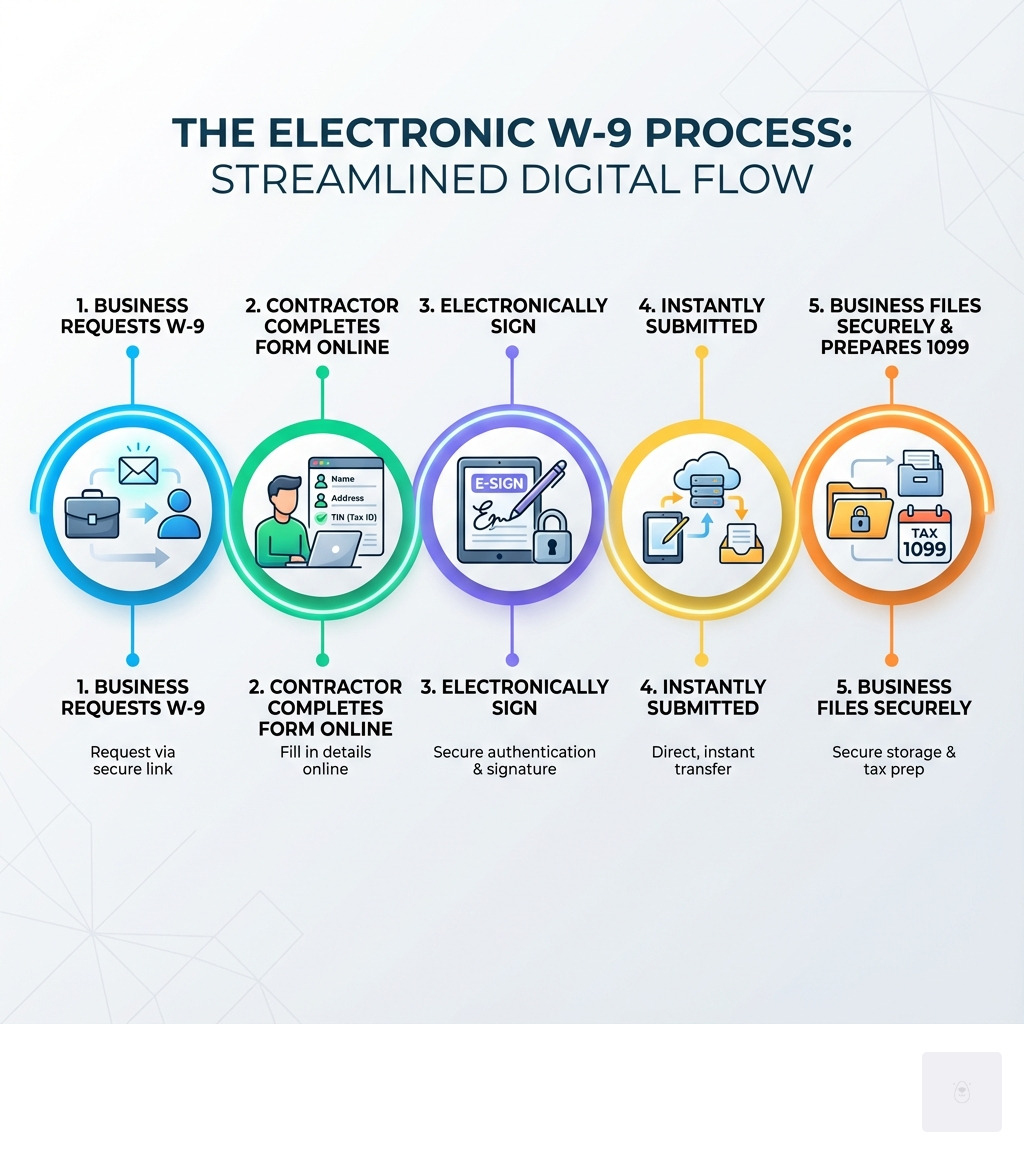
The good news? As of April 1998, the IRS officially approved electronic W-9 submissions. That means you can complete, sign, and submit your W-9 entirely online—no printer required. Digital forms are faster, more accurate, and easier to store securely. Plus, businesses collecting W-9s from multiple contractors can streamline the entire process with online tools.
I’m Haiko de Poel, and through my work helping companies like Palmetto Surety Corporation and eSURETY® streamline their digital operations, I’ve seen how Electronic W9 forms eliminate paperwork headaches and keep businesses compliant. In this guide, I’ll walk you through exactly how to go digital with your W-9—step by step.
What is a W-9 Form and Why Go Digital?
The W-9 form is also known as a Request for Taxpayer Identification Number and Certification form. It’s a fundamental document in the U.S. tax system, especially for businesses working with non-employees. Whether you’re a freelancer, an independent contractor, a consultant, or a service provider, you’ll likely encounter this form. The W-9 is one of the most common tax forms required by the IRS. You can find more information about common tax forms on the IRS website.
So, who exactly needs a W-9? Essentially, any U.S. person (which includes individuals, resident aliens, corporations, partnerships, trusts, and estates) who receives certain types of payments from another person or entity will be asked to complete a W-9. This includes independent contractors, gig workers, and freelancers.
Businesses are required to request a completed W-9 from contractors, consultants, freelancers, and any other non-employees who received compensations totaling $600 or more during any given year. Companies will also need to collect a W-9 from sales professionals they’ve paid at least $5,000 within the past year. This ensures accurate tax reporting and prevents payment delays.

The primary purpose of the W-9 form is to collect your Taxpayer Identification Number (TIN). This TIN can be your Social Security Number (SSN) if you’re an individual or a sole proprietor, or an Employer Identification Number (EIN) if you operate as a business entity like a corporation or an LLC. The business that pays you uses this information to report your income to the IRS on a Form 1099 at year’s end. This is crucial for tax compliance for both parties. You can learn more about Form 1099 on the IRS website.
Benefits of Using an Electronic W-9 Form
Moving from paper to an Electronic W9 form offers a multitude of benefits that simplify tax compliance for everyone involved.
- Speed and Efficiency: Filling out a paper form, printing it, signing it, scanning it, and then emailing or mailing it takes time. With an electronic W-9, you can complete and submit the form in minutes, from any device. This is particularly beneficial for busy freelancers and businesses managing numerous contractors.
- Accuracy: Digital forms often include validations that minimize errors, ensuring that all required fields are filled correctly. This reduces the chances of delays due to incorrect information or missing data, which can lead to frustrating back-and-forth communication.
- Easy Storage and Retrieval: Once submitted, an electronic W-9 can be securely stored in a digital system, making it easy to retrieve for record-keeping or audit purposes. No more sifting through stacks of paper or worrying about misplaced documents.
- Eco-Friendly: Opting for digital forms reduces paper consumption, contributing to a more sustainable and environmentally conscious approach to business operations.
- IRS-Approved and Compliant: The IRS has allowed electronic W-9 submissions since April 1998 (IRS Announcement 98-27). This means that using an Electronic W9 form is not just convenient, but also fully compliant with federal regulations, provided certain security and authentication standards are met.
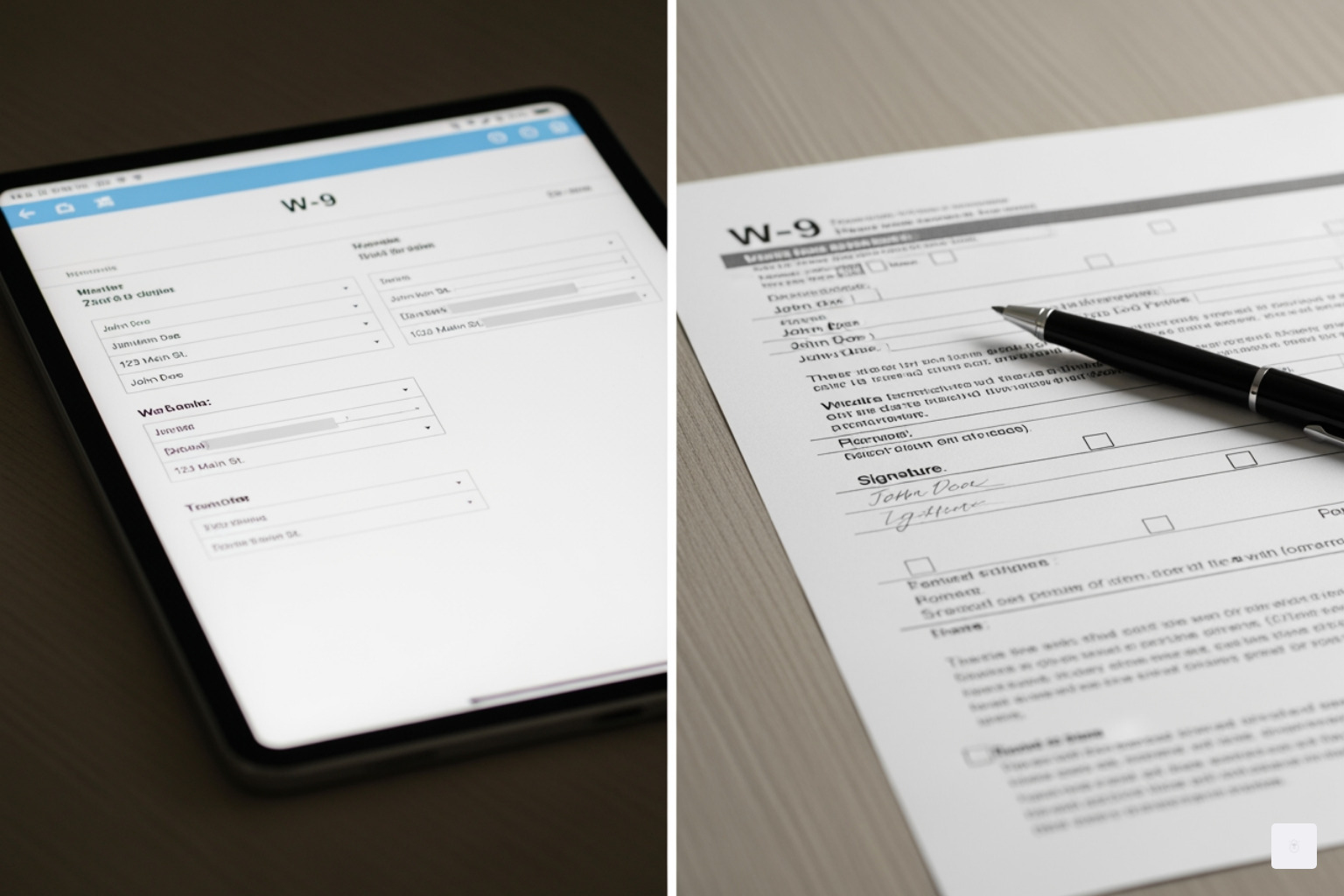
Going digital ensures that a completed W-9 is on file, which helps ensure accurate tax reporting, prevents payment delays, and keeps you compliant with U.S. tax regulations.
Don’t waste time with paper forms — complete your secure W9 online at https://fillablew9.com/apply/.
How to Fill Out Your W-9 Form: A Step-by-Step Guide
Filling out an Electronic W9 form might seem daunting, but we’re here to make it simple. We’ll walk you through each section of the form, ensuring you provide all the necessary information accurately. The IRS released the latest version of Form W9 in March 2024, so it’s important to use the most current form. You can always refer to the official version of the form from the IRS.

Step 1: Provide Your Name and Business Name (Lines 1 & 2)
- Line 1: Name (as shown on your income tax return). This is your full legal name. If you are an individual or a sole proprietor, this should be the name that appears on your federal income tax return.
- Line 2: Business name/disregarded entity name, if different from above. If you operate under a business name (e.g., a “Doing Business As” or DBA name), or if you are a disregarded entity (like a single-member LLC that doesn’t elect to be taxed as a corporation), enter that name here. If you are a sole proprietor and have a business name, you can put your individual name on Line 1 and your business name on Line 2.
Step 2: Select Your Federal Tax Classification (Lines 3a & 3b)
This section asks you to identify your federal tax classification. You should check only one box that applies to you.
- Individual/Sole proprietor/Single-member LLC: This is the most common classification for freelancers and independent contractors. If you are a single-member LLC, you are generally treated as a disregarded entity unless you elect to be taxed as a corporation.
- C Corporation: For businesses incorporated as a C corporation.
- S Corporation: For businesses incorporated as an S corporation.
- Partnership: For businesses operating as a partnership.
- Trust/estate: For trusts or estates.
- Limited liability company (LLC): If you are an LLC, you must also indicate how you are taxed (C=C Corporation, S=S Corporation, P=Partnership).
- New Line 3b: Introduced in the March 2024 update, Line 3b should be checked if you indicated “Partnership” or “Trust/estate” on line 3a, or if you selected “LLC” with “P” as its tax classification, and you are providing this form to another partnership, trust, or estate in which you have an ownership interest. You also check this box to indicate if there are any foreign partners, owners, or beneficiaries. This update aims to improve transparency for flow-through entities.
Step 3: Enter Exemptions if Applicable (Line 4)
This line is usually left blank by most individual contractors. However, if you are an exempt payee (e.g., certain governmental entities, tax-exempt organizations, or corporations exempt from FATCA reporting), you would enter the relevant code(s) here. Exemptions from backup withholding are typically for certain corporations and governmental entities. Similarly, specific FATCA reporting codes apply to entities that are exempt from FATCA reporting requirements.
Step 4: Add Your Address (Lines 5 & 6)
- Line 5: Address (number, street, and apt. or suite no.) Enter your complete street address.
- Line 6: City, state, and ZIP code. Provide the city, state, and ZIP code for the address on Line 5. This is the address where the payer will send your information returns (like Form 1099).
Step 5: Enter Your Taxpayer Identification Number (Part I)
This is a critical section. You must provide your correct Taxpayer Identification Number (TIN).
- Social Security Number (SSN): If you are an individual, sole proprietor, or a single-member LLC treated as a disregarded entity, you will typically use your SSN.
- Employer Identification Number (EIN): If you are a corporation, partnership, or an LLC that has elected to be taxed as a corporation or partnership, you will use your EIN.
It is crucial that the TIN you provide matches the name on Line 1 to avoid potential issues like backup withholding.
Step 6: Certify and Sign the Form (Part II)
Part II is your certification. By signing, you are certifying under penalties of perjury that:
- The TIN you provided is correct.
- You are not subject to backup withholding (unless you’ve been notified by the IRS that you are).
- You are a U.S. citizen or other U.S. person.
- The FATCA code entered (if any) indicating that you are exempt from FATCA reporting is correct.
E-signature validity: The IRS has approved electronic signatures for W-9 forms since 1998, provided that the electronic system meets specific requirements for data integrity, user authentication, and includes a perjury statement. Our platform, FillableW9.com, is designed to meet these requirements, making your electronic signature just as valid as a wet signature.
For more details on how our platform ensures a seamless experience, you can find more info about our features.
IRS Rules and Security for Your Electronic W9 Form
The IRS’s stance on Electronic W9 form submissions is clear: they are permissible and legally recognized. IRS Announcement 98-27, issued in April 1998, laid the groundwork for electronic submissions, allowing those who need to fill out, sign, and submit W-9 forms electronically. This was a significant step towards modernizing tax compliance and reducing paperwork.
However, this doesn’t mean just any digital signature or scanned form will do. The IRS has specific requirements that electronic systems must meet to ensure the integrity and authenticity of the submissions. These include:
- Data Integrity: The system must ensure that the information submitted on the electronic form is the exact information provided by the payee and has not been altered.
- Authentication: There must be a valid electronic signature that uniquely identifies and authenticates the payee, confirming their identity.
- Perjury Statement: The electronic form must contain the perjury statement found on the paper Form W-9, and the payee must attest to its truthfulness.
- Hard Copy Provision: The payer must be able to supply a hard copy of the completed form to the IRS or the payee upon request.
These requirements ensure that the convenience of electronic submission doesn’t come at the cost of security or compliance.
Key Security Considerations for an Electronic W9 Form
When dealing with sensitive personal information like your Taxpayer Identification Number (TIN), security is paramount. We understand that you want to send W9 securely. Here’s how robust electronic W-9 platforms like ours prioritize your data protection:
- Data Protection & Encryption: We safeguard your data with industry-standard encryption. This includes a 256-bit SSL connection using a SHA256 Certificate, which is an industry standard for data protection. Additionally, high-grade RSA 2048 encryption is often used for sensitive information, ensuring your data is encrypted on your computer before being transferred and stored safely on our servers.
- Secure Servers: Your data is stored on secure servers, protected by advanced security measures and regular audits to prevent unauthorized access.
- Identity Theft Prevention: We employ measures to protect against identity theft, such as secure authentication processes and data encryption. We also advise our users to be vigilant against phishing scams, as the IRS will never initiate contact via email to request sensitive personal information.
- Protecting your SSN/EIN: Your Taxpayer Identification Number (SSN or EIN) is highly sensitive. Our systems are designed to protect this information throughout the submission process, from entry to secure storage.
How Businesses Can Streamline W-9 Collection
For businesses, collecting and managing W-9 forms from numerous vendors and contractors can be a logistical challenge. Electronic W-9 solutions offer a powerful way to streamline this process:
- Automated Requests: Businesses can send automated W-9 requests to new contractors, eliminating manual outreach and follow-ups.
- Tracking Vendor Status: Centralized dashboards allow businesses to track the status of W-9 requests, see who has submitted their forms, and identify outstanding requests.
- Securely Storing Forms: Collected W-9s are stored in a secure, digital repository, ensuring compliance with record-keeping requirements and easy access when needed for 1099 filing.
- Integration with Existing Systems: Many electronic W-9 tools can integrate with existing accounting or vendor management systems, further automating workflows and reducing manual data entry.
This streamlined approach ensures that businesses have all the necessary information on file to accurately prepare Form 1099s and avoid penalties. To learn more about how our solutions can benefit your business, you can find more info about our pricing.
Frequently Asked Questions about W-9 Forms
We encounter many questions about W-9 forms, especially as people transition to digital solutions. Here are some of the most common inquiries we address:
What’s the difference between a W-9 and a W-4?
This is a very common point of confusion, but the distinction is crucial for tax purposes.
- W-9 Form: This form is used by independent contractors, freelancers, consultants, and other non-employees to provide their Taxpayer Identification Number (TIN) to a payer. The payer uses this information to report payments made to the contractor to the IRS on a Form 1099. The W-9 is about information reporting for payments received from a business.
- W-4 Form: Also known as the Employee’s Withholding Certificate, the W-4 form is filled out by employees to tell their employer how much federal income tax to withhold from their paycheck. The W-4 is about income tax withholding for wages earned as an employee. You can find more information about the W-4 form on the IRS website.
Here’s a quick comparison:
| Feature | W-9 Form | W-4 Form |
|---|---|---|
| Purpose | To provide your TIN to a payer for information reporting (e.g., Form 1099). | To tell your employer how much federal income tax to withhold from your paycheck. |
| Who Fills It Out | Independent contractors, freelancers, consultants, vendors, anyone receiving non-employee compensation. | Employees. |
| Who Receives It | The business or individual paying you (the “requester”). | Your employer. |
| Tax Implications | Used by the payer to generate Form 1099, which reports your income to the IRS. You are responsible for paying your own self-employment taxes. | Determines how much tax is withheld from your wages, affecting your tax liability at the end of the year. |
| IRS Filing | Not filed with the IRS by the individual. The payer uses the information to file Form 1099 with the IRS. | Not filed with the IRS by the employee. The employer uses the information for payroll and tax withholding. |
What are the penalties for not providing a W-9 form or giving incorrect information?
Failing to furnish a W-9 form or providing incorrect information can lead to significant penalties for the payee. The IRS takes tax reporting seriously, and accurate W-9s are a cornerstone of that system.
- Backup Withholding: If you do not return the W-9 form to the requester with a correct TIN, your payments might be subjected to backup withholding. This means the payer is required to withhold 24% of your payments and send it directly to the IRS. This can significantly impact your cash flow as a freelancer or contractor.
- Penalty for Failure to Furnish Correct TIN: A penalty of $50 may also be imposed for failure to furnish the correct TIN, unless your failure is due to reasonable cause and not willful neglect.
- Civil and Criminal Penalties: Providing false information with respect to withholding (without reasonable basis) can result in a civil penalty of $500. Furthermore, willfully falsifying certifications or statements on the W-9 can lead to criminal penalties, including fines and/or imprisonment.
It is always in your best interest to provide an accurate and timely W-9 form.
Can a non-U.S. person use an Electronic W9 form?
No, the W-9 form is specifically for U.S. persons. This includes U.S. citizens, resident aliens, corporations, partnerships, trusts, and estates created or organized in the United States.
If you are a non-U.S. person, you should not fill out a W-9 form. Instead, you will need to provide the appropriate Form W-8 series, such as:
- Form W-8BEN (Certificate of Foreign Status of Beneficial Owner for United States Tax Withholding and Reporting – Individuals): This form is used by foreign individuals to certify their foreign status and claim treaty benefits for U.S. source income.
- Form W-8BEN-E (Certificate of Status of Beneficial Owner for United States Tax Withholding and Reporting – Entities): This form is used by foreign entities to certify their foreign status and claim treaty benefits.
These forms serve a similar purpose to the W-9 (providing taxpayer information) but are designed for non-U.S. persons and allow for different tax withholding rules and treaty exemptions.
Conclusion: Complete Your W-9 in Minutes
Navigating tax forms can often feel like a chore, but with the advent of the Electronic W9 form, the process has become remarkably simple, secure, and efficient. We’ve seen how going digital saves time, reduces errors, and keeps you compliant with IRS regulations, all while protecting your sensitive information.
Whether you’re an independent contractor providing your TIN or a business collecting forms from numerous vendors, the benefits of electronic W-9 submission are clear. From speedy completion and accurate data entry to secure storage and instant submission, the digital W-9 eliminates the paperwork headaches of the past.
At FillableW9.com, we are committed to providing you with an easy-to-use tool for all your W-9 needs. We aim to be the #1 trusted resource for W-9 form completion and related compliance topics, making your tax journey as smooth as possible. Don’t let confusing forms or potential penalties hold you back.
✅ Ready to complete your W9 in minutes? Apply here now.