
Why IRS Compliant E-Signature Matters for Your W9
An IRS compliant e-signature is a legally binding electronic method for signing tax forms like the W9. It must meet specific IRS requirements for security, authentication, and record integrity.
Quick Answer: IRS E-Signature Requirements
- Intent to sign – You must clearly intend to sign the document.
- Authentication – Your identity must be verified.
- Association – The signature must be attached to the specific record.
- Integrity – The signed document must be tamper-proof.
- Acceptable form – A typed name, drawn signature, or stylus signature all work.
The IRS officially accepts electronic signatures on W9 forms. Temporary policies from the COVID-19 era are now permanent, making digital signing the standard. According to the Internal Revenue Manual (IRM) 10.10.1, e-signatures are fully legal when they meet these five core requirements.
Understanding these rules saves freelancers, small business owners, and accountants time and prevents costly mistakes. A simple typed name can be a valid signature if you use a platform that builds in the required security features and audit trails.
Paper W9s involve printing, signing, scanning, and emailing—a slow and error-prone process. An IRS compliant e-signature completes the form in minutes with better security and a full audit trail, as modern platforms automatically record the date, time, and IP address for every signature.
I’m Haiko de Poel of Mass Impact. I’ve helped countless businesses digitize their operations, and I know that the right tools eliminate compliance headaches. This guide walks you through exactly what the IRS requires to ensure your W9 e-signature is valid.
Understanding IRS-Compliant E-Signature Requirements for W9 Forms
The IRS has clear rules to ensure your electronic signature on a W9 is legally binding and secure. At Fillable W9, our platform is built around these requirements to make the process simple and compliant.

Start filling your W9 now at https://fillablew9.com/apply.
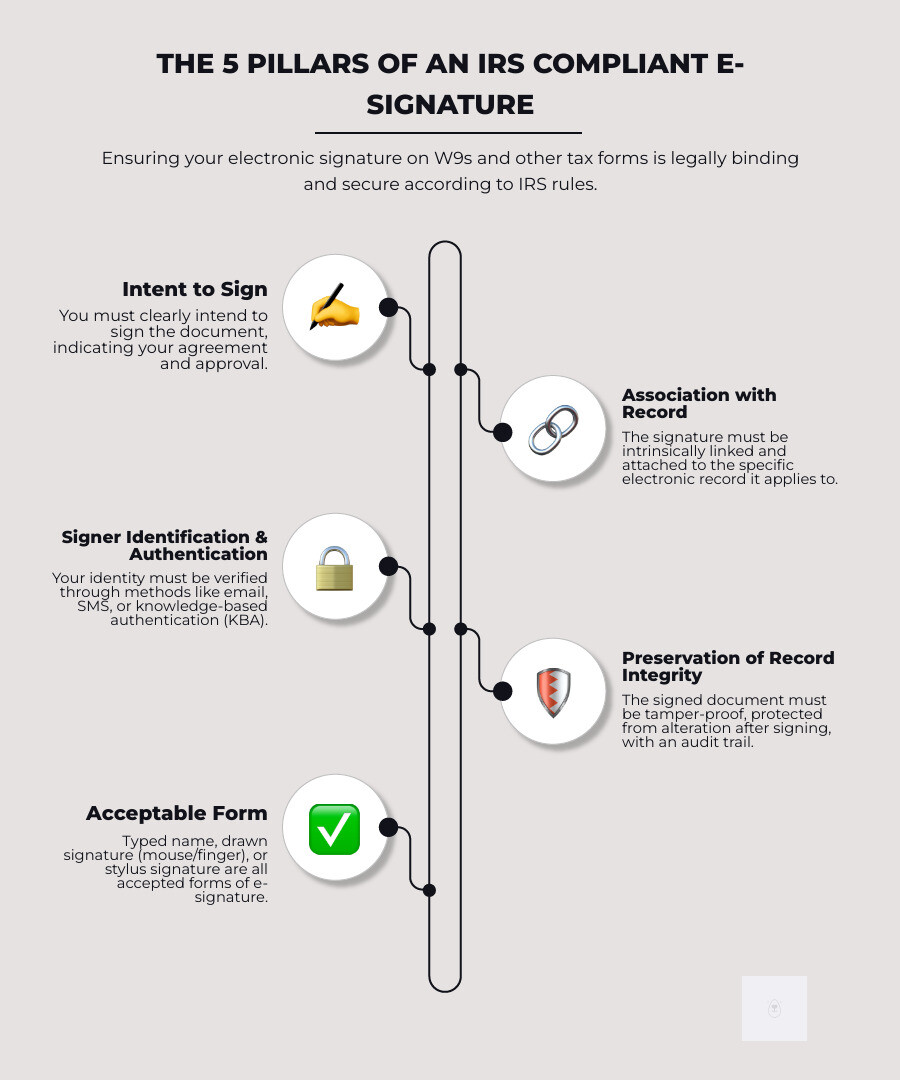
The 5 Pillars of a Valid IRS Electronic Signature
These five pillars are the foundation of a legally binding e-signature. When all are present, the IRS treats it like a pen-and-ink signature.
- Intent to sign: You must clearly demonstrate you meant to sign, such as by clicking a button that says “Sign Electronically.”
- Association with the electronic record: Your signature must be logically and securely attached to the specific W9 form you are signing.
- Signer identification and authentication: The system must verify you are who you claim to be, often through email, SMS, or knowledge-based questions.
- Preservation of record integrity: The document must be tamper-proof after signing, so any changes are immediately detectable.
- Acceptable form of signature: The IRS is flexible, accepting typed names, drawn signatures (with a mouse or finger), or stylus signatures.
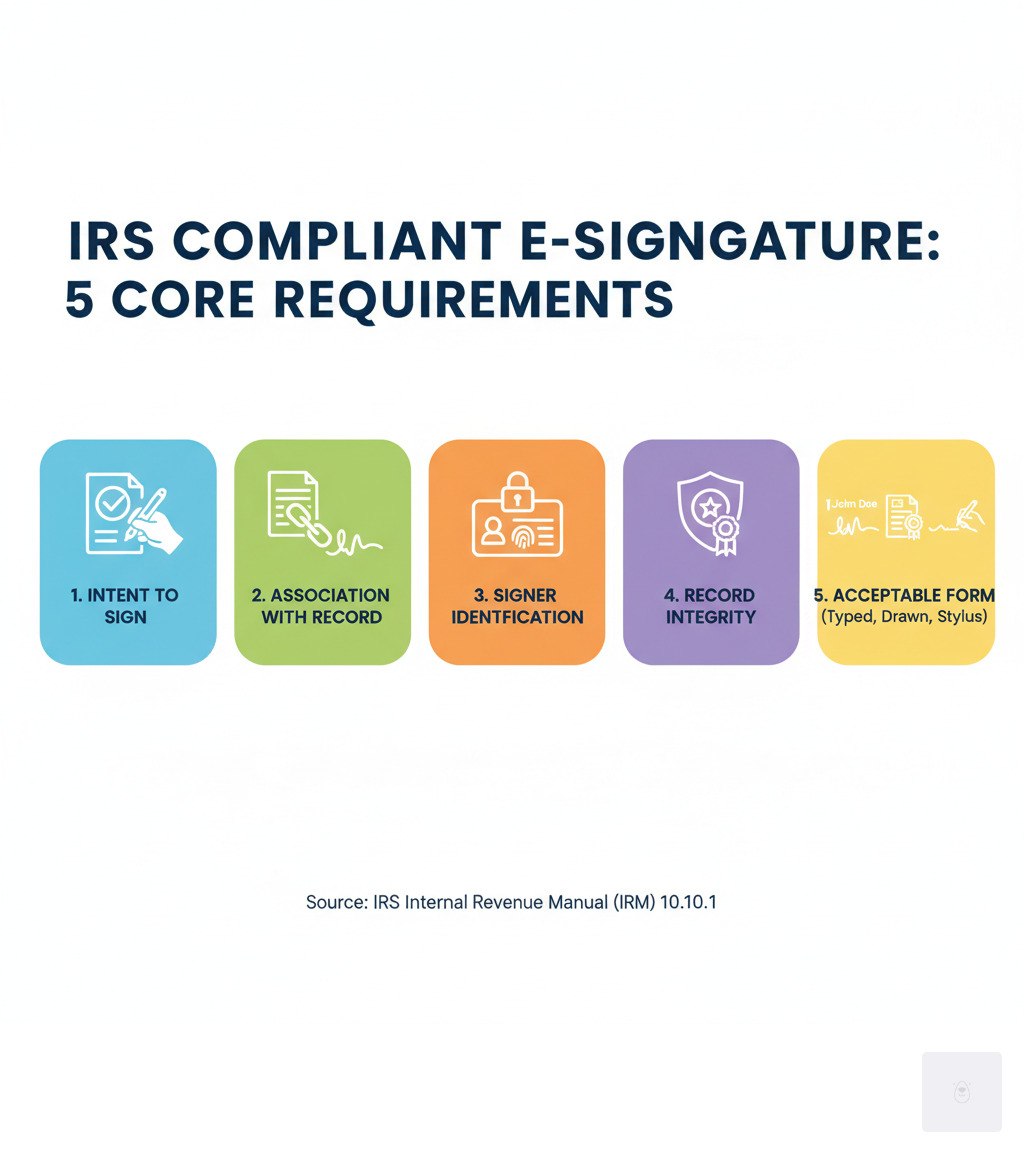
These pillars work together to create a convenient and secure IRS compliant e-signature.
Electronic Signature vs. Digital Signature: What Matters for Your W9
People often use “electronic signature” and “digital signature” interchangeably, but there’s a key difference.
An electronic signature (e-signature) is a broad term for any electronic process showing intent to sign, like typing your name or clicking “I Agree.” A digital signature is a specific, highly secure type of e-signature that uses cryptographic technology and a digital certificate to verify identity and prevent tampering.
The good news for your W9: While digital signatures offer robust security, the IRS accepts a wide range of electronic signature methods. For most W9 filings, a secure electronic signature that meets the five pillars is all you need. You don’t need complex digital certificates for a standard W9.
| Feature | Electronic Signature | Digital Signature |
|---|---|---|
| Definition | Any electronic process signifying intent | Cryptographically secured e-signature with a digital certificate |
| Technology | Typed name, drawn signature, checkbox, etc. | Public Key Infrastructure (PKI) |
| Authentication | Varies (email, SMS, KBA) | Strong (Certificate Authority verified) |
| Tamper Evidence | Provided by audit trails and platform features | Built-in cryptographic tamper-proofing |
| Legal Status (US) | Legally binding under ESIGN Act & UETA | Legally binding under ESIGN Act & UETA |
| IRS Acceptance | Widely accepted for W9 and many other forms | Accepted, but not always required for W9 |
The bottom line? A standard electronic signature through a trusted platform like Fillable W9 provides everything you need for an IRS compliant e-signature on your W9 form.
The Evolution of IRS E-Signature Policy
The IRS has acceptd modernization. For years, only “wet ink” signatures were accepted. As business moved online, the agency slowly began allowing e-signatures for specific forms.
The COVID-19 pandemic accelerated this shift. In 2020, the IRS announced a temporary option for e-signatures on many forms to protect public health and ensure tax services continued. This temporary measure proved so effective that it is now permanent policy.
The IRS updated Section 10.10.1 of the Internal Revenue Manual, officially creating the “IRS Electronic Signature (e-Signature) Program.” This update permanently allows digital signatures on many forms and returns. You can read the full details in the IRS e-signature program reference. This policy shift confirms that secure and efficient platforms like Fillable W9 are fully aligned with the IRS’s vision for the future of tax filing.
Approved Methods for an IRS Compliant E-Signature on W9 Forms
The IRS keeps e-signature methods simple. You don’t need special equipment to sign your W9 electronically, as long as the method meets the core principles of intent, association, identity, and integrity.
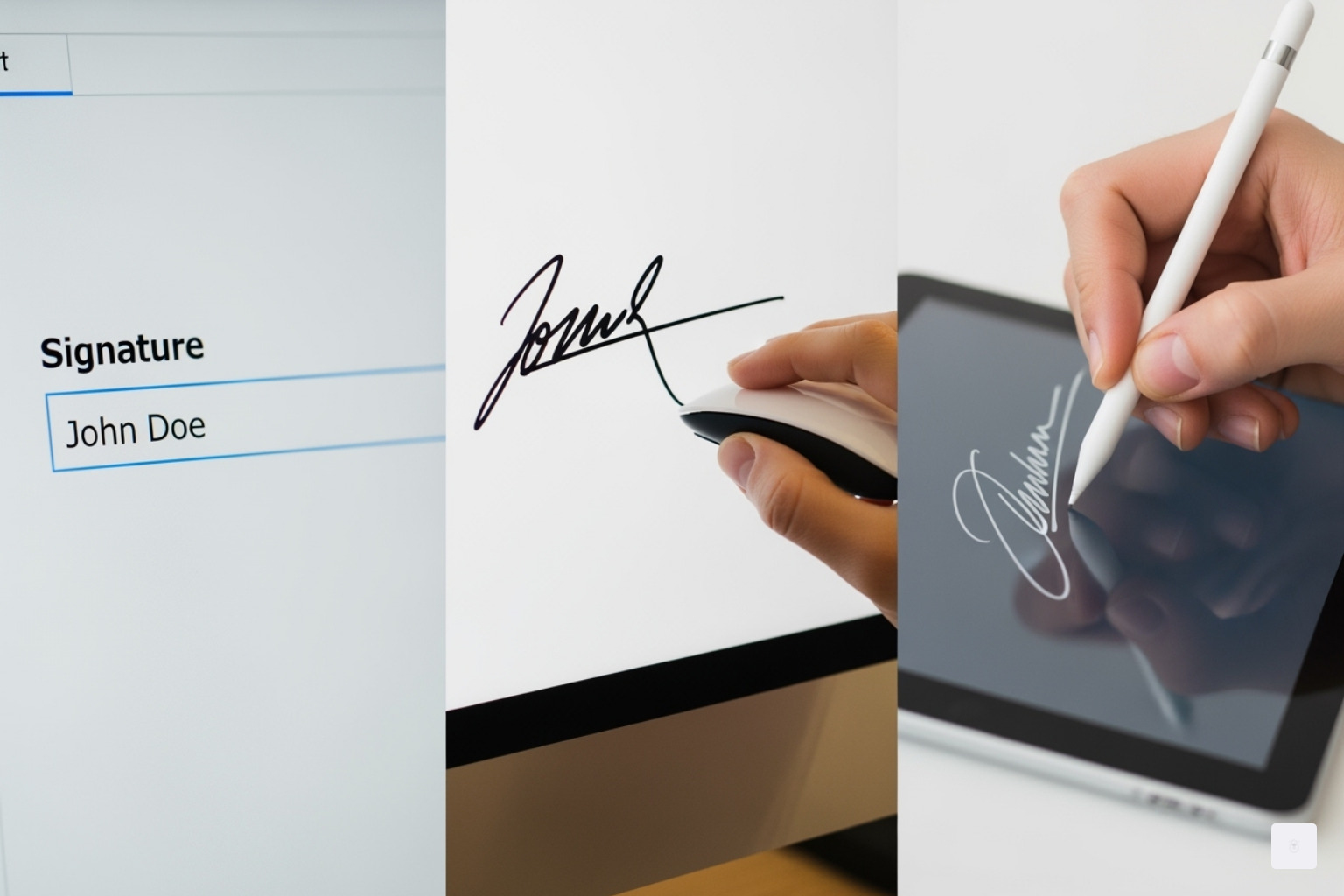
Here are the most common approved methods:
- Typing your name: When the context makes it clear you are signing, a typed name in a signature block has the same legal weight as a handwritten one.
- Drawing your signature: Using a mouse, trackpad, or your finger to draw your signature is perfectly acceptable.
- Signing with a stylus: Using a stylus on a touchscreen provides a natural signing experience and is fully compliant.
- Scanning a handwritten signature: You can sign a piece of paper, scan it, and attach the image file (.jpg, .pdf, etc.) to your electronic W9.
Many commercial solutions like Fillable W9, DocuSign, or Dropbox Sign build in all the necessary compliance features automatically. No matter the method, the signed document must be tamper-proof. Fillable W9 provides this protection automatically, ensuring your W9 e-signature is easy, secure, and compliant. Fill out your W9 FillableW9.
How Identity Verification (IDV) Works for Remote W9 Signatures
To ensure security for remote signatures, the system must confirm you are who you say you are. This is Identity Verification (IDV), a cornerstone of an IRS compliant e-signature.
The most common method is Knowledge-Based Authentication (KBA), which asks multiple-choice questions based on your personal history (e.g., “Which of these streets have you lived on?”). These questions are pulled from data sources only you should know. This is a “soft inquiry” and does not affect your credit score.
Other methods include email or SMS verification, where a one-time code is sent to your phone or email address. Entering the code proves you have access to the account.
What happens if you fail identity verification? The IRS requires systems to lock you out of the e-signature option after three failed KBA attempts. This is a crucial security measure to protect you from fraud. If this happens, you must fall back to a handwritten “wet ink” signature, which involves printing, signing, and returning the form via mail or fax. You can find more details in the IRS e-file signature authorization FAQ.
Ensuring Security and Integrity: Audit Trails and Tamper-Proofing
An IRS compliant e-signature requires proof of who signed, when, how, and that the document hasn’t changed since. This is achieved through audit trails and tamper-proofing.
An audit log records every step of the signing process: when the document was opened, the time of signing, the signer’s IP address, and the results of identity verification. This creates an irrefutable chain of evidence that proves the signature’s validity.
Tamper-evident technology is also critical. Compliant platforms use cryptographic seals to “lock” the document’s content upon signing. If anyone attempts to alter the document, the seal breaks, and the tampering becomes obvious.
Finally, the IRS requires secure storage and record retention. Electronic Return Originators (EROs) must keep these tamper-proof records for at least 3 years. Participants in the Income Verification Express Services (IVES) program must retain records for at least 2 years. This ensures the documents are safe and accessible if the IRS has questions.
At Fillable W9, we provide downloadable copies of your signed forms along with comprehensive audit trails. You get a complete compliance package, so you can rest easy knowing you have everything needed to prove compliance. Complete your secure W9 online at https://fillablew9.com/apply.
Which IRS Forms Can Be Signed Electronically?
While our focus is on the W9, the IRS has expanded the list of forms eligible for an IRS compliant e-signature, making digital tax processes more accessible than ever.
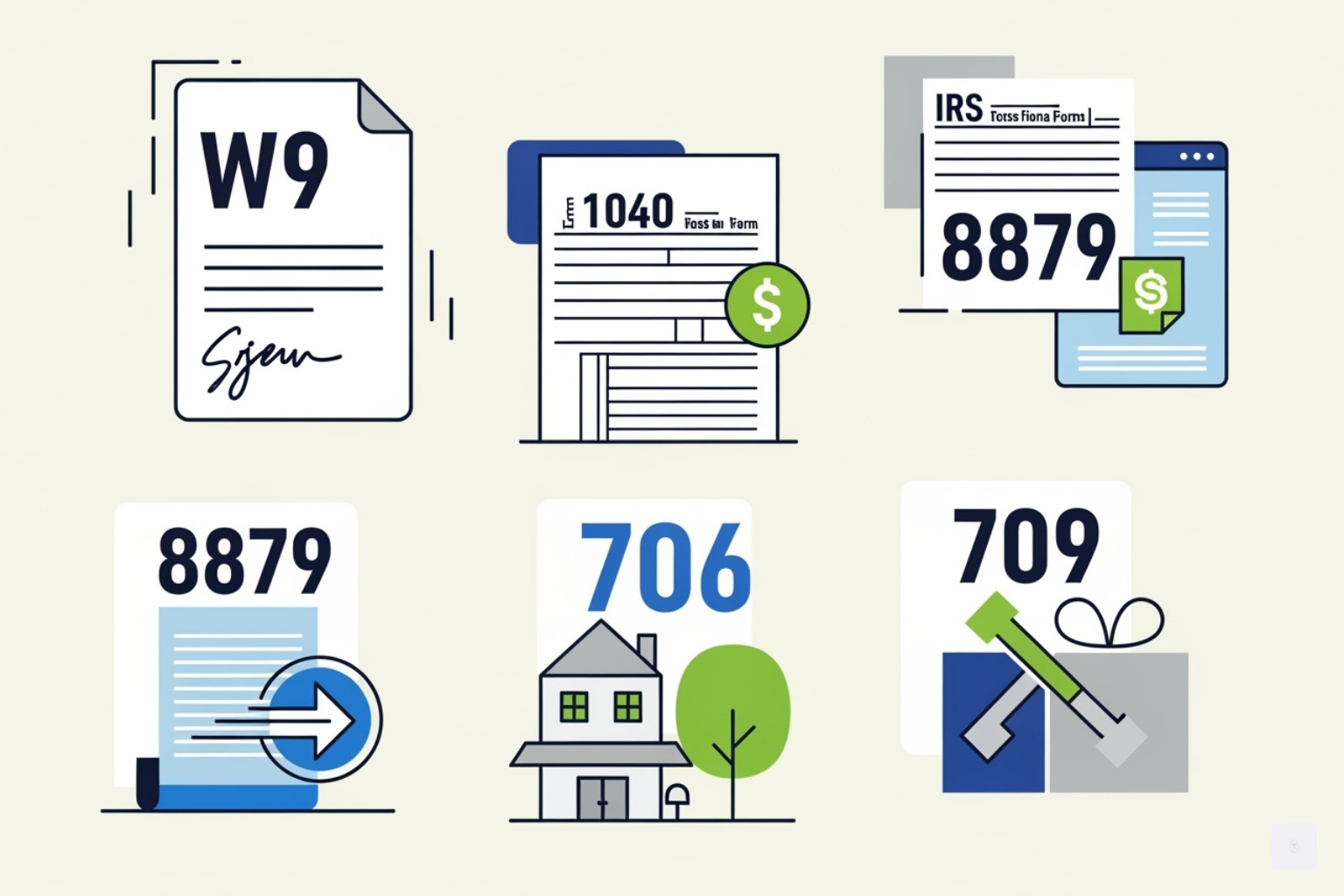
The W9 form is eligible for e-signature, a major convenience for freelancers and businesses. Beyond the W9, the IRS permits e-signatures on a growing list of forms, including:
- Form 1040 and related individual income tax forms.
- Form 8879 (IRS e-file Signature Authorization).
- Form 706 (U.S. Estate Tax Return) and Form 709 (U.S. Gift Tax Return).
- Various excise and corporate tax forms, such as Form 11-C and Form 637.
Always check the latest IRS guidance for a specific form, as some may still require a handwritten signature. For a comprehensive list, refer to the Details on using e-signatures for certain forms – IRS page.
E-File Authorization: Form 8879 and the Role of the ERO
Form 8879, “IRS e-file Signature Authorization,” is used when a tax preparer, or Electronic Return Originator (ERO), files a return on your behalf. This form documents your review and authorization for the ERO to submit your return electronically.
EROs have significant responsibilities, including using software with identity verification and maintaining tamper-proof records of signed forms for 3 years. If remote identity verification fails, the ERO must obtain a handwritten signature.
A Guide to an IRS Compliant E-Signature for Paper-Filed Forms
Even some forms that cannot be e-filed can still be signed electronically before being submitted on paper. This policy, now part of IRM 10.10.1, applies to a range of documents, including the W9, Form 706 (Estate Tax), Form 709 (Gift Tax), and various corporate and excise tax forms. It is crucial to review the specific instructions for any form to confirm e-signature acceptance. If a form is not explicitly listed, a handwritten signature is generally required.
Special Cases: The IVES Program and Form 4506-C
The Income Verification Express Services (IVES) program allows authorized users like lenders to quickly obtain tax transcripts. This program has specific e-signature requirements for Form 4506-C, “IVES Request for Transcript of Tax Return.”
To be IRS compliant, the e-signature process for Form 4506-C must include robust authentication (like KBA or 2FA), explicit signer consent, and industry-standard encryption. A comprehensive audit log and the signed form must be retained for at least 2 years. You can learn more on the How to get started using IVES electronic signature | IRS page.
Benefits and Best Practices for Taxpayers and Professionals
Switching to an IRS compliant e-signature for your W9 form saves time, reduces errors, and boosts security. If you’re still using paper, you’re missing out on key efficiencies.
Think of the old process: find the form, print it, fill it out, scan it, and email it back. This can take days and introduces risks. A digital solution is faster and safer.
Don’t waste time with paper forms — complete your secure W9 online at https://fillablew9.com/apply/.
The Advantages of Adopting an IRS Compliant E-Signature
Adopting e-signatures for W9 forms offers significant benefits:
- Faster Processing: Complete and return a W9 in minutes, not days. This speeds up onboarding and helps you get paid faster.
- Reduced Costs and Errors: Eliminate expenses for paper, ink, and postage. Digital forms with built-in validation prevent common mistakes and illegible handwriting.
- Improved Security: Unlike paper, an IRS compliant e-signature includes encryption, audit trails, and identity verification, making it far more secure and harder to forge.
- Remote Accessibility: Sign and send documents from anywhere, on any device. No printer or scanner needed.
- Environmentally Friendly: Reduce paper consumption and align your business with sustainable practices.
By using platforms like Fillable W9, you get a solution that’s efficient, secure, and fully compliant with IRS requirements.
Best Practices for Securely Signing W9 Forms Online
Follow these best practices to ensure a secure and compliant e-signature process for your W9:
- Use a Trusted Platform: Choose a service like Fillable W9 that is specifically designed for IRS compliance and secure handling of sensitive tax information.
- Verify Your Tax Professional: If working with an Electronic Return Originator (ERO), confirm they use IRS-compliant software and security protocols.
- Secure Your Credentials: Protect your PIN or password like you would for online banking. Use strong, unique passwords and never share them.
- Review Your W9 Carefully: Before signing, double-check that your name, address, and Taxpayer Identification Number (TIN) are correct to prevent future issues.
- Download and Retain Records: Always save a copy of your signed W9 and its audit trail. This documentation is your proof of signing and compliance.
Frequently Asked Questions about IRS E-Signatures for W9
Here are answers to common questions about using an IRS compliant e-signature for W9 forms.
What happens if I fail the identity verification for an e-signature?
Most systems give you three attempts to pass knowledge-based authentication. If you fail, you will be blocked from signing that document electronically for security reasons.
You will then need to provide a handwritten (wet ink) signature. This means printing the form, signing it with a pen, and returning it via mail or fax. This fallback ensures the process remains secure even when digital verification isn’t possible.
How long do I need to keep records of my electronically signed W9 forms?
Record retention is key for compliance. The requirements vary:
- Electronic Return Originators (EROs) must keep records for 3 years.
- IVES participants (using Form 4506-C) must keep records for 2 years.
As a taxpayer signing a W9, it’s a best practice to keep all tax-related documents for at least 3 years. Your signed W9 and its audit trail, provided by Fillable W9, serve as important proof for your records.
Can I use a simple typed name as a signature on my W9?
Yes, a simple typed name is an acceptable and IRS compliant e-signature for a W9 form. The IRS explicitly allows a “typed name on a signature block” as a valid method.
However, the signature is only one part of compliance. The platform you use must also ensure the other four pillars are met: demonstrating your intent to sign, associating the signature with the form, performing identity verification, and making the final document tamper-proof.
Platforms like Fillable W9 handle these complex requirements automatically, giving you the simplicity of a typed signature with the security of full IRS compliance.
Conclusion: Streamline Your W9 Compliance Today
The IRS has fully acceptd the digital age, making the IRS compliant e-signature a permanent and secure option for the W9 form. This shift makes tax compliance faster and easier for everyone.
For freelancers, small businesses, and tax professionals, using e-signatures is now a modern necessity. The benefits are clear: faster processing, improved security, and the flexibility to manage tax forms from anywhere. By choosing a trusted platform like Fillable W9, you ensure every W9 you complete adheres to the highest IRS standards, giving you peace of mind.
✅ Ready to complete your W9 in minutes? Apply here now.