
Why 990 E-File is the Future of Tax Compliance for Nonprofits

990 e file is the electronic submission of IRS Form 990 series returns for tax-exempt organizations. Here’s what you need to know:
- What it is: Electronic filing of annual information returns (Forms 990, 990-EZ, 990-N, 990-PF, 990-T) required for nonprofits and tax-exempt organizations
- Who needs it: Tax-exempt organizations, private foundations, political organizations, and entities with unrelated business income
- Why it matters: The Taxpayer First Act of 2019 made e-filing mandatory for most Form 990 series returns for tax years beginning after July 1, 2019
- Key deadline: The 15th day of the 5th month after your tax year ends (May 15 for calendar-year filers)
- Major benefit: Faster processing, instant IRS confirmation, reduced errors, and automatic compliance tracking
The days of paper-based nonprofit tax returns are over. Since 2019, the IRS has required most tax-exempt organizations to electronically file their Form 990 series returns. This shift isn’t just about modernization—it’s about accuracy, transparency, and keeping your tax-exempt status intact.
If you’re a nonprofit, private foundation, or small business that collects contractor information through W9 forms, understanding the 990 e file process is essential. Filing late or incorrectly can result in penalties ranging from $20 to $120 per day. Fail to file for three consecutive years, and the IRS will automatically revoke your tax-exempt status.
But here’s the good news: e-filing doesn’t have to be complicated or expensive. With the right tools and guidance, you can complete your Form 990 series returns quickly, securely, and with confidence. And for freelancers and contractors working with these organizations, having a secure, fillable W9 form ready to share is equally important for compliance.
Start filling your W9 now at https://fillablew9.com/apply.
I’m Haiko de Poel, and I’ve helped countless businesses and nonprofits streamline their compliance processes through digital change and strategic marketing solutions. My experience with 990 e file systems and tax compliance platforms has shown me that the right tools can turn a stressful annual requirement into a simple, straightforward process.
Essential 990 e file terms:
Why 990 E-File and Fillable W9 Are Crucial for Your Organization
990 e-filing isn’t just a suggestion; it’s a critical component of maintaining your organization’s tax-exempt status and ensuring public transparency. The IRS requires most tax-exempt organizations to file annual information returns, known as the Form 990 series. This series provides the IRS and the public with crucial financial and operational information about tax-exempt entities. For us, this means demonstrating our commitment to our mission and accountability to our donors and the community we serve.

The importance of 990 e file for tax-exempt organizations cannot be overstated. It ensures that we meet our annual reporting requirements efficiently and accurately. By doing so, we safeguard our tax-exempt status, which is fundamental to our operations and our ability to receive tax-deductible donations.
Beyond mere compliance, e-filing offers significant benefits compared to traditional paper filing:
- Faster Processing: Electronic returns are processed much quicker than paper ones, reducing delays and allowing the IRS to provide faster acknowledgments.
- Reduced Errors: E-filing software often includes built-in error checks and verification routines, catching common mistakes before submission. This minimizes the risk of rejections and ensures accuracy.
- Instant Confirmation: We receive immediate confirmation from the IRS that our return has been received, providing peace of mind and proof of timely submission.
- Improved Record-Keeping: Digital copies of our filed returns are easily accessible and stored securely, simplifying future reference and audits.
- Improved Transparency: E-filed returns are typically made public more quickly, allowing our stakeholders to view our financial information and operations, fostering trust and accountability.
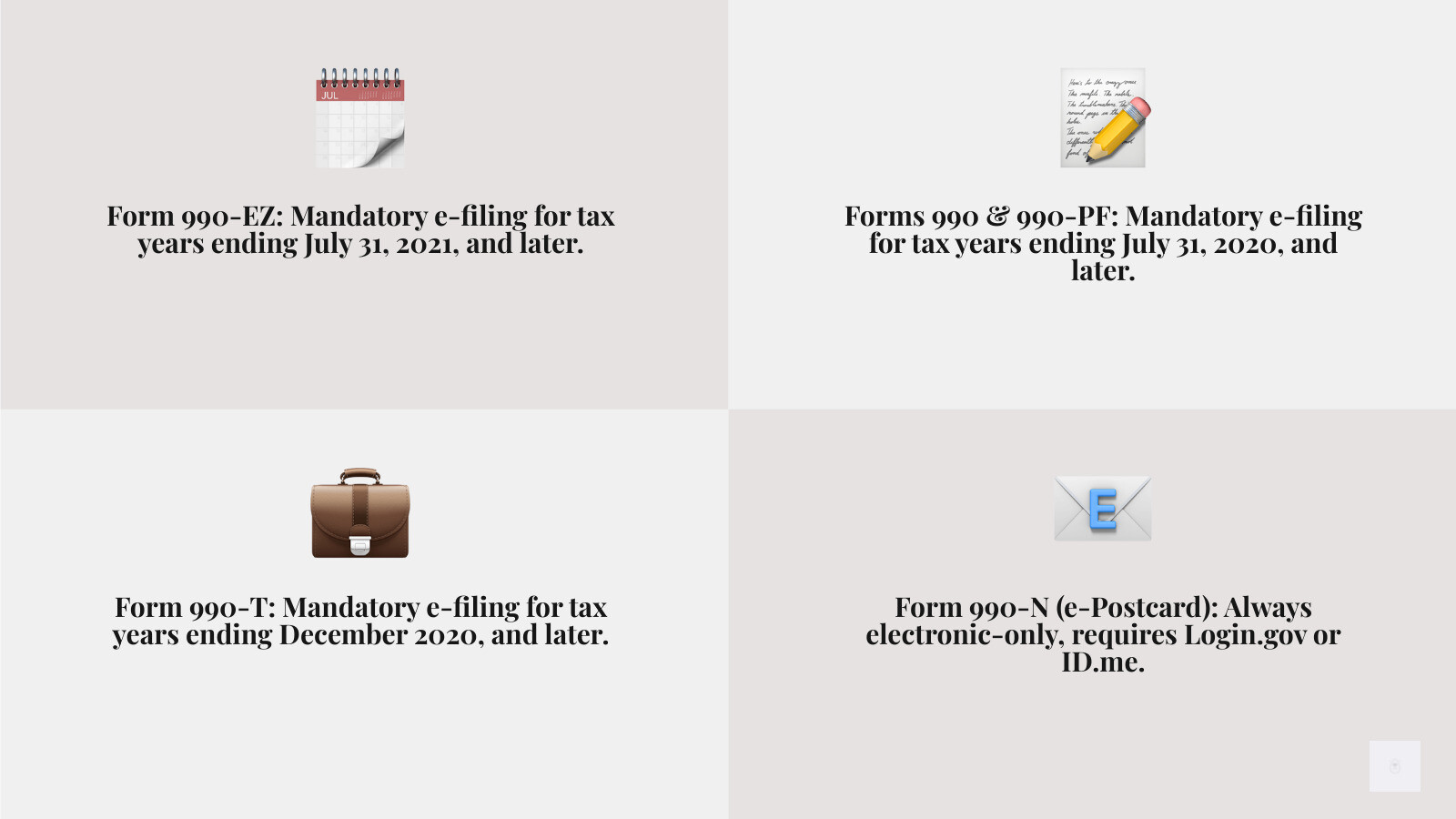
Recent legislative changes, particularly the Taxpayer First Act of 2019, have solidified the requirement for electronic filing. This act mandates that most Forms 990, 990-EZ, 990-PF, and 990-T for tax years beginning after July 1, 2019, must be filed electronically. This means paper filing is no longer an option for many organizations. Even for smaller entities, Form 990-N (the e-Postcard) has always been an electronic-only submission.
For organizations that work with freelancers, independent contractors, or vendors, managing W9 forms is another critical aspect of compliance. Just as 990 e file streamlines our annual reporting, using a platform like Fillable W9 can significantly simplify the process of collecting, managing, and storing W9 forms. This ensures we have the necessary taxpayer identification information for accurate 1099 reporting come tax season, further streamlining our overall compliance efforts.
Which Form 990 Should You File? A Breakdown of the Series
Choosing the correct Form 990 is the first crucial step in our annual compliance journey. The IRS has different versions of the form custom to organizations of varying sizes and types. Selecting the wrong form can lead to delays or penalties. Let’s break down the different types of Form 990 and who needs to file each.

The primary factors determining which form we file are our organization’s annual gross receipts and total assets.
Form 990-N (The e-Postcard)
This is the simplest form in the series, often referred to as the “e-Postcard.”
- Who needs to file: Most small tax-exempt organizations with annual gross receipts normally $50,000 or less. This includes organizations in existence for 1 year or less with gross receipts or pledges of $75,000 or less, or those between 1-3 years old that averaged $60,000 or less in the first two years, or those at least 3 years old that averaged $50,000 or less for the preceding 3 years.
- Key features: It’s a short, electronic-only notice. There are no paper forms for 990-N.
- How to file: It’s submitted electronically through the IRS’s e-Postcard system, and we’ll need a Login.gov or ID.me account to access it.
- Deadline: Form 990-N is due every year by the 15th day of the 5th month after the close of our tax year.
- For more information, we can visit the IRS’s dedicated page for Submitting Form 990-N (e-Postcard) or learn about the Annual electronic filing requirement for small exempt organizations.
Form 990-EZ (The Short Form)
This form is for mid-sized organizations, offering a simplified alternative to the full Form 990.
- Who needs to file: Tax-exempt organizations, nonexempt charitable trusts, and section 527 political organizations whose gross receipts are less than $200,000 and total assets are less than $500,000 for the tax year.
- Key features: It’s a shorter version of the full Form 990 but requires more detail than the 990-N. It can include up to 8 schedules depending on our activities.
- Mandatory e-filing: For tax years ending on or after July 31, 2021, Form 990-EZ must be filed electronically.
- If we need to file this form, we can use an authorized e-file provider to prepare and submit Form 990-EZ with confidence and peace of mind.
Form 990 (The Long Form)
This is the most comprehensive form, typically filed by larger organizations.
- Who needs to file: Tax-exempt organizations, nonexempt charitable trusts, and section 527 political organizations with gross receipts of $200,000 or more, or total assets of $500,000 or more.
- Key features: It provides extensive financial data, information on governance, compensation of officers, directors, trustees, and key employees, and details on program service accomplishments.
- Mandatory e-filing: For tax years ending July 31, 2020, and later, Form 990 must be filed electronically.
- For detailed instructions, we can refer to the IRS or use authorized software that assists us to file Form 990.
Other Key Forms: 990-PF and 990-T
Beyond the main 990 series, two other forms are crucial for specific types of exempt organizations:
- Form 990-PF, Return of Private Foundation or Section 4947(a)(1) Trust Treated as Private Foundation: This form is specifically for private foundations. Like the Form 990, it must be filed electronically for tax years ending July 31, 2020, and later.
- Form 990-T, Exempt Organization Business Income Tax Return: This form is required if our organization has $1,000 or more in gross income from an unrelated trade or business (Unrelated Business Income Tax or UBIT). For tax years ending December 2020 and later, with a due date on or after April 15, 2021, Form 990-T must be filed electronically.
- If our organization has unrelated business income, we can find more information on Form 990-T and its e-filing requirements from the IRS or through an authorized e-file provider.
Here’s a quick comparison table:
| Form Type | Gross Receipts | Total Assets | E-filing Requirement |
|---|---|---|---|
| 990-N | Normally $50,000 or less | N/A | Mandatory Electronic Only |
| 990-EZ | Less than $200,000 | Less than $500,000 | Mandatory Electronic (since TY ending 7/31/2021) |
| 990 | $200,000 or more | $500,000 or more | Mandatory Electronic (since TY ending 7/31/2020) |
| 990-PF | N/A | N/A | Mandatory Electronic (since TY ending 7/31/2020) |
| 990-T | N/A (requires $1,000+ UBIT) | N/A | Mandatory Electronic (since TY ending 12/2020) |
Don’t waste time with paper forms — complete your secure W9 online at https://fillablew9.com/apply.
Navigating the 990 E-File and Fillable W9 Process Step-by-Step
The thought of navigating tax forms can be daunting, but with 990 e file, the process is surprisingly streamlined. We’ve broken it down into manageable steps to ensure a smooth and compliant filing experience for your organization.

Step 1: Choose a Secure, User-Friendly E-File Solution
The IRS does not provide its own software for filing the Form 990 series (except for 990-N). Instead, we must use an IRS-authorized e-file provider. These providers offer software specifically designed to facilitate electronic submissions.
- What to look for: We recommend choosing a platform that prioritizes data security, offers step-by-step guidance, and provides instant confirmation of successful transmission. Features like verification routines, embedded IRS instructions, support for various schedules, and the ability to import data are invaluable.
- Why it matters: Using a reputable provider ensures our data is protected and our return meets IRS specifications. These platforms are often “Authorized IRS Form 990/990-EZ e-file providers” and have been serving nonprofits for years.
- We can find a list of IRS-authorized e-file providers for charities and nonprofits on the IRS website. Many providers offer a commitment to acceptance and extensive support resources, including knowledge bases and help videos.
Step 2: Gather Your Information and Complete the Form
Once we’ve chosen our e-file solution, the next step is to input our organization’s information. This is where meticulous record-keeping pays off!
- Required Information Checklist:
- Our organization’s Employer Identification Number (EIN)
- The specific tax year we are filing for
- Comprehensive financial statements (Statement of Revenue, Statement of Expenses, Balance Sheet)
- A list of our officers, directors, trustees, and key employees, including their compensation
- Details of our program service accomplishments
- Any other relevant information, such as details from W9 forms collected from contractors, which ensures our 1099 reporting will be accurate.
- Data Entry Options: Most modern e-file software offers various ways to input data:
- Form-based entry: Directly typing into digital versions of the IRS forms.
- Interview-style questions: A guided Q&A process that simplifies data input.
- Data import: The ability to import data from prior year returns or even from spreadsheets (e.g., MS Excel data for tables).
- Internal Audit Checks: A great feature of e-file software is the built-in error checking. This “internal audit check” system flags potential issues or missing information, helping us catch mistakes before submission. The software also automatically includes any required schedules (e.g., Form 990 Schedules A through R) based on the information we enter.
Step 3: Review, Approve, and Submit Your Return
Before hitting that “submit” button, a thorough review is essential.
- Review Process: We should carefully review all entered data for accuracy and completeness. Many platforms allow us to generate a PDF image of our filing for easy review.
- Some platforms even allow us to review the form before transmitting it to the IRS.
- Approval (if applicable): If our organization has a board or other oversight body, we may need to share the return for their approval before final submission. Some software solutions offer features for managing additional users and sharing returns for approval.
- Transmission: Once approved and verified, we transmit the return to the IRS. We will receive an instant acknowledgment from the IRS that our return has been successfully received, often within minutes.
- Record-Keeping: After successful submission, we can download and save our completed return and the IRS acceptance confirmation for our records. For any W9 forms we’ve collected, keeping digital copies organized is equally important for compliance.
Deadlines, Extensions, and Penalties: Staying Compliant
Compliance is key for tax-exempt organizations, and that includes meeting filing deadlines. Missing a deadline can lead to penalties and, in severe cases, the loss of our tax-exempt status.
The general deadline for filing Form 990 series returns is the 15th day of the 5th month following the close of our organization’s tax year. For organizations operating on a calendar tax year (January 1 to December 31), this means our deadline is typically May 15th. If our organization operates on a fiscal year, we’ll need to calculate the 15th day of the 5th month after our fiscal year-end.
How to Get a Filing Extension
Life happens, and sometimes we need more time to prepare our return. The good news is that the IRS makes it relatively easy to get an extension for Form 990 series returns.
- Form 8868: We can request an automatic 6-month extension by filing Form 8868, Application for Extension of Time To File an Exempt Organization Return, on or before our original filing deadline.
- Automatic and No Explanation Needed: This extension is automatic, meaning we don’t need to provide a reason or explanation to the IRS. Simply file the form, and we’ll receive an additional six months. For calendar-year filers, this pushes the deadline from May 15th to November 15th.
- Many e-filing software providers offer complimentary extension requests as part of their service, making this process even simpler.
The Cost of Non-Compliance: Penalties and Revocation
Ignoring our filing responsibilities can have serious consequences for our organization.
- Late Filing Penalties: If we fail to file our Form 990 series return on time without an approved extension, the IRS will impose penalties. The amount of the penalty varies based on our organization’s gross receipts, ranging between $20 per day and $120 per day for each day the return is late.
- We can learn more about Form 990 late filing penalties from the IRS to understand the potential financial impact.
- Automatic Revocation: This is the most severe penalty. If our organization fails to file its required Form 990 (or 990-EZ or 990-N) for three consecutive years, the IRS will automatically revoke our tax-exempt status. This means we would lose our ability to receive tax-deductible contributions, and our income could become taxable. Reinstating tax-exempt status after revocation is a complex and often costly process.
- To avoid this dire consequence, it’s crucial to understand the rules around automatic revocation of tax-exempt status and prioritize timely filing.
E-filing plays a critical role in helping organizations maintain their tax-exempt status. By providing instant confirmation of receipt and built-in error checks, e-filing minimizes the chances of missed deadlines or rejected returns due to avoidable errors. This proactive approach to compliance is invaluable for our organization’s long-term health and mission.
After You File: Amendments, Support, and Resources
Even with the best intentions and careful preparation, sometimes mistakes happen or new information comes to light after a return has been filed. Thankfully, the IRS provides a process for amending previously filed returns.
Amending a Return
If we find an error on a previously filed Form 990 series return that has already been accepted by the IRS, we can file an amended return.
- Correcting Errors: The process involves filing a new return with the corrected information, clearly indicating that it is an amended return. Most e-filing software solutions simplify this process. For example, if we filed our original Form 990 with a particular software, it might automatically populate the amended form with our original data, allowing us to simply update the incorrect fields.
- No-Cost Amendments: Many e-file providers offer “no-cost amendments” for returns originally filed through their service. This means if we filed with them and later need to make corrections, we can do so without additional fees, often for a certain number of times.
- We can find more details on how to handle a Form 990 Amendment through our chosen e-file provider’s help resources.
Support and Resources
Even for seasoned filers, questions can arise during the 990 e file process. Access to reliable support and resources is crucial.
- IRS Resources: The IRS offers various resources, including its website, publications, and dedicated e-Help Desk for technical questions related to e-filing.
- E-File Provider Support: Most IRS-authorized e-file providers offer comprehensive customer support through multiple channels:
- Knowledge Bases and FAQs: Extensive online libraries with answers to common questions. Many providers have a detailed FAQs section.
- Help Videos: Step-by-step video tutorials that guide us through the filing process.
- Live Customer Support: Many offer phone, email, and chat support to assist with technical issues or questions about the software.
- Blogs and Guides: Informative articles and guides on tax compliance topics, deadlines, and form-specific instructions.
These resources are designed to help us steer the complexities of tax filing with confidence, ensuring we can complete our 990 e file accurately and efficiently.
Frequently Asked Questions about 990 E-File and Fillable W9
We understand that e-filing can bring up many questions. Here are some of the most common ones we encounter:
Is it mandatory to e-file Form 990?
Yes, for most organizations, it is mandatory. The Taxpayer First Act, enacted on July 1, 2019, fundamentally changed how tax-exempt organizations file their returns. This legislation requires electronic filing for Forms 990, 990-EZ, 990-PF, and 990-T for tax years beginning after July 1, 2019. For Form 990-N (e-Postcard), electronic filing has always been the only option. So, unless your organization qualifies for a very specific waiver, we must use 990 e file.
What happens if my 990 e-file return is rejected?
It’s not the end of the world! If our 990 e file return is rejected by the IRS, we will typically receive a notification detailing the reason for the rejection. Common reasons include incorrect EINs, mismatched names, or formatting errors. The good news is that most e-filing platforms allow us to correct the issues and re-transmit the return for free. It’s crucial to address the rejection promptly to avoid any late-filing penalties. Many providers pride themselves on their ability to help us re-transmit for free and ensure acceptance.
How far back can I e-file a 990 return?
Generally, electronic filing is available for the current tax year and two prior tax periods. However, it’s important to note recent IRS policy changes: as of December 26, 2023, the IRS no longer accepts electronically filed returns for years 2020 and older. If we need to file a return for a tax year older than the current year minus two, we will likely need to paper-file it, often with a specific note indicating that electronic filing is no longer accepted for that year. Always check the latest IRS guidelines or our e-file provider for the most up-to-date information.
How do I fill out a W9 form for freelancers or small businesses?
For freelancers and small businesses, preparing a W9 form is usually straightforward, especially when using an online, fillable W9 solution. We simply need to provide our taxpayer identification information (Social Security Number or Employer Identification Number), name, business name (if applicable), and address. Using a secure platform like Fillable W9 allows us to easily fill out the form, generate a PDF, and securely share it with clients or organizations that request it. This ensures we provide accurate information quickly and maintain our own compliance for 1099 reporting.
Conclusion: Simplify Your Nonprofit or Business Compliance Today
The shift to 990 e file is more than just a regulatory change; it’s an opportunity for our nonprofit or business to accept efficiency, accuracy, and transparency in our financial reporting. By leveraging user-friendly e-filing software, we can transform a potentially complex annual task into a straightforward process.
The benefits are clear: faster processing, fewer errors, instant IRS confirmation, and, most importantly, the peace of mind that comes from knowing our organization is fully compliant and maintaining its vital tax-exempt status. From the smallest organizations filing Form 990-N to larger entities handling Form 990 and 990-PF, electronic filing is the standard.
And as we manage our own organization’s compliance, let’s not forget the importance of efficient W9 management, especially for those working with independent contractors. A secure, fillable W9 solution ensures that we, and those we work with, have the necessary information for accurate tax reporting.
Let’s accept these modern solutions to streamline our operations and focus on what truly matters: achieving our mission and serving our community.
✅ Ready to complete your W9 in minutes? Apply here now.