
Why Knowing How to Fill Out a W9 for Work Matters

How to fill out a w9 for work is one of the most common questions freelancers, independent contractors, and small business owners ask when starting a new client relationship. The W-9 form–officially called the Request for Taxpayer Identification Number and Certification–is how you provide your tax information to clients who will pay you $600 or more during the year. They use your W-9 to report your income to the IRS on a 1099 form.
Quick Answer: How to Fill Out a W9 for Work
- Download the latest W-9 form from IRS.gov
- Enter your name (Line 1) as it appears on your tax return
- Add your business name (Line 2) if different from Line 1
- Select your tax classification (Line 3a): Individual, LLC, Corporation, etc.
- Fill in your address (Lines 5-6)
- Provide your TIN (Part I): Social Security Number or Employer Identification Number
- Sign and date (Part II) to certify the information is correct
- Submit to your client–never send it to the IRS
The form stays between you and the business paying you. Businesses must keep your W-9 on file for at least four years. If you refuse to provide one when required, your client may have to withhold 24% of your payments (called backup withholding) and send that money directly to the IRS.
I’m Haiko de Poel, and through my work as a fractional CMO and business consultant helping companies with digital change and compliance processes, I’ve guided countless freelancers and contractors on how to fill out a w9 for work correctly and securely. At Fillable W9, we’ve built a simple, secure platform that eliminates the confusion around this essential tax form.
Contractor completes form with name, tax classification, TIN -> Contractor signs and submits to client -> Client keeps W9 on file -> Client issues 1099 at year-end if payments exceed $600 -> IRS receives 1099 copy for tax reporting – how to fill out a w9 for work infographic ” class=”aligncenter” src=”https://images.bannerbear.com/direct/4mGpW3zwpg0ZK0AxQw/requests/000/121/942/881/ZwVbKlDe9Y8jXXem68moa3jPM/d5f633b6a370d637ddfe7c4217286fe7d0e71018.jpg” style=”display: block; margin-left: auto; margin-right: auto; max-width: 100%;” title=”Infographic showing the complete W9 workflow: Client requests W9 -> Contractor completes form with name, tax classification, TIN -> Contractor signs and submits to client -> Client keeps W9 on file -> Client issues 1099 at year-end if payments exceed $600 -> IRS receives 1099 copy for tax reporting – how to fill out a w9 for work infographic “/>
Start filling your W9 now at https://fillablew9.com/apply/
Understanding the W-9: Key Differences and Requirements
The W-9 form is more than just a piece of paper; it’s a critical tool for ensuring accurate tax reporting for both you and the businesses you work with. Let’s break down its purpose and why it’s so important.
What is the W-9 Form Used For?
The W-9 form, formally known as the “Request for Taxpayer Identification Number and Certification,” is used to obtain your correct Taxpayer Identification Number (TIN) and other certifications. This information allows the person or entity paying you (the “requester”) to accurately file information returns with the IRS. These information returns report various types of payments made to you, such as income, real estate transactions, mortgage interest, and even cancellation of debt. Without a W-9, the payer cannot properly fulfill their IRS reporting obligations.
Why is it Important for Freelancers and Contractors?
As a freelancer, independent contractor, or small business owner, you’re responsible for your own taxes. When a client pays you for services, they need your W-9 to ensure they can properly report that payment to the IRS. If they pay you $600 or more in a calendar year, they are generally required to issue you a Form 1099 (such as a Form 1099-NEC for non-employee compensation or Form 1099-MISC for other miscellaneous income). Your W-9 provides the necessary data for them to do this correctly.

Who Needs to Fill Out a W-9?
Generally, any U.S. person (including a resident alien) who is required to provide their correct TIN to another person who must file an information return with the IRS needs to fill out a W-9. This includes:
- Independent contractors and freelancers: Those providing services without being considered an employee.
- Small businesses: Sole proprietors, LLCs, partnerships, or corporations receiving payments.
- Individuals receiving specific types of income: Such as rents, royalties, interest, dividends, or proceeds from real estate transactions.
When is a W-9 Required?
A W-9 is typically required when a business or individual expects to pay you $600 or more in a calendar year for services, rents, royalties, or other reportable payments. However, even if the amount is less than $600, a client might still request a W-9 as a best practice or if they anticipate exceeding that threshold. Financial institutions will also request a W-9 when you open certain accounts that generate reportable income like interest or dividends.
How Businesses Use Your W-9 Information
Once you provide a completed W-9, the requesting business keeps it on file. They do not send it to the IRS. Instead, they use the information you provided–your name, business name, address, and TIN–to:
- Prepare Form 1099-NEC or other 1099 forms: To report the total amount they paid you to the IRS.
- Avoid backup withholding: A correct W-9 certifies that you are not subject to backup withholding, preventing the business from having to withhold a percentage of your payments.
- Comply with IRS regulations: Proper documentation ensures they meet their tax obligations.
W-9 vs. W-4 vs. 1099: Understanding the Differences
These forms are all part of the U.S. tax system, but they serve distinct purposes. Here’s a quick overview:
| Feature | Form W-9 | Form W-4 | Form 1099 |
|---|---|---|---|
| Purpose | Collects TIN and certifications from non-employees | Collects employee withholding preferences | Reports income paid to non-employees/others |
| Who Fills Out | Independent contractors, freelancers, vendors | Employees | Payer (business) |
| Who Receives | Payer (business) | Employer | Recipient of income (you) and the IRS |
| Key Info | Name, TIN, address, tax classification | Name, SSN, marital status, withholding allowances | Payer info, recipient info, type and amount of income |
| Why It’s Used | Enables payer to issue 1099s | Determines federal income tax withheld from wages | Informs IRS of non-employee income for tax purposes |
Start filling your W9 now at https://fillablew9.com/apply/
How to Fill Out a W-9 for Work: A Step-by-Step Guide
Filling out a W-9 can seem daunting, but we’re here to make it simple. Follow these steps to ensure your form is accurate and compliant.

Step 1: Download the Official W-9 and Note Recent Changes
Always start with the most current version of the form. We recommend downloading directly from the IRS website. It’s a one-page form with several pages of IRS instructions.
Important Update: The IRS released a revised Form W-9 in March 2024. This revision included updates intended to improve clarity and compliance, particularly concerning Limited Liability Company (LLC) classifications and foreign partner reporting. We’ll highlight these changes as we go.
Step 2: Name and Business Information (Lines 1 & 2)
- Line 1: Enter your full legal name. This should be the name that appears on your income tax return. For individuals or sole proprietors, this is your personal legal name.
- Line 2: Business name/DBA (if different). If you operate under a business name, trade name, or “doing business as” (DBA) name that is different from your legal name on Line 1, enter it here. For sole proprietors, you’ll still use your individual name on Line 1, and your DBA on Line 2. If you are a single-member LLC that is a disregarded entity, your name (the owner’s name) goes on Line 1, and the LLC’s business name goes on Line 2.
Step 3: Select Your Federal Tax Classification (Lines 3a & 3b)
This section asks you to indicate how you are classified for federal tax purposes. Check only one box that applies to you or your entity.
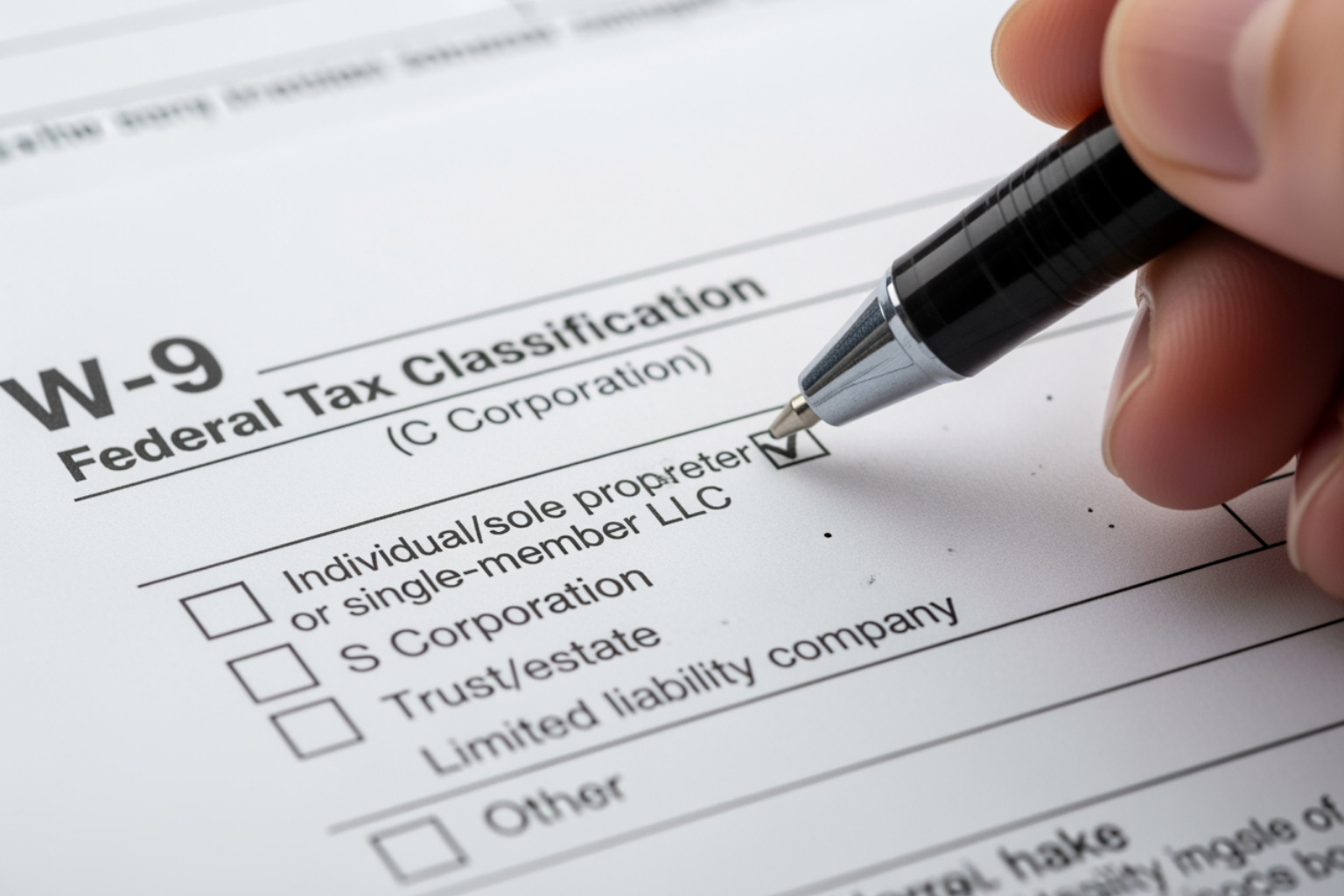
- Line 3a: Federal Tax Classification.
- Individual/sole proprietor or single-member LLC: Most freelancers and independent contractors will check this box. If you are a single-member LLC, you are typically considered a “disregarded entity” by the IRS, meaning your business income is reported on your personal tax return.
- C Corporation (C), S Corporation (S), Partnership (P), Trust/estate (T): If your business is structured as one of these entities, check the corresponding box.
- Limited liability company (LLC): If you are an LLC, you must enter the tax classification of the LLC (C=C corporation, S=S corporation, or P=Partnership). An LLC can elect to be taxed as a C corp, S corp, or partnership. If you are a single-member LLC that is a disregarded entity, you would check “Individual/sole proprietor or single-member LLC” unless you have elected to be taxed as a corporation.
- Line 3b: New for March 2024. This line is for specific situations. If you are a Partnership, Trust/Estate, or an LLC taxed as a Partnership, AND you are providing this form to a partnership, trust, or estate where you have an ownership interest, AND you have foreign partners, owners, or beneficiaries, then you would check this box. This helps the requesting entity meet new reporting requirements related to foreign partners. For most individual freelancers or small businesses, you will likely leave this blank.
Step 4: Complete Exemptions and Address Details (Lines 4, 5, & 6)
- Line 4: Exemptions. Most individuals and small businesses will leave this line blank. It’s primarily for entities that are exempt from backup withholding or Foreign Account Tax Compliance Act (FATCA) reporting. If you’re unsure whether exemptions apply to you, consult with a tax professional.
- Lines 5 & 6: Mailing Address. Enter your complete mailing address. This is where you will receive your tax forms, such as Form 1099-NEC or Form 1099-MISC, at the end of the year. Make sure it’s accurate and up-to-date.
Step 5: Provide Your TIN and Certify the Form (Part I & Part II)
- Part I: Taxpayer Identification Number (TIN). This is crucial. Your TIN is how the IRS identifies you for tax purposes.
- Social Security Number (SSN): If you are an individual, sole proprietor, or single-member LLC (disregarded entity), you will typically enter your SSN here.
- Employer Identification Number (EIN): If you operate as a corporation, partnership, or an LLC that is taxed as a corporation or partnership, you will enter your EIN. If you are a sole proprietor but have an EIN, you can use either, but the IRS generally prefers your SSN for sole proprietorships.
- Individual Taxpayer Identification Number (ITIN): If you are a resident alien and do not have an SSN, you may have an ITIN.
- If you’ve applied for a TIN but don’t have it yet, you can write “Applied For” in the space, but you generally have 60 days to provide the actual TIN before backup withholding applies to certain payments.
- Part II: Certification. By signing and dating this section, you are certifying, under penalties of perjury, that:
- The TIN you provided is correct.
- You are not subject to backup withholding (or are exempt).
- You are a U.S. citizen or other U.S. person.
- The FATCA code entered (if any) is correct.
- Sign and date: A W-9 without a signature is invalid. Ensure you sign and date the form before submitting it.
Don’t waste time with paper forms — complete your secure W9 online at https://fillablew9.com/apply/
Avoiding Common Pitfalls: W-9 Security, Mistakes, and Corrections
Even with a clear understanding of how to fill out a w9 for work, errors can happen, and security is paramount. Let’s look at how to protect your sensitive information and what to do if things go wrong.
How to Securely Submit Your W-9 Form
Your W-9 contains sensitive personal information like your Social Security Number or Employer Identification Number. Protecting this data is critical to prevent identity theft.
- Use secure online portals: Many businesses use secure platforms for document exchange. If your client offers one, use it.
- Encrypted email: If you must email the form, save it as a password-protected PDF and send the password in a separate communication (e.g., a text message or a separate email).
- Avoid public Wi-Fi: Never transmit sensitive documents over unsecured public Wi-Fi networks.
- Electronic signature options: Platforms like Fillable W9 provide secure electronic signature capabilities, making the process both compliant and safe. A professional organization will appreciate your diligence rather than being offended by it when you ask about their data protection policies.
Common Mistakes to Avoid When Filling Out a W-9
Even small errors can lead to big headaches. Here are some common missteps:
- Entering an incorrect TIN: This is perhaps the most critical mistake. An incorrect TIN can lead to backup withholding or delays in payment.
- Selecting the wrong tax classification: Checking the wrong box for your business structure can cause issues with how your income is reported.
- Forgetting to sign and date: An unsigned W-9 is invalid, and the requester cannot use it.
- Sending the form to the IRS: The W-9 stays between you and the business requesting it. The IRS doesn’t want or need your W-9 form.
- Mismatched names and TINs: The name on Line 1 must exactly match the name associated with the TIN you provide in Part I. Discrepancies can trigger IRS notices.
What Happens if I Don’t Fill Out a W-9 or Provide the Wrong TIN?
If you refuse to provide a W-9 when legally required, or if you provide an incorrect TIN, the consequences can be significant. The business requesting the form may have to implement backup withholding. This means they will withhold 24% of your payments and send that money directly to the IRS. While you might get this money back when you file your taxes, it can create cash flow problems. Additionally, clients might be hesitant to work with you if they can’t properly document payments, potentially leading to a loss of business opportunities.
How to correct a wrong TIN: If you find you’ve provided an incorrect TIN, immediately submit a new, corrected W-9 to anyone who received the incorrect form. If tax forms have already been filed with the incorrect information, you may need to work with the payer to submit corrected forms to the IRS.
Frequently Asked Questions about the W-9 Form
We encounter many questions about how to fill out a w9 for work. Here are some of the most common:
How often do I need to update my W-9 form?
You should provide an updated W-9 whenever your information changes (e.g., name, address, TIN, or tax classification). It’s also good practice to provide a new form if a business relationship restarts after being dormant, or if a client specifically requests a new one. Many businesses ask contractors to submit a new W-9 annually as a best practice to ensure their records are always current.
What is the difference between a W-9 and a W-4 form?
This is a common point of confusion!
- A W-9 form is for non-employees (like independent contractors and freelancers) to provide their Taxpayer Identification Number and certification to a business. The business uses this to report payments made to you.
- A W-4 form is for employees. You fill this out when you start a new job to tell your employer how much federal income tax to withhold from your paychecks.
The key distinction is your employment status: employee (W-4) versus non-employee/contractor (W-9).
How to fill out a W-9 for work: What is the difference between a W-9 and a 1099?
Think of them as two parts of the same process:
- The W-9 form is what you (the income recipient) fill out and give to the business that will pay you. It’s the information collection step.
- The 1099 form is what the business (the payer) fills out and sends to both you and the IRS. It’s the income reporting step, using the information from your W-9.
So, the W-9 comes first, providing the necessary data for the 1099 to be generated later.
Conclusion: Complete Your W-9 with Confidence
Understanding how to fill out a w9 for work is an essential skill for any freelancer, contractor, or small business owner. We’ve walked through the purpose of the form, who needs to complete it, and a step-by-step guide for accurate completion, including the latest IRS revisions. We’ve also highlighted crucial security measures and common mistakes to avoid.
Accuracy and security are paramount when dealing with sensitive tax information. By following these guidelines, you can ensure you provide correct information, avoid backup withholding, and maintain good standing with your clients and the IRS. At Fillable W9, we understand the complexities of tax forms and strive to simplify the process, helping you complete your W-9 online with confidence and security.
Ready to complete your W9 in minutes? Apply here now