
Why Online W9 Generators Are the Smart Choice for Freelancers and Businesses
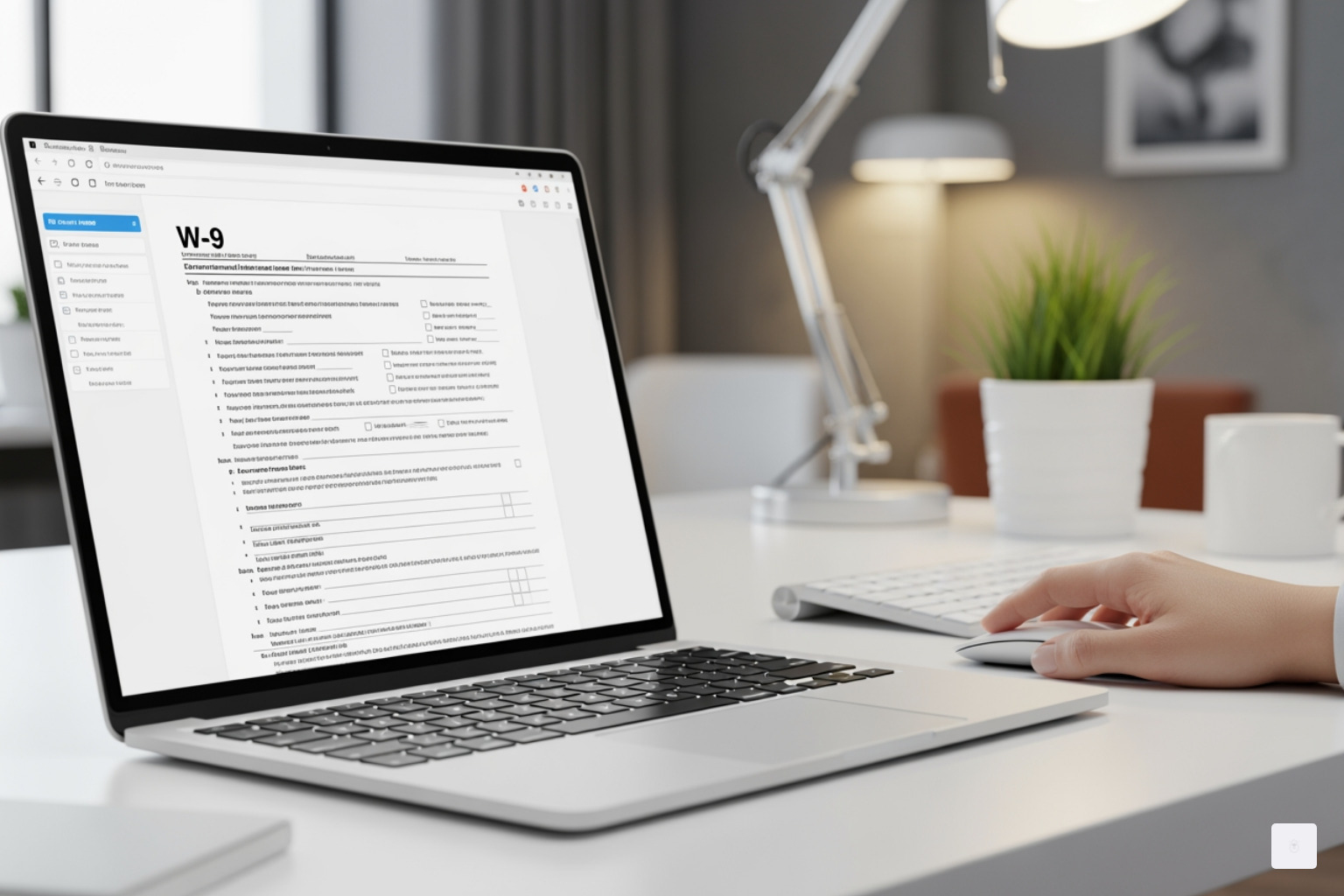
An Online W9 generator simplifies creating IRS Form W-9 by providing a secure, error-free digital solution. If you’re a freelancer, contractor, or small business owner, you’ve likely been asked for a W-9. This tax document requests your Taxpayer Identification Number (TIN) so clients can report payments to the IRS.
The problem with paper W-9s is that they are prone to errors. Illegible handwriting, incorrect TINs, and incomplete sections can lead to costly penalties and payment delays. Traditional methods are slow and risky. If you fail to provide an accurate TIN, the payer may have to withhold 24% in backup taxes from your earnings, and the IRS can impose a $50 penalty for incorrect information.
Online W9 generators solve these problems. They offer step-by-step guidance, automatic error checking, secure e-signatures, and instant PDF downloads. Instead of printing, mailing, and hoping for the best, you can complete your W-9 in minutes with confidence.
Key benefits include:
- Eliminating errors with built-in validation
- E-signing securely and sharing instantly
- Avoiding 24% backup withholding penalties
- Accessing forms from any device, anywhere
In this guide, we’ll review the benefits of online W9 generators, compare their features, and show you how to choose the best tool for your needs.
Why Switch to a Secure Online W9 Generator?
Relying on paper forms for crucial tax information is outdated and risky. For your IRS Form W-9, the benefits of using an Online W9 generator are too significant to ignore. It’s not just about convenience; it’s about accuracy, security, and avoiding tax penalties.
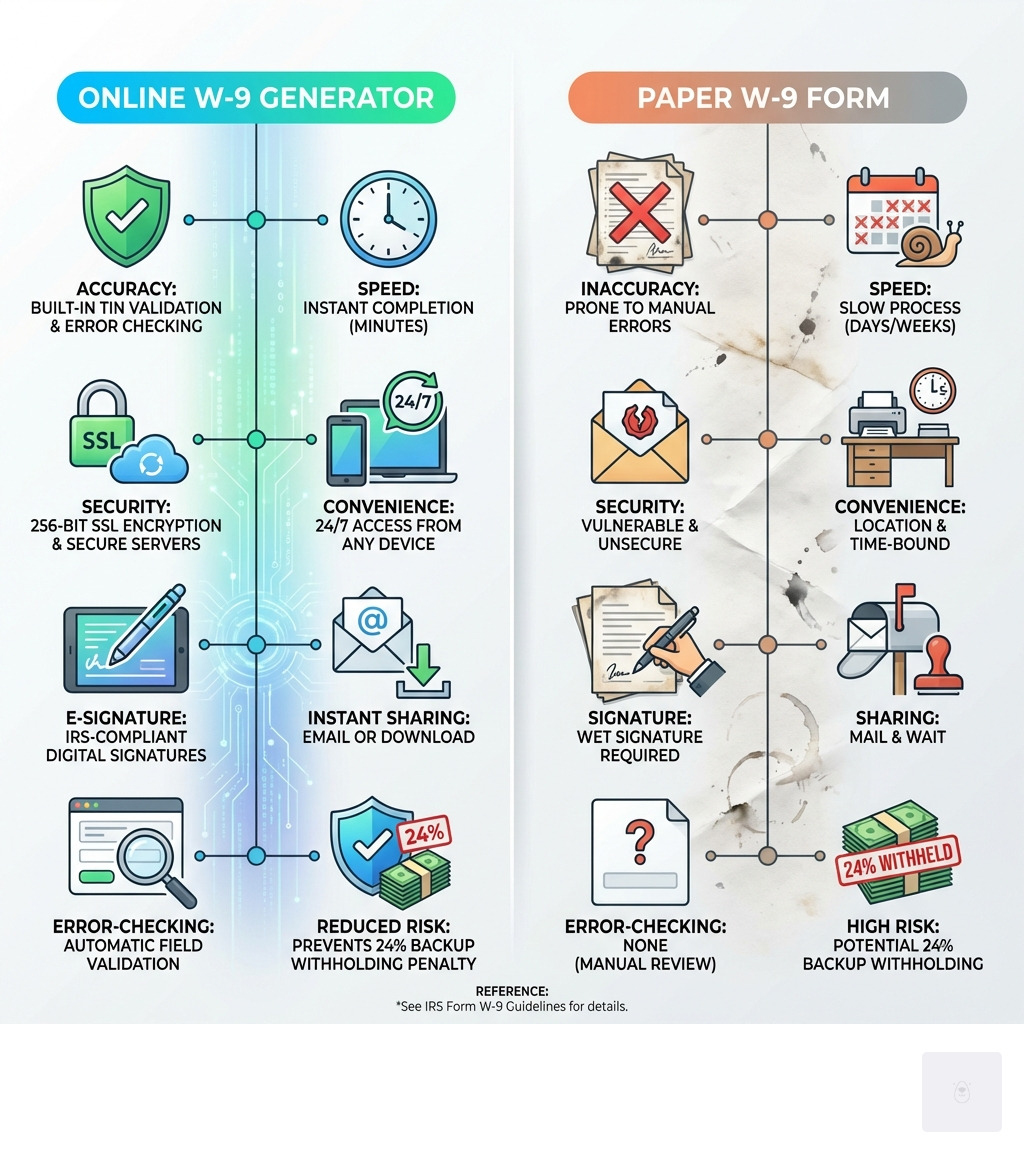
Let’s break down why switching to a digital solution is a game-changer for anyone completing or collecting W-9 forms. For more clarity, you can also learn about the Electronic W9 form and how to complete W9.
The Benefits of a Fillable W9 Online
Using an Online W9 generator transforms a tedious task into a swift, secure process.

-
Fast and Efficient Completion: Forget printing, handwriting, and scanning. With an online tool, you can fill out and generate your form in minutes, which is invaluable when a client needs it quickly to process payments.
-
Error Reduction with Built-In Checks: An incorrect Taxpayer Identification Number (TIN) or mismatched name can cause major issues. Online generators have built-in data validation to improve accuracy, reducing the chance of backup withholding and $50 IRS penalties.
-
Improved Security and Data Encryption: A W-9 contains sensitive information. Online generators use security measures like 256-bit SSL encryption to protect your data far more effectively than mail or unsecured email.
-
IRS-Compliant E-Signature: The IRS accepts e-signatures that comply with electronic signature laws. Many online generators offer secure options to sign your form digitally, saving time and hassle.
-
Easy Storage and Retrieval: After completing your W-9 online, you can download a PDF for your records. A digital copy is easy to store securely and send to other clients. The IRS recommends keeping W-9s for at least four years, and digital storage makes this effortless.
-
Mobile-Friendly Access: A good Online W9 generator is accessible from any device. This flexibility lets you complete your form whenever and wherever is most convenient.
Common Pitfalls of Paper W9 Forms
Paper W-9s are notorious for causing issues that delay payments and lead to penalties.
-
Incorrect TIN or SSN: This is the most common and costly mistake. A TIN that doesn’t match IRS records can trigger 24% backup withholding and a $50 IRS penalty.
-
Illegible Handwriting: Poor handwriting can lead to misinterpretation of your name, address, or TIN, causing errors and delays.
-
Incomplete Sections: Forgetting to fill out a critical section, like your tax classification, or failing to sign the form renders it invalid and delays payment.
-
Mismatched Names: Your legal name on the W-9 must exactly match what the IRS has on file for your TIN. Any variation can cause discrepancies.
-
Mail Delays: Sending a W-9 via postal mail is slow and risks the form getting lost. While the IRS has no official deadline, businesses require the form before issuing payment.
-
No Digital Record Keeping: With paper forms, tracking submissions is difficult. Without a digital copy, it’s hard to verify details or resubmit if needed.
Start filling your W9 now at https://fillablew9.com/apply.
Fillable W9: The Best Online W9 Generator for Freelancers & Businesses
When choosing an Online W9 generator, you need an efficient, secure, and reliable solution. That’s where Fillable W9 shines, offering a top-tier service for freelancers, contractors, and businesses across the United States, including Texas. We are committed to making your tax compliance simple and stress-free.
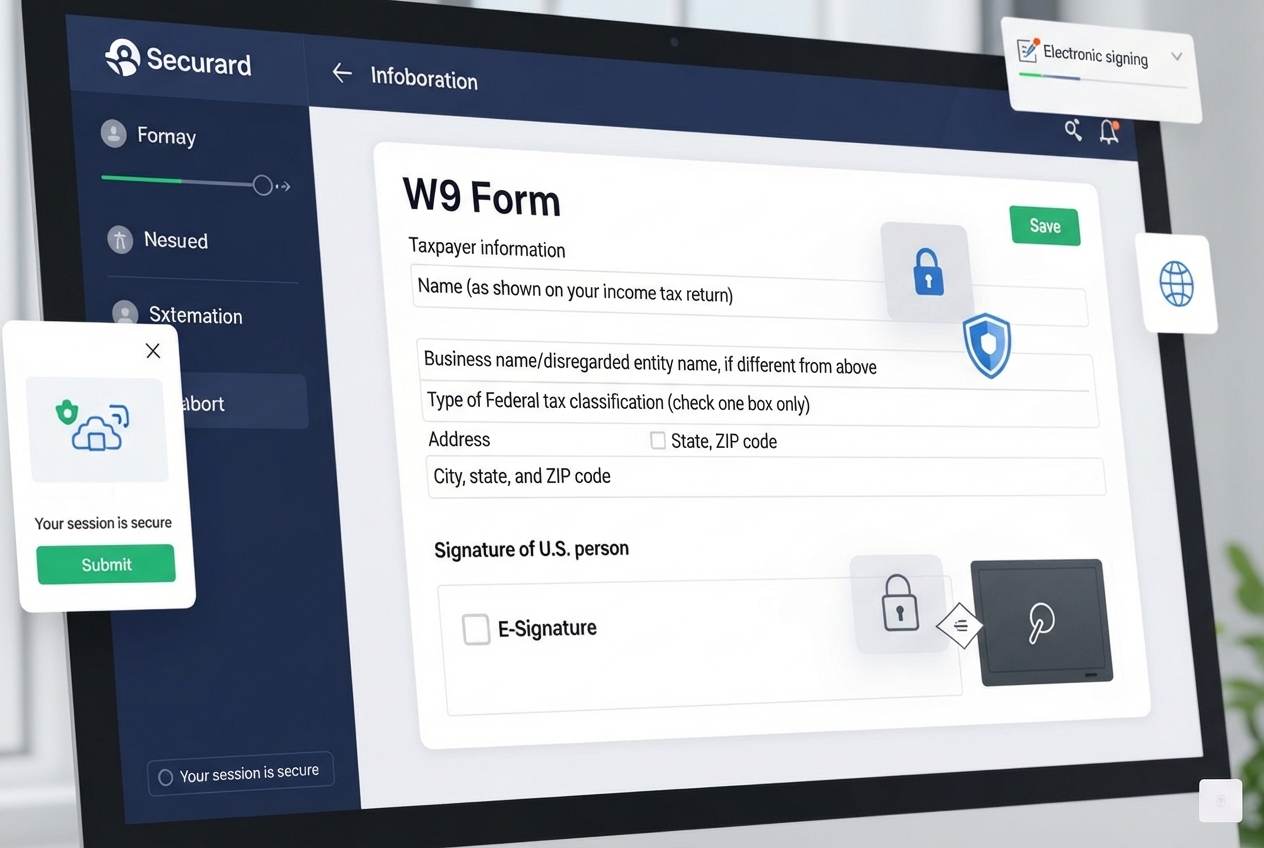
Why Choose Fillable W9?
Our platform is built with you in mind, offering features designed to simplify the W-9 process.
-
Secure, Encrypted Platform: Your security is our priority. We use robust 256-bit SSL encryption to protect all data transmitted and stored on our platform from unauthorized access, giving you peace of mind.
-
Step-by-Step Guidance: Navigating tax forms can be confusing. Our intuitive platform provides clear, step-by-step instructions for each section, taking the guesswork out of completing your W-9.
-
IRS-Compliant E-Signature: Our IRS-compliant electronic signature option allows you to sign your W-9 digitally. This saves time by eliminating the need to print, sign, and scan.
-
Instant PDF Download: Once you complete and sign your W-9, you can instantly download a professional, IRS-compliant PDF for your records or for immediate sharing.
-
TIN Validation to Prevent Errors: Our system includes TIN validation to help catch errors before submission. This proactive check helps you avoid backup withholding and $50 IRS penalties.
-
Mobile-Friendly and Accessible Anywhere: Our platform is fully responsive and accessible on any device. Fill out your W-9 on your smartphone, tablet, or computer with ease.
-
Automatic Error Checking: Our Online W9 generator features comprehensive error checking that reviews your entries for completeness and consistency, reducing the risk of an inaccurate form.
-
Easy Sharing with Clients or Employers: Securely share your completed W-9 with the requesting party directly from our platform or download the PDF to send. This ensures clients get documentation promptly, helping you get paid faster.
For a deeper dive into how we can simplify your W-9 management, you can find More info about our features.
Don’t waste time with paper forms — complete your secure W9 online at https://fillablew9.com/apply.
How to Fill Out Your W9 Online: Step-by-Step Guide
Filling out your W-9 form online with an Online W9 generator like Fillable W9 is straightforward. Our intuitive process guides you through each step to ensure accuracy and compliance.
Here’s a simple guide to completing your W-9 form online:
-
Go to https://fillablew9.com/apply
Steer to our secure platform to start the process. -
Enter Your Legal Name and Business Name (if applicable)
Provide your full legal name as it appears on your tax return. If you have a business name (like a DBA), enter it in the “Business Name” section. -
Select Your Federal Tax Classification
Identify your business structure, such as Individual/Sole Proprietor, C Corporation, S Corporation, Partnership, or LLC. If you’re an LLC, you’ll need to specify its tax classification. Our guide helps you choose correctly. -
Input Your Address
Provide your complete mailing address (street, city, state, ZIP code). This is where clients will send tax forms like the 1099-NEC. -
Enter Your Taxpayer Identification Number (TIN, SSN, or EIN)
This is the core of the W-9. Individuals typically use their Social Security Number (SSN), while businesses use an Employer Identification Number (EIN). The TIN must match the name you entered in step 2 to avoid issues. -
Review for Accuracy with Built-In Error Checks
Our Online W9 generator automatically checks for common errors and incomplete fields. Take a moment to review all the information you’ve entered. -
E-Sign Securely Online
Once everything is correct, you’ll electronically sign the form. Our e-signature process is secure and IRS-compliant. -
Download or Instantly Share Your Completed W9
With your signature applied, your W-9 is complete. Download a PDF for your records or share it securely and directly with your client or employer.
Following these steps ensures you complete your W-9 accurately and efficiently, helping you get paid on time.
Key Features of a Secure Online W9 Generator
When we evaluate an Online W9 generator, we look for specific features that lift it beyond a simple fillable PDF. These features are critical for ensuring security, accuracy, and a seamless user experience. We believe a truly effective generator should offer robust protection for your sensitive data while making the process as effortless as possible.
Here’s a comparison of essential features that we prioritize in a top-tier Online W9 generator:
| Feature | Fillable W9 |
|---|---|
| 256-bit SSL Encryption | Yes |
| IRS E-Signature | Yes |
| TIN Validation | Yes |
| Mobile-Friendly | Yes |
| Instant PDF Download | Yes |
| Step-by-Step Guidance | Yes |
| Data Protection | Yes |
Must-Have Security and Compliance Features
Security is non-negotiable when dealing with tax forms. An Online W9 generator must employ stringent measures to protect your Taxpayer Identification Number and other personal details.
-
256-bit SSL Encryption: This industry standard ensures all data transmitted between your device and our servers is encrypted and unreadable to unauthorized parties.
-
Data Protection Policies: A secure generator should have clear data protection policies. This ensures your information is handled responsibly and not misused.
-
IRS E-Signature Compliance: The electronic signature must be legally binding and accepted by the IRS. A reliable Online W9 generator ensures its e-signature function meets these requirements.
-
Secure Servers: Data needs to be secure at rest, not just in transit. The servers hosting the Online W9 generator should be protected with advanced security protocols to prevent data breaches.
-
TIN Validation: To prevent backup withholding and IRS penalties, an effective generator includes features to validate your TIN, checking for proper formatting or inconsistencies before submission.
You can learn More info about our security features and how we protect your sensitive information.
User Experience and Accessibility
While security is paramount, a complicated or clunky interface defeats the purpose of an Online W9 generator. We believe that ease of use and accessibility are crucial for a positive experience.
-
Intuitive, Easy-to-Use Interface: The best generators have a clean design that makes navigation simple and minimizes confusion.
-
Mobile-Friendly Design: An accessible Online W9 generator is fully responsive, adapting to any screen size so you can complete your form anywhere, anytime.
-
Step-by-Step Instructions: Clear guidance for each field is invaluable. A good generator breaks down the form into manageable steps, explaining what’s needed.
-
Instant Download and Sharing: Once done, you should be able to instantly download a PDF and have the option to securely share the form directly with your client.
-
Responsive Customer Support: Even with intuitive tools, questions can arise. Top-tier generators offer responsive customer support to help with any issues.
By combining robust security with an exceptional user experience, we strive to make completing your W-9 form a task you no longer dread.
Frequently Asked Questions about Online W9 Forms
We understand that you might have questions about using an Online W9 generator and the W-9 form itself. Here, we address some of the most common inquiries to provide clarity and peace of mind.
What information is required to fill out a W9 form?
To accurately complete a W-9, you need the following information so the payer can report payments to the IRS:
- Legal Name: Your full name as it appears on your tax return.
- Business Name (if any): Your business, trade, or “doing business as” (DBA) name if different from your legal name.
- Federal Tax Classification: Your business structure (e.g., Individual/Sole Proprietor, C Corporation, S Corporation, Partnership, LLC).
- Address: Your complete mailing address for receiving tax documents like Form 1099-NEC.
- Taxpayer Identification Number (TIN): For individuals, this is your Social Security Number (SSN). For businesses, it’s your Employer Identification Number (EIN). The TIN must match your legal name to avoid backup withholding.
For a detailed look, you can See Original Form.
How secure is my information when using Fillable W9?
We take the security of your sensitive information seriously and use multiple layers of protection.
- SSL Encryption: All data is protected by 256-bit SSL (Secure Sockets Layer) encryption, the same standard used by major financial institutions.
- Data Protection: We adhere to strict data protection protocols to safeguard your personal and financial details from unauthorized access.
- Secure Servers: Your data is stored on secure servers protected by firewalls and other advanced security measures.
- Encrypted Forms: We use encryption for data at rest, meaning your information remains unreadable even if our storage is compromised.
We are committed to providing a secure environment for your tax documents. For more details, see our More info about our FAQ section.
What should I do if I make a mistake on my W9 after submitting it?
If you find an error on a submitted W-9, it’s fixable. The IRS advises submitting a new, correct form.
- Submit a New Form: The simplest solution is to complete and submit a new W-9 with the correct information.
- Inform the Requester: Contact the person or business that requested the W-9. Let them know you made an error and are providing an updated form to ensure they update their records.
- Mark as ‘Amended’: While not an official IRS requirement, you can write “AMENDED” at the top of the new form to avoid confusion.
- Keep Records: Keep a copy of both the incorrect and the corrected W-9 forms for your records.
For general inquiries or corrections, some platforms offer a Request Correction feature.
Conclusion: Complete Your W9 Online and Get Paid Faster
We’ve explored the significant advantages of using an Online W9 generator, from enhancing accuracy and security to streamlining the entire process. The days of struggling with paper forms, risking errors, and facing potential penalties are over. Platforms like Fillable W9 offer a modern, efficient, and secure way to handle this essential tax document.
By choosing a reliable Online W9 generator, you invest in peace of mind. You ensure your information is correct, protect your data, and facilitate timely payments. Avoid costly errors and delays by choosing a secure, IRS-compliant solution trusted by freelancers and businesses. Managing your tax obligations should be simple, not stressful.
Ready to complete your W9 in minutes? Apply here now at https://fillablew9.com/apply/.