
Why Nonprofit Organizations Need to Master the W-9 Form

How to complete a w9 for a nonprofit is a critical skill for any tax-exempt organization handling payments or working with contractors. Here’s the quick answer:
Quick Guide: Completing a W-9 for Your Nonprofit
- Line 1: Enter your nonprofit’s legal name exactly as it appears on your IRS determination letter
- Line 2: Add your DBA name if different (otherwise leave blank)
- Line 3: Check “Other” and write “Nonprofit corporation exempt under IRS Code Section [your code, e.g., 501(c)(3)]”
- Line 4: Leave blank (most nonprofits are exempt from backup withholding)
- Lines 5-6: Provide your organization’s official mailing address
- Part I: Enter your nonprofit’s EIN (Employer Identification Number) – never use an SSN
- Part II: Have an authorized officer sign and date the form
- Submit: Send directly to the requester, not the IRS
Form W-9, officially titled “Request for Taxpayer Identification Number and Certification,” serves as the foundation for proper tax reporting between your nonprofit and the businesses or organizations that pay you. Whether you’re receiving a grant, providing consulting services, or hiring independent contractors, understanding how to complete a w9 for a nonprofit ensures you avoid payment delays, prevent mandatory backup withholding, and maintain IRS compliance.
Many nonprofit leaders feel overwhelmed by tax forms and bureaucracy. As one nonprofit article noted, organizations must “practically live and breathe bureaucracy to maintain their tax-exempt status and ensure the continuation of their mission.” The good news? The W-9 is simpler than it looks once you understand the specific requirements for tax-exempt organizations.
The consequences of getting it wrong are significant. Failure to provide a properly completed W-9 can result in backup withholding at 24% of your payment – money taken directly from what you’re owed and sent to the IRS. For nonprofits operating on tight budgets, this can create serious cash flow problems.
I’m Haiko de Poel, and throughout my career as a fractional CMO and business consultant, I’ve helped numerous organizations steer complex administrative processes, including understanding how to complete a w9 for a nonprofit correctly. My work with companies on compliance and operational efficiency has shown me that mastering these fundamental forms is essential for organizational health.
Let me walk you through everything you need to know to complete this form accurately and confidently.
✅ Need to complete your W-9 quickly and securely? Start your form at FillableW9 now

Key how to complete a w9 for a nonprofit vocabulary:
Introduction to Form W-9 for Nonprofits
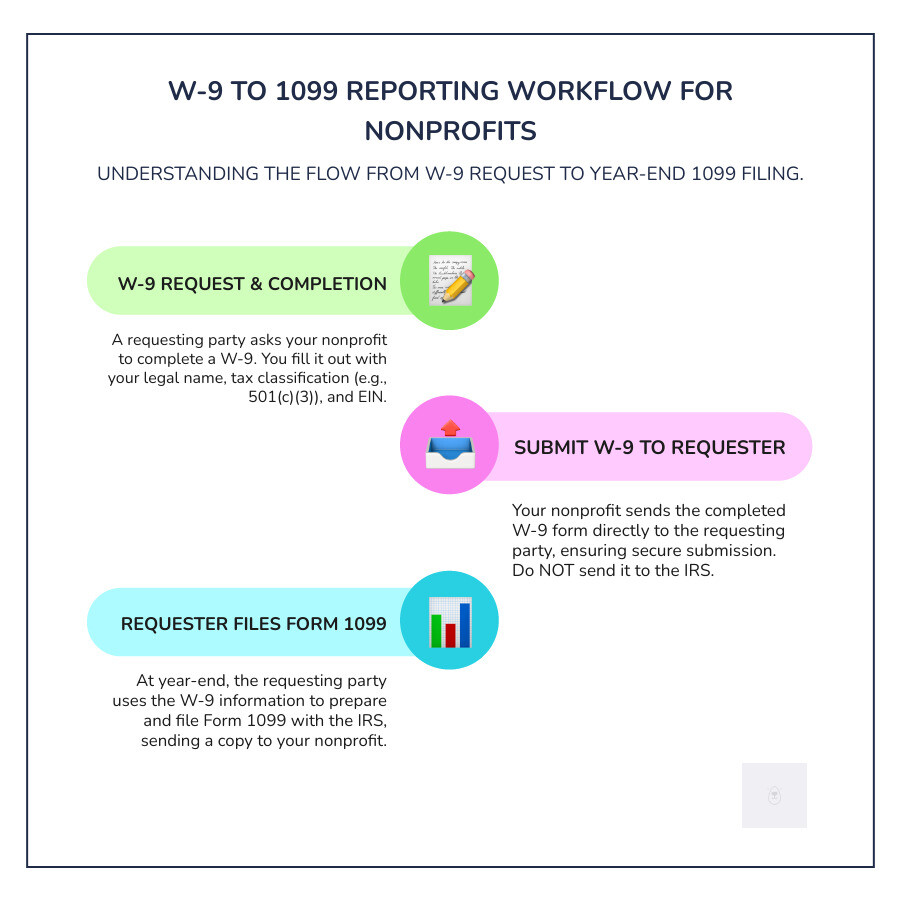
Form W-9 is the IRS’s standard way to collect a U.S. taxpayer’s name, address, and Taxpayer Identification Number (TIN) so a payer can prepare an information return (often a 1099) later. The official, fillable PDF is here: IRS Form W-9.
- Purpose: Provide your correct TIN to a requester who must file an information return (like a 1099) to report payments to your organization.
- Why it matters to nonprofits: It ensures accurate reporting, helps avoid payment delays, and prevents backup withholding.
- TIN for nonprofits: Your TIN is your EIN (Employer Identification Number), obtained via Form SS-4.
Want the IRS’s plain-language definition? See What is a W-9 tax form?
When and Why Your Nonprofit Encounters Form W-9
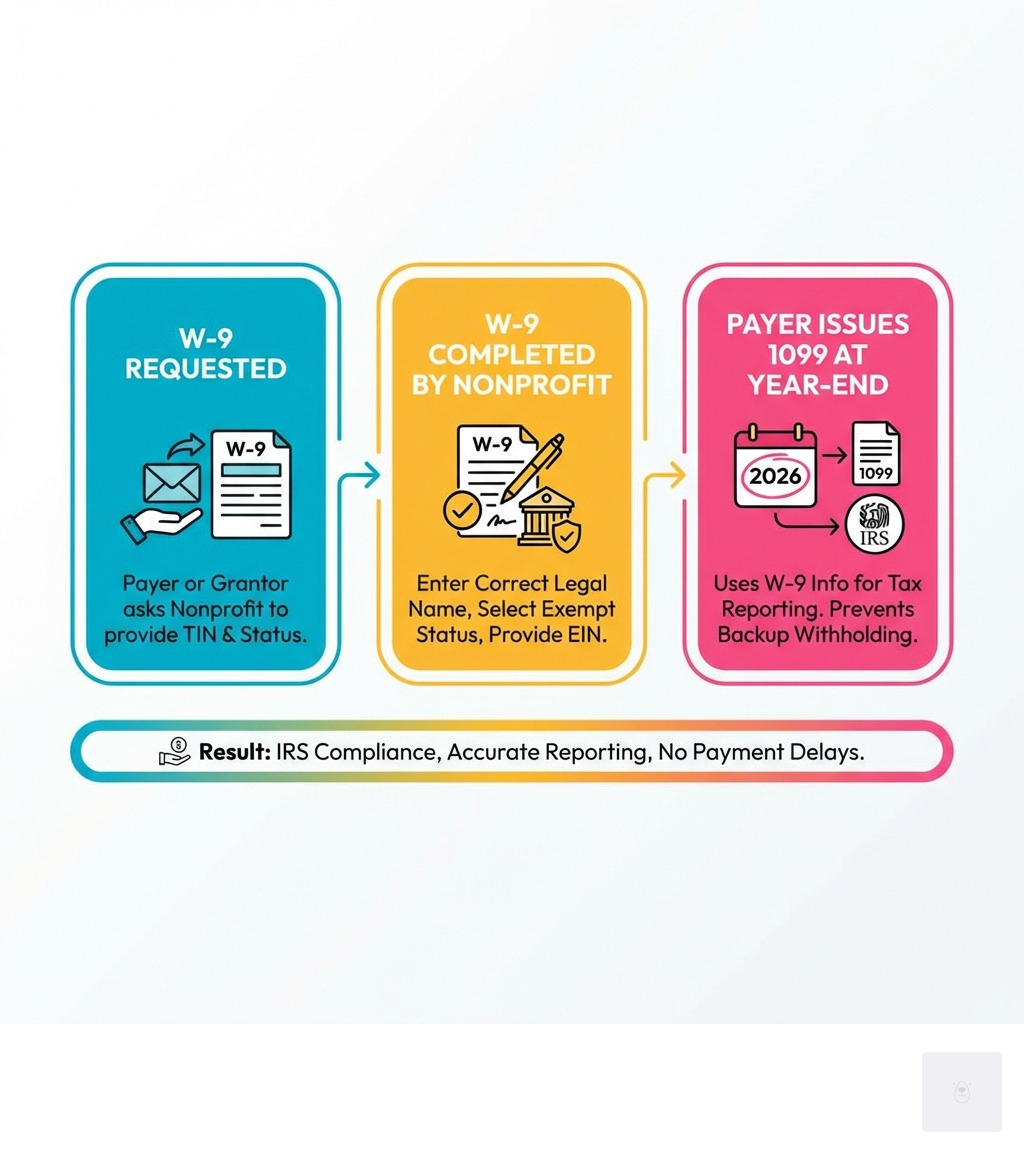
Your nonprofit will see W-9s in two common situations: when another organization asks you to complete a W-9, and when you need to request a W-9 from others you pay.
When Your Nonprofit Must Fill Out a W-9
You’ll typically be asked for a W-9 when:
- You act as a contractor or service provider for another organization (for example, providing paid consulting services).
- Total payments to your organization will be $600 or more in a calendar year.
- A private foundation or corporation pays you under a grant agreement with specific deliverables.
- You receive income tied to a corporate sponsorship (e.g., event services or marketing deliverables).
In these scenarios, the payer uses your W-9 to issue any required 1099s at year-end.

When Your Nonprofit Must Request a W-9
You should request a completed W-9 from any U.S. contractor or vendor you pay if:
- They’re not your employee.
- You pay them $600 or more in a calendar year for services.
- You anticipate needing to issue a 1099 (see Form 1099 instructions for details).
Best practices:
- Ask for the W-9 before or at onboarding, not at year-end.
- Re-confirm info annually or when the vendor reports a change.
- Keep W-9s on file as long as the relationship is active and for at least four years.
Want a faster, safer way to collect and store W-9s? Check out our features.
Don’t waste time with paper forms — complete your secure W9 online at https://fillablew9.com/apply/.
How to Complete a W9 for a Nonprofit: A Step-by-Step Guide
You’ll only complete the first page of the IRS Form W-9. The remaining pages are instructions.
Step 1: Lines 1 & 2 – Your Organization’s Name
- Line 1: Enter your nonprofit’s legal name exactly as it appears on your IRS records and determination letter. Need a copy? See how to obtain your IRS determination letter.
- Line 2: If you operate under a “doing business as” (DBA) or program name, enter it here. If not, leave Line 2 blank.
Tip: If your exemption application used Form 1023 (or 1024/1024-A for other types), ensure the name here matches those filings and your Form 990.
Step 2: Line 3 – Federal Tax Classification
Most nonprofits either:
- Check “Other” and write “Nonprofit corporation (exempt under IRC Section 501(c)(3))” or your specific code; or
- If you’re incorporated, some organizations choose “C Corporation.” Many nonprofit accountants prefer “Other → Nonprofit corporation” for clarity.
Reference: IRS exempt types like Section 501(c)(3).
Pro tip: Consistency helps. Use the same approach across your W-9s to avoid confusion with requesters and the IRS.
Step 3: Line 4 – Exemptions from Backup Withholding
Backup withholding is a 24% federal withholding that kicks in when payees fail to provide a correct TIN or certification. Many nonprofits are exempt from backup withholding, but the W-9’s “Exempt payee code” box is often left blank in practice.
- Most nonprofits leave the Exempt Payee Code blank.
- If a requester insists on a code, organizations exempt under section 501(a) may use the appropriate IRS-listed code for exempt payees.
- When in doubt, confirm the requirements for backup withholding or ask a qualified accountant.
Bottom line: Leaving it blank is common and acceptable for many nonprofits, but make sure your TIN and certification are correct to avoid backup withholding.
Step 4: Part I – Your Nonprofit’s Taxpayer Identification Number (TIN)
Part I is the most important box on the form.
- Enter your EIN only. Nonprofits should not use an SSN.
- Don’t have an EIN yet? Apply using Form SS-4.
- If you have applied but haven’t received the EIN, you may write “Applied For.” Under IRS rules, you typically have 60 days to provide the number; however, note that the special “awaiting TIN” relief doesn’t always prevent withholding for certain payments (like some nonemployee compensation). Expect some payers to withhold until you provide the EIN.
Quick refresher:
- EIN = Employer Identification Number (for entities like nonprofits)
- SSN = Social Security Number (for individuals; not for nonprofit corporations)
Step 5: Part II – Certification and Secure Submission
- Who should sign: An authorized officer (Executive Director, CEO/President, Treasurer, or another authorized signer per your bylaws).
- What you’re certifying: That your TIN is correct, you’re a U.S. person, and you’re not subject to backup withholding (unless the IRS notified you otherwise).
- Where to send it: Return the completed W-9 to the requester only. Do not send it to the IRS.
Secure submission tips:
- Verify the requester is legitimate. Watch for phishing; see the FTC’s guidance on avoiding scams.
- Share via a secure portal, encrypted email, or trusted e-sign platform.
- Store completed W-9s safely in your accounting system with restricted access.
Want the easiest route? Complete your fillable W9 securely in minutes at https://fillablew9.com/apply/.
Common Pitfalls and Key Considerations
Little mistakes on a W-9 can lead to big headaches. Here’s how to steer clear.
What Happens If You Don’t Fill Out a W-9?
If you refuse or fail to provide a W-9 (or provide one with an incorrect name/TIN), the payer must withhold tax at a flat 24% on reportable payments and remit it to the IRS. That’s real money out the door and avoidable.
Other risks:
- Payment delays while the payer chases a valid W-9.
- Administrative strain and strained vendor relationships.
- Extra cleanup work at year-end during 1099 processing.
How to complete a w9 for a nonprofit: Key Differences
Here are the nonprofit-specific nuances to remember:
- Tax classification (Line 3): Check “Other” and write “Nonprofit corporation (501(c)(3) or similar),” or use “C Corporation” if appropriate for your entity. Many nonprofits prefer the “Other → Nonprofit corporation” approach for clarity.
- EIN only: Always use the organization’s EIN, not any individual’s SSN.
- Exemptions: Most nonprofits leave the Exempt Payee Code blank unless a requester specifically requires one.
- Who signs: An authorized officer according to your bylaws or board resolution.
- Keep it secure: Nonprofits handle sensitive donor/vendor data—treat the W-9 with the same care.
How to complete a w9 for a nonprofit: Correcting Mistakes and Updating Information
If you find an error after submitting:
- Complete a new, corrected W-9 immediately.
- Notify the requester and ask them to update their records.
- If your address or responsible party changed, update the IRS using Form 8822-B so IRS records stay current.
Good hygiene:
- Reconfirm vendor and organizational W-9 details annually.
- Keep a central, secure repository for all W-9s.
Frequently Asked Questions about Nonprofit W-9 Forms
What is the main difference between a W-9 and a 1099 for a nonprofit?
A W-9 collects your organization’s TIN and certifications up front. A 1099 reports the payments made to you at year-end. Payers use the information from your W-9 to prepare 1099s (such as Form 1099-MISC).
Who is authorized to sign a W-9 for a nonprofit?
An officer or authorized representative with legal signing authority—commonly the Executive Director, President, Treasurer, or another officer designated in your bylaws or a board resolution.
Can a nonprofit ever use a Social Security Number (SSN) on a W-9?
No. A registered nonprofit corporation is a separate legal entity and must use its EIN. Do not use a personal SSN on a nonprofit’s W-9.
When should our nonprofit request W-9s from contractors?
At onboarding, before the first payment, especially if you expect to pay $600 or more in the calendar year. This ensures you’re ready to issue required 1099s and prevents last-minute scrambling.
Do we send our W-9 to the IRS?
No. Provide the completed W-9 only to the requester. Keep a copy for your files.
Where do we get the official W-9 form?
Always download the current version directly from the IRS: IRS Form W-9 (fillable PDF).
What if we haven’t received our EIN yet?
Apply using Form SS-4. If you’ve applied but don’t have the number yet, you can write “Applied For” on the form. Be aware that some payers may still withhold until your EIN is provided; provide the number as soon as it’s issued.
How long should we keep W-9s?
Retain W-9s as long as the vendor relationship is active and for at least four years after issuing any related 1099s.
Conclusion: Streamline Your W-9 Process and Ensure Compliance
Completing a W-9 for your nonprofit doesn’t have to be complicated. By following this guide, you can ensure accuracy, avoid payment issues, and maintain compliance. Remember to use your legal name, specify your nonprofit status, use your EIN, and submit the form securely to the requester.
- Download the official form: IRS W-9 (PDF)
- Double-check backup withholding rules: IRS Backup Withholding
- Keep solid records for at least four years and request vendor W-9s up front.
If you’re ready to ditch paper and email attachments, we’ve built a faster and safer way for Texas-based and U.S. nonprofits to manage W-9s end-to-end.
Start filling your W-9 online now at FillableW9.
Don’t waste time with paper forms — complete your secure W9 online at https://fillablew9.com/apply/.
✅ Ready to complete your W9 in minutes? Apply here now: https://fillablew9.com/apply/